Best for settings organization
TP-Link Archer AX10
5.0 attribute score
Highest scored product for this attribute based on supporting review evidence.

Highest scored product for this attribute based on supporting review evidence.
Balances the attribute score, supporting reviews, and overall product strength.
Has the broadest review evidence for this attribute.
Strongest overall product among items with scored evidence for this attribute.
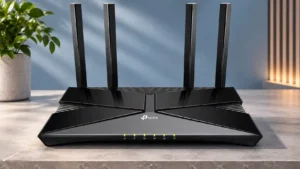
Overall: 3.7/5
Basic and advanced options are clearly organized, so common settings are easy to find.
Pros: Overall satisfaction, value for money
Cons: USB port support, 160 MHz support

Overall: 4.3/5
The web interface presents advanced controls in a clear, well-organized structure that remains approachable.
Pros: value for money, design and appearance
Cons: node pairing ease, outdoor coverage

Overall: 4.2/5
The clean dashboard puts network status and common settings within easy reach without burying them in complex menus.
Pros: value for money, Wi-Fi speed
Cons: subscription requirements, long-range speed

Overall: 4.1/5
Major settings are easy to navigate, with heavier options grouped under Advanced.
Pros: value for money, Wi-Fi speed
Cons: 6 GHz performance, subscription requirements

Overall: 4.3/5
Clearly labeled menus and accessible settings help keep routine management uncomplicated.
Pros: value for money, Wi-Fi speed
Cons: subscription requirements, WAN port speed
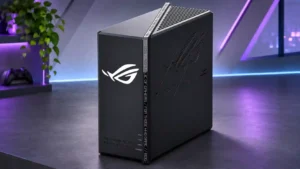
Overall: 4.3/5
Settings are generally well organized and the interface makes configuration accessible.
Pros: Wi-Fi speed, Ethernet port count
Cons: 10 GbE support, WAN port speed

Overall: 4.4/5
Advanced settings are readily accessible without overwhelming the basic dashboard, although the number of sections can be daunting.
Pros: setup ease, configuration flexibility
Cons: Wi-Fi 7 support, USB storage sharing

Overall: 4.5/5
The standard GL.iNet interface organizes common controls well, while LuCI exposes much deeper options. Some advanced storage and networking tasks still require digging into the less-friendly OpenWRT layer.
Pros: VPN client support, value for money
Cons: 6 GHz performance, USB storage sharing
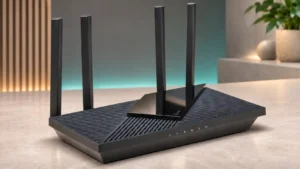
Overall: 4.0/5
Settings are generally organized logically, although some mobile options are buried in deeper menus.
Pros: value for money, parental controls
Cons: subscription requirements, multi-gig Ethernet support

Overall: 4.1/5
The app's settings are arranged in a relatively clear, intuitive interface.
Pros: wireless performance, Wi-Fi speed
Cons: value for money, size and footprint
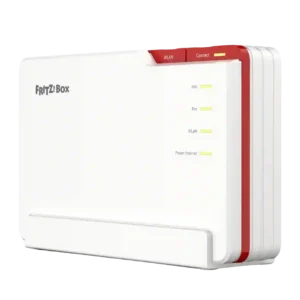
Overall: 4.0/5
The interface exposes a huge amount of control and can feel busy, but the simpler MyFRITZ! view gives less technical users a cleaner overview.
Pros: telephony features, value for money
Cons: LAN port speed, wall-mounting support
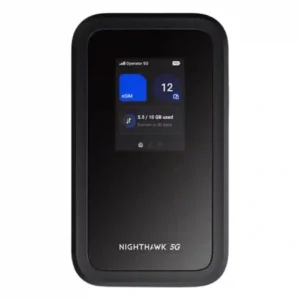
Overall: 4.1/5
The app is mostly uncluttered, but some settings are buried deeply enough that their locations take time to remember.
Pros: eSIM flexibility, cellular connectivity
Cons: interface responsiveness, Ethernet port count