
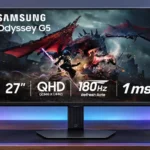
Samsung Odyssey G50D S27DG50 Feature Scores
Explore all 57 feature scores for Samsung Odyssey G50D S27DG50, organized into pros and cons.
Scores by Feature
Summary
57 reviewed features-
Very positive 4.5-5.015 (26%)
-
Positive 3.5-4.422 (39%)
-
Neutral 2.5-3.410 (18%)
-
Negative 1.5-2.49 (16%)
-
Very negative below 1.51 (2%)
Pros
Sort
-
The 180Hz panel makes desktop movement and games noticeably smoother than common 60–75Hz displays.
-
Height, tilt and other positioning options are a major plus, though an owner describes fewer practical adjustments on their unit.
-
VRR reduces tearing and generally behaves well with compatible GPUs; console support and the best overdrive settings are less straightforward.
-
The chassis and stand feel sturdy for a budget display, a point praised even by some dissatisfied owners.
-
A slim, restrained black enclosure looks at home in both gaming and workspaces without visually busy lighting.
-
Clear text and practical ergonomics allow the gaming display to double as a reliable everyday work monitor.
-
The IPS panel keeps color and detail readable from the side, a useful advantage for shared viewing.
-
Fine text and QHD game details look clean, making the screen usable for both work and play.
-
The 180Hz QHD combination is effective with a capable PC, though motion performance is not the best in its class.
-
The 27-inch 1440p image provides a pleasing balance of sharp text, detailed gaming visuals and manageable GPU requirements.
-
Most impressions are positive at a sale price, with caveats around HDR, connectivity and competitors offering better value.
-
Measured delay is very low, helping games respond promptly to commands.
-
The matte finish is effective against typical room glare, supporting bright-space use.
-
The panel is generally responsive, especially with tuned overdrive, but the advertised 1ms claim should not be taken literally and faster competitors exist.
-
SDR output is a consistent strength for normally lit rooms, although HDR highlights and very bright spaces expose its limits.
-
The support remains secure and largely wobble-free even when the base looks slim.
-
It feels fast and responsive enough for many competitive games, but motion blur and stronger alternatives prevent a top-tier esports recommendation.
-
Thin bezels contribute to the understated design, though the visible inner display borders have not disappeared.
-
Standard mounting gives arm users flexibility, though the included adjustable stand is sufficient for many desks.
-
Reports range from excellent measured sRGB accuracy to a factory setup that needed correction, with an isolated owner complaint of poor colors.
-
After eight months of daily operation, one owner reports a consistent picture with no significant defects.
-
The stand attaches easily and allows the monitor to be up and running quickly.
-
The IPS panel brings consistent color and wide angles, trading away the deeper blacks found on many VA screens.
-
General sRGB photography is possible and one long-term user is happy with it, but professional color-critical editing needs a more reliable reference.
-
Fast action is fairly crisp for the price, but some blur remains and several competitors handle motion more cleanly.
-
The everyday picture and workspace are straightforward to live with, although some reviewers find the physical menu controls dated.
-
One long-term user reports comfortable extended sessions without notable eye strain.
-
The sturdy construction feels more expensive than the budget positioning would suggest.
-
QHD clarity and IPS colors make SDR imagery appealing, but dark-scene depth and HDR punch hold it back.
-
G-SYNC and FreeSync are praised on PCs, but PS5 VRR compatibility is a significant exception.
-
At a suitable overdrive setting, only slight overshoot remains and motion trailing is substantially reduced.
-
The Faster overdrive setting offers a useful sweet spot; pushing it further can introduce distracting artifacts.
-
The relatively light chassis is manageable for one person to reposition.
-
At 27 inches, the QHD screen balances legibility with useful window space rather than demanding 4K-level resources.
-
Near-complete sRGB coverage suits everyday gaming and media, while wider-gamut creative work is less compelling.
-
The 1440p resolution is attainable with a capable PC, but consistently reaching 180 fps still requires sufficiently fast graphics hardware.
-
External calibration improves color neutrality, though buying a dedicated colorimeter may not make sense for an inexpensive display.
Cons
Sort
-
Just the basic video connections and audio output are available; missing USB-C and a hub reduce desk flexibility.
-
IPS blacks look relatively gray, particularly in dim rooms, and deeper-black alternatives make the weakness obvious.
-
The limited backlighting zones add little meaningful contrast and fail to resolve gray blacks.
-
One captured owner report describes a wake failure that required restarting the computer.
-
Some owners report only faint bleed, while other assessments find noticeable edge leaks or dark-scene clouding.
-
HDMI 2.0 limits future-proof bandwidth and is a drawback for anyone prioritizing advanced console modes.
-
There is no practical USB hub for connecting a keyboard, mouse or other peripherals directly to the monitor.
-
HDR impressions are divided: some find it passable for the price, while more demanding assessments point to dull highlights, weak contrast and ineffective dimming.
-
There are no speakers, which some consider acceptable in a gaming setup but others find disappointing.
-
Consoles can use standard high-refresh modes, but missing PS5 VRR and HDMI 2.1 reduce its appeal as a console-first screen.
-
The essentials are covered, but gaming-focused extras are relatively sparse compared with some competing monitors.
-
Bright objects lack the punch expected from impactful HDR, so small highlights rarely stand apart from the scene.
-
Panel consistency varies, with some dark-scene clouding and edge leaks reported alongside a positive long-term ownership experience.
-
The rear cable guide can pop open or be awkward to route when cable slack is limited.
-
One assessment calls the power lead too short, which can limit convenient monitor placement.
-
The screen fits ordinary desks, but its fairly deep or wide base may get in the way on shallow or cramped surfaces.
-
Experience varies: one captured owner comment complains of dead pixels, while another long-term user reports none.
-
Contrast is passable or even good by ordinary IPS standards, yet blacks lack the depth of VA, Mini LED or OLED alternatives.
-
Menu opinions are split: some users find it simple, while others dislike the D-pad and extra button presses.
-
Sale prices make the fundamentals attractive, but the recommendation weakens sharply when the G50D costs as much as better-equipped rivals.
Use Cases
Best for
Sort
-
Crisp QHD text, plenty of window space and flexible positioning make office tasks comfortable despite the gaming focus.
-
A high refresh rate gives games fluidity, while sharp text and respectable sRGB color make everyday work and light creation practical.
-
Discounts make this a strong way to get 1440p and 180Hz without paying premium prices. At higher list prices, rivals deserve a look.
-
The display is usable for routine sRGB-focused edits and appeals to mixed-use creators, but is not a precision HDR grading tool.
-
An eight-month owner reports the display staying bright and consistent without noticeable flickering or dead pixels.
-
The G50D has enough SDR brightness and glare resistance for most well-lit spaces. Very harsh light may still be challenging.
-
Its clean styling and lack of gimmicky extras suit users who prefer a monitor that stays out of the way.
-
Wide IPS viewing angles help preserve the image for someone sitting beside the main user.
-
High refresh and low perceived lag make shooters feel smooth, although demanding players may prefer a faster panel.
-
Streaming is enjoyable with clear detail and decent colors, but cinematic shadows can look gray and lack depth.
-
Fast refresh and clear QHD imagery make regular SDR gaming the G50D’s stronger proposition compared with HDR.
Conditional or not ideal for
Sort
-
USB-C laptop dockingWithout USB-C input or power delivery, laptop users cannot rely on a single cable for video and charging.
-
Dark-room viewingGrayish blacks and occasional backlight clouding become much more obvious with the room lights off.
-
HDR color gradingWeak highlights, poor black depth and unreliable dark-scene contrast rule it out as a serious HDR grading display.
-
Single-cable laptop dockingThe lack of a USB-C docking path and built-in peripheral hub makes one-cable laptop setups impractical.
-
Color-critical worksRGB tasks can be workable, but imperfect factory tuning, limited gamut and poor dark-scene contrast make it a risky reference monitor.
-
HDR gamingHDR can add a little color and highlight pop, but it is much less convincing than SDR and cannot approach a good OLED or Mini LED screen.
-
Portrait orientationSome assessments praise the stand’s pivot support, but one owner says they could not rotate the screen vertically on their setup.