
Overall: 4.1/5
Low Framerate Compensation keeps tearing suppressed even when frame rates fall below the normal VRR floor.
Pros: peak brightness, picture quality
Cons: value for money, color accuracy

Overall: 4.1/5
Low Framerate Compensation keeps tearing suppressed even when frame rates fall below the normal VRR floor.
Pros: peak brightness, picture quality
Cons: value for money, color accuracy

Overall: 4.0/5
Low-frame-rate compensation extends variable refresh operation below the panel’s normal minimum to reduce tearing.
Pros: contrast ratio, black levels
Cons: reflection handling, color accuracy

Overall: 4.1/5
VRR extends up to 165Hz for PC gaming while fully covering the 120Hz ceiling of current consoles.
Pros: picture quality, gaming performance
Cons: value for money, sound quality

Overall: 4.1/5
Variable refresh remains effective over a broad refresh range, including lower-frame-rate situations with compensation.
Pros: gaming performance, HDR brightness
Cons: reflection handling, glare resistance
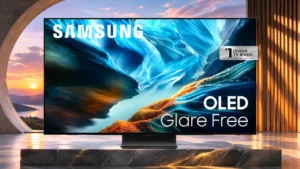
Overall: 4.1/5
Gaming remains nearly tear-free even at lower frame rates when the source supports compensation.
Pros: black levels, contrast ratio
Cons: Dolby Vision support, stutter handling

Overall: 3.1/5
Variable refresh operates effectively over a wide range and can use low-frame-rate compensation.
Pros: gaming performance, color accuracy
Cons: value for money, overall satisfaction

Overall: 3.8/5
Variable refresh support continues to prevent tearing even when frame rates drop, aided by low-framerate compensation.
Pros: picture quality, contrast ratio
Cons: blooming control, glare resistance

Overall: 4.0/5
Adaptive synchronization remains effective across the refresh range, including lower frame rates when compensation is available.
Pros: black levels, picture quality
Cons: glare resistance, reflection handling

Overall: 4.2/5
Variable refresh works reliably over the refresh range and keeps low-frame-rate content from tearing badly.
Pros: picture quality, overall satisfaction
Cons: design and appearance, Dolby Vision support

Overall: 3.5/5
Variable refresh works well across the supported range, including low frame rates when the source provides compensation.
Pros: art display mode, design and appearance
Cons: overall satisfaction, HDMI port accessibility

Overall: 3.8/5
Variable refresh works across the screen's full supported range and handles lower frame rates with compensation.
Pros: cable management, design and appearance
Cons: value for money, Dolby Vision support
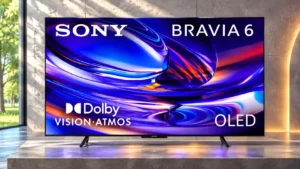
Overall: 3.8/5
Adaptive refresh performs well across the supported range, including low frame rates when the source supports compensation. Tearing is kept to a minimum.
Pros: HDMI 2.1 port count, Video input versatility
Cons: value for money, overall satisfaction

Overall: 4.3/5
The 48Hz-to-144Hz range at 4K suits a wide spread of PC and console frame rates.
Pros: picture quality, black levels
Cons: bass performance, HDR brightness

Overall: 4.4/5
VRR remains smooth and tear-free up to 4K HDR 165Hz, giving PCs a very wide operating range.
Pros: picture quality, peak brightness
Cons: value for money, sound quality

Overall: 3.8/5
Variable refresh works across the refresh range, with low-frame-rate compensation helping when game performance drops.
Pros: overall satisfaction, color gamut
Cons: value for money, local dimming performance

Overall: 3.8/5
Low-frame-rate compensation helps maintain tear-free play even when games drop well below their target frame rates.
Pros: picture quality, overall satisfaction
Cons: color crosstalk, value for money
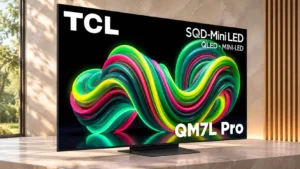
Overall: 4.1/5
Low Framerate Compensation helps games stay nearly free of tearing even when performance dips sharply.
Pros: picture quality, black levels
Cons: viewing angles, motion clarity

Overall: 4.2/5
The broad adaptive-refresh window is useful at high frame rates, but 60Hz handshakes and certain VRR transitions can be problematic.
Pros: overall satisfaction, glare resistance
Cons: motion handling, viewing angles

Overall: 3.8/5
VRR helps at common frame rates and supports low-frame-rate compensation, but it does not function above 144Hz.
Pros: picture quality, color accuracy
Cons: HDR performance, sound quality

Overall: 2.9/5
Variable refresh is most useful at 1080p; its narrow range at 4K prevents low-frame-rate compensation and may still show tearing.
Pros: value for money, picture quality
Cons: account requirements, gaming performance

Overall: 4.0/5
The highest refresh and motion-boost modes are promising, but a PC test required disabling the boosted option to stop flickering.
Pros: peak brightness, picture quality
Cons: value for money, viewing angles

Overall: 2.7/5
The narrow usable VRR window cannot handle low frame rates well, so tearing may still appear during gameplay.
Pros: white balance accuracy, design and appearance
Cons: overall satisfaction, value for money

Overall: 3.1/5
The limited 48–60Hz operating band does not support low-frame-rate compensation, so tearing reappears once a game drops below the range.
Pros: design and appearance, maximum volume
Cons: picture quality, value for money

Overall: 3.4/5
The narrow working range leaves no effective low-frame-rate compensation and limits VRR usefulness.
Pros: art display mode, picture quality
Cons: contrast ratio, high-refresh-rate gaming

Overall: 3.4/5
The limited VRR range lacks low-frame-rate compensation, so tearing can return below 48fps.
Pros: picture quality, color accuracy
Cons: remote control quality, black levels

Overall: 2.6/5
The refresh window is too narrow for low-frame-rate compensation and mainly helps near 60fps.
Pros: sound quality, picture quality
Cons: value for money, local dimming performance