
Overall: 3.3/5
The physical microphone-off switch is a well-regarded privacy feature. It gives users a direct hardware way to disable always-listening Alexa microphones.
Pros: picture quality, overall satisfaction
Cons: value for money, reliability

Overall: 3.3/5
The physical microphone-off switch is a well-regarded privacy feature. It gives users a direct hardware way to disable always-listening Alexa microphones.
Pros: picture quality, overall satisfaction
Cons: value for money, reliability

Overall: 4.0/5
A viewing-data collection option can be switched off, providing an easy privacy improvement.
Pros: peak brightness, picture quality
Cons: value for money, viewing angles

Overall: 4.5/5
Local, privacy-focused AI processing drew praise, and privacy choices are accessible in the interface.
Pros: glare resistance, black levels
Cons: Dolby Vision support, color gamut

Overall: 3.4/5
A physical microphone-mute switch gives users an immediate way to disable always-listening voice input.
Pros: art display mode, picture quality
Cons: contrast ratio, high-refresh-rate gaming

Overall: 3.8/5
A physical microphone switch allows hands-free listening to be disabled. Google setup can also avoid a sign-in, though most connected services are then unavailable.
Pros: HDMI 2.1 port count, overall satisfaction
Cons: HDR performance, bass performance

Overall: 4.2/5
A physical microphone switch provides a useful hardware privacy control for users who do not want the TV listening for voice commands.
Pros: overall satisfaction, picture quality
Cons: HDMI 2.1 port count, reflection handling

Overall: 4.0/5
Some home-screen promotions and suggested content can be turned off for a cleaner interface, but apps-page ads remain.
Pros: contrast ratio, black levels
Cons: reflection handling, color accuracy

Overall: 3.8/5
Using Google TV includes advertising, but a basic setup without a Google sign-in offers an ad-free alternative. The tradeoff is losing many smart functions.
Pros: HDMI 2.1 port count, Video input versatility
Cons: value for money, overall satisfaction
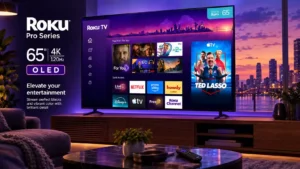
Overall: 4.1/5
Privacy controls can be disabled while keeping the TV usable. Default data sharing and required account sign-in still concern some users.
Pros: contrast ratio, value for money
Cons: peak brightness, HDR brightness

Overall: 4.2/5
A hardware microphone mute and software toggles offer control, though tracking and promotions may be enabled by default.
Pros: overall satisfaction, glare resistance
Cons: motion handling, viewing angles

Overall: 4.3/5
Personalized ads can be disabled, but advertising remains visible and offline operation restricts most connected features.
Pros: picture quality, black levels
Cons: bass performance, HDR brightness

Overall: 4.1/5
The ad-free Basic Google TV path trades away several smart features, while disabling personalized ads alone does not remove them.
Pros: peak brightness, picture quality
Cons: value for money, color accuracy

Overall: 4.1/5
Disabling personalized advertising is possible, but completely removing promotional material from the interface is not.
Pros: black levels, contrast ratio
Cons: Dolby Vision support, stutter handling

Overall: 3.1/5
Targeted advertising can be switched off, although the home screen continues to show ads.
Pros: gaming performance, color accuracy
Cons: value for money, overall satisfaction

Overall: 3.1/5
Data-sharing options can be turned off, though doing so may disable the voice assistant and its AI features.
Pros: picture quality, overall satisfaction
Cons: sound quality, black levels

Overall: 4.0/5
Ad targeting can be disabled, but ads themselves remain.
Pros: black levels, picture quality
Cons: glare resistance, reflection handling

Overall: 3.8/5
Personalized ad targeting can be disabled, but ordinary Google TV ads remain unless smart functions are restricted.
Pros: picture quality, overall satisfaction
Cons: color crosstalk, value for money

Overall: 4.1/5
Personalized ad targeting can be disabled, but the number of ads remains unchanged and some tracking settings take effort to locate.
Pros: overall satisfaction, value for money
Cons: Smart TV platform, advertising intrusiveness

Overall: 3.9/5
Many tracking and location options can be declined, but the volume of prompts and Gemini's broader presence may bother privacy-conscious buyers.
Pros: peak brightness, picture quality
Cons: color accuracy, viewing angles

Overall: 2.9/5
Data-collection consent is confusing during setup, though viewing-data controls can be changed in the settings on at least one tested configuration.
Pros: value for money, picture quality
Cons: account requirements, gaming performance

Overall: 4.1/5
Account agreements, viewing-data collection and consent settings deserve careful attention before using webOS services.
Pros: gaming performance, HDR brightness
Cons: reflection handling, glare resistance

Overall: 4.1/5
Users can disable some ads, but mandatory account and data-sharing terms make the smart platform feel invasive to privacy-conscious owners.
Pros: picture quality, gaming performance
Cons: value for money, sound quality

Overall: 4.4/5
Google TV can collect substantial account and usage data unless settings are adjusted. Location, advertising identifiers, app permissions, and the microphone deserve a privacy review during setup.
Pros: picture quality, value for money
Cons: stand quality, judder handling

Overall: 4.4/5
Opening streaming apps can require consent to transmit data outside the European Economic Area, which privacy-conscious users may dislike.
Pros: picture quality, peak brightness
Cons: value for money, sound quality