
Overall: 3.9/5
TCL's Game Bar is consistently praised for fast access to VRR, frame-rate data, presets, crosshairs, shadow controls, and other gaming tools.
Pros: peak brightness, picture quality
Cons: color accuracy, viewing angles

Overall: 3.9/5
TCL's Game Bar is consistently praised for fast access to VRR, frame-rate data, presets, crosshairs, shadow controls, and other gaming tools.
Pros: peak brightness, picture quality
Cons: color accuracy, viewing angles

Overall: 3.8/5
Game Bar places useful adjustments such as aim-point overlays, map zoom and picture presets within quick reach.
Pros: picture quality, contrast ratio
Cons: blooming control, glare resistance

Overall: 4.2/5
The game bar and gaming hub collect useful settings, source information, and cloud gaming shortcuts.
Pros: picture quality, overall satisfaction
Cons: design and appearance, Dolby Vision support

Overall: 4.1/5
On-screen controls make it easy to tune game brightness, black visibility and other settings without leaving the action.
Pros: gaming performance, HDR brightness
Cons: reflection handling, glare resistance

Overall: 4.5/5
Samsung’s Game Bar is particularly useful, putting refresh, HDR, genre and aiming controls within quick reach during play.
Pros: glare resistance, black levels
Cons: Dolby Vision support, color gamut
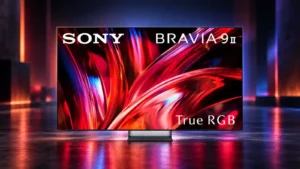
Overall: 4.3/5
The on-screen game bar is useful and well liked, putting key gaming controls within easy reach.
Pros: overall satisfaction, overall image accuracy
Cons: value for money, bass performance

Overall: 4.1/5
LG’s Game Optimizer remains one of the most useful dashboards for adjusting latency, VRR, HDR, and genre-specific settings on the fly.
Pros: picture quality, gaming performance
Cons: value for money, sound quality

Overall: 4.0/5
Game Optimizer places frame-rate, VRR and image controls within easy reach rather than burying them in the main menus.
Pros: peak brightness, picture quality
Cons: value for money, viewing angles

Overall: 4.4/5
The Game Bar provides useful live information and quick controls for refresh rate, VRR, shadow enhancement, and other game-specific settings.
Pros: picture quality, value for money
Cons: stand quality, judder handling

Overall: 4.4/5
Game Optimizer provides quick, customizable access to frame rate, VRR status, genre presets, black level, HGiG, and latency controls.
Pros: picture quality, peak brightness
Cons: value for money, sound quality

Overall: 4.0/5
Samsung’s Game Bar puts VRR information and gaming controls close at hand, while the Gaming Hub helps with console-free cloud play.
Pros: black levels, picture quality
Cons: glare resistance, reflection handling

Overall: 3.8/5
The Game Bar is easy to reach and provides useful signal readouts, frame-rate information, and practical adjustments during play.
Pros: picture quality, overall satisfaction
Cons: color crosstalk, value for money

Overall: 4.2/5
The game overlay supplies frame-rate, HDR and crosshair tools, but reaching the panel can take more remote presses than ideal.
Pros: overall satisfaction, glare resistance
Cons: motion handling, viewing angles
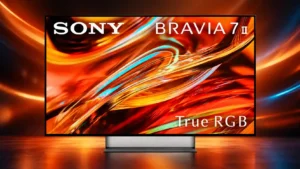
Overall: 4.2/5
The dedicated gaming bar makes it easy to reach game-specific settings without digging through the full TV menus.
Pros: overall satisfaction, picture quality
Cons: HDMI 2.1 port count, reflection handling

Overall: 3.8/5
Game Optimizer collects useful settings and latency tweaks without complex menu navigation.
Pros: value for money, peak brightness
Cons: color accuracy, stand quality

Overall: 3.8/5
Game Bar offers live game information and quick access to relevant adjustments.
Pros: overall satisfaction, color gamut
Cons: value for money, local dimming performance

Overall: 3.7/5
The Gaming Hub and on-screen game menu bring connected inputs, cloud services and picture tools together. They make advanced settings convenient to access during play.
Pros: color volume, overall satisfaction
Cons: value for money, color accuracy

Overall: 3.1/5
The Game Bar gives players quick access to refresh information, genres, aiming tools and minimap controls, a clear step up from basic Samsung TVs.
Pros: gaming performance, color accuracy
Cons: value for money, overall satisfaction

Overall: 3.8/5
A dedicated on-screen game menu groups VRR, black equalizer, crosshair and motion controls in one convenient place.
Pros: HDMI 2.1 port count, overall satisfaction
Cons: HDR performance, bass performance

Overall: 4.0/5
Game Optimizer offers accessible controls for tuning responsiveness and other gameplay settings.
Pros: contrast ratio, black levels
Cons: reflection handling, color accuracy

Overall: 4.1/5
Game-specific overlays and genre presets are useful, but opening the panel requires more menu navigation than it should.
Pros: peak brightness, picture quality
Cons: value for money, color accuracy

Overall: 4.0/5
The gaming overlay gives quick access to gaming-specific settings and status information.
Pros: peak brightness, blooming control
Cons: value for money, motion clarity
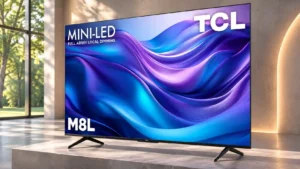
Overall: 4.1/5
Game Bar and its related controls are presented as helpful tools for adjusting a fast-paced gaming experience.
Pros: value for money, overall satisfaction
Cons: HDR brightness

Overall: 2.9/5
A simple readout can display current resolution and frame rate, but richer game-oriented adjustments are missing.
Pros: value for money, picture quality
Cons: account requirements, gaming performance

Overall: 3.4/5
Game Bar and Game Optimizer provide easy access to low-lag settings and VRR controls.
Pros: picture quality, color accuracy
Cons: remote control quality, black levels

Overall: 4.1/5
A Game Bar made VRR and frame-rate checks convenient in one hands-on review, while another tester could not find a dedicated gaming dashboard.
Pros: overall satisfaction, value for money
Cons: Smart TV platform, advertising intrusiveness
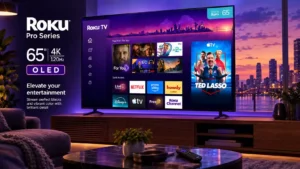
Overall: 4.1/5
The missing game bar and dedicated gaming tools leave enthusiasts without conveniences such as a crosshair or frame-rate counter.
Pros: contrast ratio, value for money
Cons: peak brightness, HDR brightness