
Overall: 3.9/5
The extensive overdrive adjustment and effective variable tuning offer clean transitions; aggressive settings can introduce visible pale halos.
Pros: motion clarity, Backlight strobing
Cons: contrast, HDR performance

Overall: 3.9/5
The extensive overdrive adjustment and effective variable tuning offer clean transitions; aggressive settings can introduce visible pale halos.
Pros: motion clarity, Backlight strobing
Cons: contrast, HDR performance

Overall: 4.5/5
Pixel response stays clean across refresh rates without constant overdrive adjustments, making gaming setup simpler.
Pros: color gamut, contrast
Cons: value for money, Resolution

Overall: 4.4/5
The panel does not require overdrive tuning because OLED transitions are already fast across the refresh range. That removes the overshoot and profile-selection compromises common to LCD monitors.
Pros: brightness, reflection handling
Cons: cable management

Overall: 4.4/5
The default overdrive setting is a sensible all-purpose choice, while the Premium mode adds useful motion clarity for games. Tuning remains conservative enough to avoid severe artifacts.
Pros: productivity versatility, aspect ratio
Cons: value for money, competitive gaming suitability
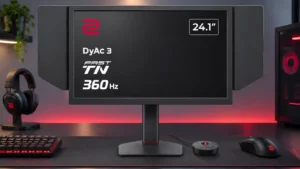
Overall: 3.8/5
A well-chosen AMA overdrive setting can control overshoot. Higher settings are not necessarily an improvement.
Pros: competitive gaming suitability, motion clarity
Cons: contrast, overall picture quality

Overall: 4.0/5
A single fast setting works well at native 165Hz. The QHD/330Hz mode needs different overdrive choices across the refresh range, with some overshoot at lower speeds.
Pros: Resolution, Dual-mode versatility
Cons: value for money, GPU demands

Overall: 3.5/5
Overdrive cannot be adjusted with VRR enabled, causing a frustrating tradeoff between transition speed, tearing avoidance, and inverse-ghosting artifacts.
Pros: Resolution, sharpness
Cons: value for money, HDR performance

Overall: 4.3/5
The fast overdrive setting is not recommended: it harms picture clarity without delivering a worthwhile gaming improvement. Normal mode is the safer choice.
Pros: productivity versatility, overall satisfaction
Cons: value for money, response time