
Overall: 4.4/5
Fast overdrive and stable high frame rates can help conceal blur, although the underlying panel cannot match top gaming screens.
Pros: overall picture quality, color accuracy
Cons: value for money, built-in speakers

Overall: 4.4/5
Fast overdrive and stable high frame rates can help conceal blur, although the underlying panel cannot match top gaming screens.
Pros: overall picture quality, color accuracy
Cons: value for money, built-in speakers

Overall: 3.8/5
Unusually effective variable overdrive delivers a reliable one-setting experience. The highest slider levels can create unwanted inverse ghosting.
Pros: value for money, Resolution
Cons: HDR performance, port selection

Overall: 3.6/5
The Faster overdrive setting offers a useful sweet spot; pushing it further can introduce distracting artifacts.
Pros: stand adjustability, competitive gaming suitability
Cons: value for money, port selection

Overall: 4.1/5
Overdrive can help with video playback, but its interaction with Adaptive-Sync limits how flexibly it can be used.
Pros: color accuracy, overall picture quality
Cons: HDR performance, refresh rate

Overall: 3.9/5
The middle settings usually balance speed and overshoot; aggressive modes can produce inverse ghosting and often require retuning across refresh rates.
Pros: Resolution, refresh rate
Cons: HDR performance, contrast
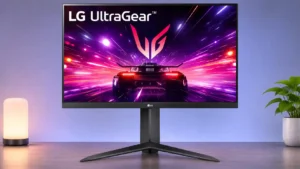
Overall: 3.3/5
The Fast overdrive setting offers the most sensible balance of speed and visual quality. Faster may measure quicker but produces obvious overshoot and distracting halos.
Pros: adaptive sync performance, response time
Cons: HDR performance, console gaming compatibility
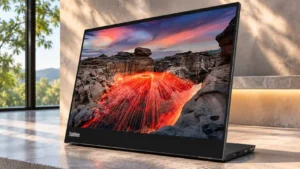
Overall: 3.9/5
The Extreme setting marginally changes response, but may introduce visible shadows without sufficiently improving fast motion. It does not solve the gaming limitations.
Pros: overall picture quality, Stylus usability
Cons: port selection, refresh rate

Overall: 3.1/5
The standard overdrive mode is the better-balanced choice. Faster settings can overshoot and worsen visible inverse ghosting.
Pros: PC gaming compatibility, overall picture quality
Cons: overall satisfaction, Smart TV platform