
Overall: 4.2/5
Dell’s included display software is straightforward and meaningfully improves day-to-day control.
Pros: overall satisfaction, screen size
Cons: stand adjustability, Photo editing

Overall: 4.2/5
Dell’s included display software is straightforward and meaningfully improves day-to-day control.
Pros: overall satisfaction, screen size
Cons: stand adjustability, Photo editing
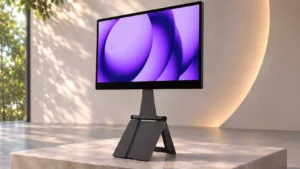
Overall: 4.3/5
Automatic setup and display-positioning tools make the companion software helpful without a complicated driver process.
Pros: overall satisfaction, stand adjustability
Cons: value for money, reflection handling

Overall: 4.0/5
Gigabyte’s desktop utility is useful for configuration and firmware, with some setup requirements and occasional preference for competing software.
Pros: brightness, contrast
Cons: Text fringing, speaker quality

Overall: 3.9/5
Several years of announced webOS upgrades should help keep apps and menus current.
Pros: gaming performance, overall satisfaction
Cons: sound quality, value for money

Overall: 3.9/5
The software and driver support is adequate for routine use but comes with compromises depending on the connected device and task.
Pros: brightness, portability and weight
Cons: value for money, port selection

Overall: 4.2/5
A Mac user found third-party BetterDisplay software useful for unlocking fractional refresh rates that were not offered automatically.
Pros: value for money, Resolution
Cons: port selection, competitive gaming suitability

Overall: 3.8/5
Some Nvidia setups require changing the output range manually to avoid restricted RGB over DisplayPort.
Pros: value for money, Resolution
Cons: port selection, HDR performance
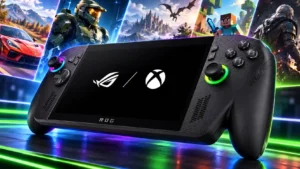
Overall: 3.7/5
Updates improve profiles, vibration, library tools and sometimes image quality over time. Separate Windows, store and ASUS maintenance remains cumbersome, and promised AI features do not consistently deliver useful handheld...
Pros: performance, frame rate performance
Cons: ease of use, user interface

Overall: 4.0/5
Support attracts opposing judgments, with praise for ASUS’s relative effort alongside complaints about slow releases. Delayed fixes for visible game-rendering faults are a particular frustration.
Pros: display quality, controller ergonomics
Cons: value for money, ease of use

Overall: 4.2/5
Command Center is convenient when it works but occasional crashes and freezes are frustrating.
Pros: refresh rate, HDR performance
Cons: reflection handling, Text fringing

Overall: 3.7/5
Generic display drivers work, but absent dedicated tools complicate calibration, settings recovery, and troubleshooting.
Pros: overall satisfaction, PC gaming compatibility
Cons: color accuracy, local dimming performance