
Overall: 4.1/5
Desktop control software adds convenience for profiles and settings, but Mac-side integration can require third-party tools.
Pros: color accuracy, overall picture quality
Cons: HDR performance, refresh rate

Overall: 4.1/5
Desktop control software adds convenience for profiles and settings, but Mac-side integration can require third-party tools.
Pros: color accuracy, overall picture quality
Cons: HDR performance, refresh rate

Overall: 4.4/5
Dell Display Manager adds practical window layouts and KVM controls beyond the monitor's hardware menus.
Pros: overall picture quality, color accuracy
Cons: value for money, built-in speakers

Overall: 4.4/5
DisplayWidget offers a convenient desktop interface for settings and shortcuts, making frequent picture adjustments easier than joystick-only navigation.
Pros: color gamut, overall satisfaction
Cons: reflection handling, VRR flicker

Overall: 3.8/5
The DisplayWidget utility provides functional software control, although its value depends on the connected PC and setup.
Pros: value for money, Resolution
Cons: HDR performance, port selection

Overall: 3.9/5
Firmware updates fix many early problems, and later comparisons welcome the prospect of new features reaching existing watches. Some future additions remain expectations rather than tested capabilities.
Pros: battery life, GPS accuracy
Cons: value for money, menu navigation

Overall: 3.7/5
Samsung’s display utility helps unlock the best configuration, but using it and maintaining graphics drivers adds a setup step.
Pros: value for money, black levels
Cons: refresh rate, portability and weight

Overall: 4.1/5
Firmware-conscious users may prefer more mature alternatives with greater software flexibility.
Pros: value for money, Wi-Fi speed
Cons: 6 GHz performance, subscription requirements

Overall: 4.0/5
G-Menu changes corrected frame skipping for some testing setups, but having to troubleshoot software just to achieve full smoothness is a nuisance.
Pros: value for money, overall satisfaction
Cons: HDR performance, HDMI 2.1 support

Overall: 3.9/5
One tester could not get Alienware Command Center to recognize the screen despite installed drivers, turning instead to Dell Display Manager.
Pros: Resolution, refresh rate
Cons: HDR performance, contrast
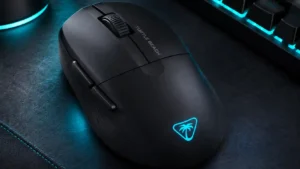
Overall: 3.3/5
Driver and software support is useful for Windows configuration, but macOS control customization is absent.
Pros: build quality, gaming performance
Cons: ergonomic design, glide smoothness
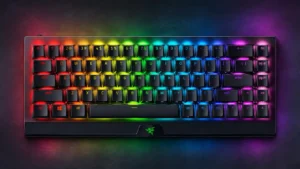
Overall: 3.8/5
One owner reports recurring freezes and shutdowns after installing Synapse, even after a fresh Windows installation.
Pros: overall satisfaction, size and form factor
Cons: connectivity, build quality