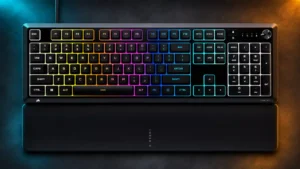
Overall: 4.0/5
Both browser-based configuration and iCUE are useful, with iCUE offering broader remapping options.
Pros: noise level, media controls

Overall: 4.0/5
Both browser-based configuration and iCUE are useful, with iCUE offering broader remapping options.
Pros: noise level, media controls

Overall: 4.2/5
DisplayWidget Center offers useful desktop control and firmware updates, making the monitor simpler to manage from a computer. Firmware-related concerns remain around anti-flicker behavior.
Pros: overall satisfaction, black levels
Cons: value for money, stand adjustability

Overall: 4.5/5
ASUS Display Center provides mouse-based access to a wider range of display settings, though its experimental voice features were unreliable in one test.
Pros: color gamut, contrast
Cons: value for money, Resolution
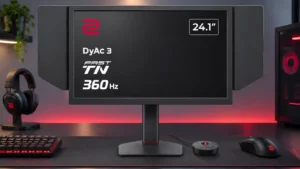
Overall: 3.8/5
A downloadable Windows color profile adds a practical software option for users configuring this TN display.
Pros: competitive gaming suitability, motion clarity
Cons: contrast, overall picture quality
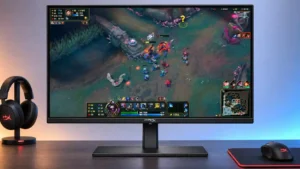
Overall: 4.1/5
The companion software makes existing controls easy to reach, but it does not add the advanced features found on more elaborate monitors.
Pros: black levels, overall picture quality
Cons: brightness, Gaming feature selection

Overall: 4.1/5
An official driver supplies the correct display identity and color profile in Windows, helping the PC recognize and configure the monitor.
Pros: PC gaming compatibility, reflection handling
Cons: color accuracy, VRR flicker

Overall: 4.4/5
Desktop control software and firmware support add versatility but were not equally ready across early units.
Pros: refresh rate, Text fringing
Cons: Resolution, GPU demands

Overall: 3.9/5
Shared software and backporting are welcomed as a better support direction. Current Garmin Express map-update failures on Mac show that practical software support still needs work.
Pros: battery life, mapping and navigation
Cons: value for money, LTE connectivity

Overall: 3.6/5
Companion software offers extensive device settings but crashes or failed launches can prevent reliable customization.
Pros: charging convenience, battery life
Cons: Touchscreen usefulness, value for money

Overall: 3.8/5
G Hub is functional, but the lack of a browser-based configuration tool frustrates users who prefer lightweight drivers.
Pros: balance and weight distribution, weight
Cons: Upgrade value, value for money

Overall: 4.0/5
Mac users face particular frustrations, including Garmin Express compatibility problems and extra software for voice-file transfers. Watch-based workflows do not always eliminate desktop friction.
Pros: mapping and navigation, battery life
Cons: value for money, software smoothness

Overall: 4.2/5
Desktop Synapse support is extensive, but the web configurator is unavailable in several accounts, limiting software flexibility.
Pros: Interchangeable side panels, MMO gaming suitability
Cons: value for money, FPS gaming suitability

Overall: 3.7/5
Software functions may fail to apply and app connectivity can be unreliable, especially on iPhone.
Pros: Sound quality, Active noise cancellation
Cons: Treble clarity, Microphone quality for calls

Overall: 3.4/5
Missing Siri AI is the most repeated software concern, with no firm arrival date in the supplied coverage. Some early Mac-output tests also fail to deliver the expected behavior after...
Pros: Overall sound quality, speaker quality
Cons: Software and driver support, Value for money

Overall: 4.0/5
The LG Switch application has failed to recognize connected monitors during necessary updates, making maintenance needlessly frustrating.
Pros: Resolution, Dual-mode versatility
Cons: value for money, GPU demands