
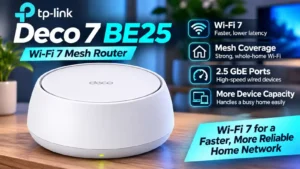
TP-Link Deco 7 BE25 Feature Scores
Overall Scorata score: 4.0/5
Based on 17 analyzed reviews · View source samples
Explore all 117 feature scores for TP-Link Deco 7 BE25, organized into pros and cons.
Scores by Feature
Summary
117 reviewed features-
Very positive 4.5-5.048 (41%)
-
Positive 3.5-4.435 (30%)
-
Neutral 2.5-3.418 (15%)
-
Negative 1.5-2.416 (14%)
Pros
Sort
-
Affordable pricing and multi-gig ports make the system compelling, although more expensive mesh kits offer stronger wireless performance.
-
Setup is usually painless, with guided onboarding and automatically joining satellites. Occasional connection retries are possible.
-
The guided mobile app makes initial configuration straightforward, including setting up the primary node and adding satellites.
-
Mesh performance is strong for an affordable system, especially when nodes are wired or positioned within good signal range.
-
Overall satisfaction is high for an affordable, simple mesh system, with the strongest reservations centered on missing premium wireless features.
-
Simple setup and an approachable app make routine operation easy, even for people unfamiliar with networking.
-
Additional nodes spread coverage effectively through ordinary homes, though realistic usable area depends on walls and placement.
-
Multiple nodes can provide strong whole-home coverage, including previously troublesome rooms. Larger or densely built homes benefit from wiring.
-
Installation generally takes only minutes using the Deco app, with little manual work required.
-
Two 2.5 GbE ports per node deliver unusually good wired flexibility for an entry-level mesh.
-
Multi-gig Ethernet on every node is one of the strongest reasons to choose this affordable system.
-
Downloads are quick near the router and can exceed gigabit with appropriate equipment. Wireless satellites may not sustain the same rates.
-
Wired connections provide useful high-speed links for desktops, consoles and other equipment around the home.
-
Two multi-gig ports on each unit make wired backhaul a standout, enabling fast links without a separate switch in simple layouts.
-
Expect fast everyday Wi-Fi, particularly near the main node. Speed can fall markedly at remote satellites.
-
Compact, low-profile nodes are easy to hide or place on furniture without the bulk of many premium routers.
-
Close-range tests often reach or exceed gigabit speeds, making the main router a capable performer for its price.
-
Extra nodes can restore service to previously weak rooms, garages and other dead spots.
-
The included satellites usually synchronize automatically after the main node is configured.
-
Automatic node onboarding eliminates much of the manual configuration associated with older mesh systems.
-
Wireless throughput is strong near the main unit for the price, but more demanding tests expose the limits of its dual-band design.
-
Network and device isolation offer useful safeguards for smart-home gadgets and cameras.
-
Reliable connectivity is a recurring strength, with users enjoying fewer interruptions throughout their homes.
-
Nodes remain only warm to the touch during testing rather than becoming excessively hot.
-
2.5 Gbps wired connections are a notable advantage over gigabit-only budget mesh systems.
-
The understated white puck-shaped units generally blend into rooms well, though the smoke-detector-like styling is not universally appealing.
-
Older Wi-Fi clients and compatible Deco units work alongside newer hardware, although they cannot exploit every Wi-Fi 7 benefit.
-
Adding nodes or mixing compatible Deco models makes the system a flexible starting point for future expansion.
-
Additional Deco units can extend coverage, and mixing compatible models gives owners room to expand later.
-
Upload speeds can be excellent near the main unit, although the connection quality depends on placement and the internet plan.
-
Basic security and device isolation are useful, with camera-specific controls adding protection. More advanced tools cost extra.
-
The app is clean and accessible for beginners, with useful network controls, but experienced users may find it oversimplified.
-
The system can run reliably through extended stress tests and everyday use without connection drops.
-
Managing connected clients is convenient, with useful controls for identifying and isolating individual devices.
-
It is a substantial upgrade from an older single router, but replacing a working tri-band mesh can sacrifice wireless backhaul performance.
-
Backhaul is the key tradeoff: Ethernet performs well, while wireless links range from excellent to significantly slower under load.
-
Coverage is good for smaller homes, but individual units have limited reach and their effectiveness depends on distance and construction.
-
Low power consumption makes the system economical to leave running continuously.
-
Modest electricity consumption is an advantage for mesh nodes that remain powered all day.
-
Client labels and clear node grouping help identify connected devices and spot unfamiliar ones.
-
The app's network map and node-by-node client visibility make it easy to see what is connected.
-
MLO can improve throughput or latency for compatible clients, but gains vary: some tests showed little or no improvement.
-
Device and network isolation add useful security, but separating the two wireless bands can require an inconvenient workaround.
-
Signal strength can be excellent around the house with properly placed nodes, but individual units lose strength with distance or difficult walls.
-
Fast Ethernet and compatible node expansion provide useful future headroom, though missing 6 GHz limits wireless upgrade potential.
-
240 MHz support offers extra bandwidth on compatible devices, though the real benefit can be limited. Adjusting channel width is straightforward.
-
The LED can be turned off or scheduled, which is useful in bedrooms and other distraction-sensitive spaces.
-
Camera-specific controls can keep cameras on the local network or restrict internet access, adding a useful layer of privacy.
-
MLO showed a notable throughput improvement using 160 MHz channels in testing.
-
Straightforward disassembly without glue makes future internal cleaning more practical.
-
Backyard and driveway connectivity can be substantially better, with usable outdoor speeds even when throughput declines.
-
The enclosure opens without glue or deliberate barriers, making possible future repairs less intimidating.
-
The app and quick-start guide provide clear instructions for getting the network running.
-
Included nodes typically pair automatically, although adding or removing nodes later can sometimes be frustrating.
-
Basic parental tools are useful for most families, while advanced filtering and time limits require a subscription.
-
5 GHz speeds range from impressive with compatible clients to ordinary against premium systems; shared wireless backhaul can constrain results.
-
A separate IoT network is useful for smart devices, although using it to separate frequency bands can be awkward.
-
The sideways power adapters leave nearby sockets accessible, although one owner found them rather bulky.
-
Auto-sensing Ethernet ports remove the need to work out which connector must be used for internet access.
-
Auto-sensing port design allows either Ethernet connector to be used for the main internet link.
-
Smart-home cameras can become much quicker to access when the mesh improves their connectivity.
-
IPv6 is simple to enable from the app rather than requiring extensive manual configuration.
-
Fanless hardware runs silently, making it suitable for living spaces without adding operating noise.
-
A network-level VPN is a welcome convenience for protecting traffic and sharing VPN access across devices.
-
The faster WAN connection can make use of broadband speeds beyond gigabit, with testing reaching about 2.2 Gbps.
-
Node-to-node speeds vary widely with distance and testing conditions; wiring provides a more predictable link.
-
Built-in client controls help manage or block devices and are useful for families.
-
Jitter is reasonably low for casual use; MLO may improve consistency for compatible Wi-Fi 7 clients.
-
Basic website filtering is useful, but more sophisticated content controls are paid extras.
-
Separate guest networking is a useful way to keep visitors apart from the main network.
-
The mesh is designed to work with little ongoing configuration or maintenance after setup.
-
The colored indicator makes it convenient to check whether a node is healthy or having problems.
-
Lag is generally low enough for ordinary activity and some game streaming, but demanding traffic and wireless satellite links can introduce delays.
-
Moving from an older router can be easy using familiar credentials, although removing or reconfiguring existing nodes can be troublesome.
-
Alexa voice commands offer a convenient way to enable the guest network.
-
The network optimization function can help reduce interference from competing nearby Wi-Fi.
-
Intelligent mesh management helps steer connectivity toward better coverage and reduce weak spots.
-
Google Home voice integration allows convenient hands-free network commands.
-
Matter compatibility is a welcome inclusion for buyers interested in a common smart-home standard.
-
The neatly presented packaging makes a favorable first impression during unboxing.
-
The Deco app allows convenient administration away from home as well as on the local network.
-
Free internet schedules help families manage when devices can go online.
-
Router-level VPN support helps protect traffic, but the mandatory vendor-linked account raises a separate privacy concern.
Cons
Sort
-
Congested tests show meaningful speed losses, especially at a distance or over wireless satellite links.
-
Similar retailer-specific models and inconsistent names make the Deco range unnecessarily confusing to navigate.
-
Browser-based setup is not a practical alternative to the mandatory phone app.
-
USB connectivity is absent, ruling out the convenience of directly attaching shared storage to a router node.
-
The mandatory Deco app and vendor account simplify setup but limit management choices and may frustrate privacy-conscious owners.
-
There is no 6 GHz radio, a significant drawback for buyers seeking the fastest Wi-Fi 7 connections, but less important with older clients.
-
Advanced HomeShield security and parental controls are paywalled, though the free essentials and low hardware price soften the drawback for some buyers.
-
The web interface is largely limited to status and firmware maintenance rather than comprehensive network management.
-
Published square-footage ratings can overstate practical coverage, especially through dense walls or when a strong data rate is required.
-
Wi-Fi 7 brings useful newer features, but the absence of 6 GHz means it cannot deliver the standard's full speed potential.
-
The inexpensive dual-band design is adequate for basic networking, but sharing radios with backhaul creates a performance compromise.
-
Automatic band selection simplifies operation but offers less control than power users may want.
-
Daily internet time limits are reserved for the paid parental-control tier rather than the free plan.
-
Without a separate backhaul radio, clients and satellites compete for airtime on the same band.
-
A reported firmware issue in wired access point mode cut throughput, so software updates matter if that configuration misbehaves.
-
Promotional messages in the Deco app are an unwelcome distraction during routine network management.
-
The required vendor account creates a potential privacy concern for users who prefer fully local router administration.
-
The Wi-Fi 7 label can give an overly optimistic impression of capabilities because important features of the standard are missing.
-
The division between free and paid HomeShield capabilities is not always apparent in the app.
-
A built-in wall mount would make placement in kitchens, garages and other tight spots easier.
-
Stress-test reliability can be excellent, but throughput and latency suffer when many demanding clients share the network.
-
The missing 320 MHz channel width limits peak throughput for modern Wi-Fi 7 clients.
-
Remote nodes can deliver similar speeds on slower plans, but faster plans expose significant differences between nodes.
-
Two Ethernet ports per unit are useful but can feel restrictive when one is occupied by internet or backhaul connections.
-
The cheaper design gives up the 5 Gbps Ethernet ports available on higher-tier models.
-
Typical family device counts are manageable, but many active cameras or dozens of demanding IoT devices can exhaust available airtime.
-
2.4 GHz is adequate for many smart devices, but throughput can be modest and falls under demanding traffic or at distance.
-
A node on another floor improves coverage, although wireless-only links may run slower than the main router.
-
Simultaneous streaming and gaming work well in ordinary households; heavier concurrent traffic can overwhelm the dual-band radios.
-
Adding nodes can overcome difficult walls, but dense plaster and other obstacles can substantially reduce a single unit's reach.
-
The app offers useful everyday options but less advanced flexibility than more configurable systems, especially for band separation.
-
Farther-away speeds remain usable in some homes, but the decline can be substantial and premium models reach farther.
-
Satellite performance varies from impressively fast to much slower than the main unit, particularly with wireless backhaul.
-
Wireless backhaul can serve moderate broadband plans well, but some tests show major satellite speed losses compared with wiring.
Use Cases
Best for
Sort
-
Budget buyers get a capable mesh and fast Ethernet ports without the cost of premium Wi-Fi 7 systems.
-
First-time mesh owners benefit from guided setup and automatic satellite onboarding, with occasional retries rather than extensive manual configuration.
-
Wired multi-gig networking is a strong fit thanks to two 2.5 Gbps ports per unit and the option to chain nodes with Ethernet.
-
Basic home networking is a strong fit: straightforward setup, adequate everyday speed and useful controls without advanced configuration.
-
Ordinary device-heavy families can stream and connect several gadgets comfortably, but numerous demanding clients can cause congestion.
-
Gigabit or slower service is a good match, especially at 300–500 Mbps where wireless backhaul losses are less likely to matter.
-
Compatible Deco nodes can be added to reach weak areas or to expand gradually as networking needs grow.
-
4K streaming generally works smoothly, including simultaneous streams in typical homes, without requiring premium Wi-Fi speeds.
-
Small, understated units are easy to leave visible on shelves or furniture without dominating the room.
-
Extra nodes help cover multiple floors, and Ethernet backhaul is especially valuable in large homes. Very large or dense buildings may need stronger equipment.
-
Separate IoT networks and better camera coverage suit smart homes, although particularly large fleets of active devices can strain the system.
-
Families get useful basic parental controls, including filtering and schedules, though more sophisticated restrictions cost extra.
-
Small homes and apartments are a particularly good fit because the compact nodes provide useful speeds without requiring long wireless hops.
-
Multi-gig broadband works best with Ethernet backhaul; wireless satellite connections can waste much of a faster plan's capacity.
-
A wired gaming PC can take advantage of the multi-gig ports, and responsive game streaming is possible on a good connection.
-
Consoles can benefit from a fast wired connection to nearby nodes without elaborate networking equipment.
-
Gaming works well in typical homes, particularly over Ethernet, but wireless latency under heavy traffic can limit demanding play.
-
Fast local file transfers can justify the multi-gig hardware even if internet service itself is capped at gigabit.
-
Older Wi-Fi devices can still perform well, even without access to the latest Wi-Fi 7 features.
-
Video calls can connect quickly and benefit from steadier links, although MLO improvements require compatible client hardware.
-
Local Steam Link streaming loads quickly and feels responsive, without noticeable connection lag.
-
Switching off the indicator light makes the unobtrusive units easier to live with in quiet or dark rooms.
-
Fast Ethernet connections make the system a useful option for wired work-from-home equipment.
Conditional or not ideal for
Sort
-
Multiple wired devicesTwo wired ports per node are handy for individual devices, but multiple wired connections may require adding a switch.
-
Wi-Fi 7 device householdsCompatible Wi-Fi 7 clients can see strong speeds and MLO benefits, but devices purchased specifically for 6 GHz cannot use that band.
-
Advanced network administrationPower users may find the limited web interface, app-only configuration and simplified settings frustrating.
-
Home network storageIt is a poor choice for directly attaching shared USB storage because the nodes have no USB port.
-
Access point modeWired access point mode can be affected by a reported firmware-related throughput issue; check updates if performance drops.
-
Internet plans above 2.5 GbpsBuyers with broadband beyond 2.5 Gbps will not be able to exploit the full potential of faster plans with this entry-level hardware.