
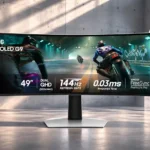
Samsung Odyssey OLED G91SD S49DG910S Feature Scores
Explore all 65 feature scores for Samsung Odyssey OLED G91SD S49DG910S, organized into pros and cons.
Scores by Feature
Summary
65 reviewed features-
Very positive 4.5-5.028 (43%)
-
Positive 3.5-4.414 (22%)
-
Neutral 2.5-3.47 (11%)
-
Negative 1.5-2.48 (12%)
-
Very negative below 1.58 (12%)
Pros
Sort
-
Deep OLED blacks are one of the screen’s standout strengths, bringing dramatic depth to dark games and movies.
-
Quantum-dot color delivers vivid, saturated scenes and strong visual punch across gaming and entertainment.
-
Exceptionally dark blacks alongside bright colors make scenes cinematic and visually striking.
-
The QD-OLED image impresses most with inky blacks, colorful scenes and a vast panoramic presentation, despite brightness limits.
-
Fast OLED pixel transitions and 144Hz refresh produce clean, smooth movement in supported games.
-
Showing two sources at once is a genuinely useful feature, especially across this wide panel, though mode changes can take a moment.
-
Near-instant OLED transitions make action feel crisp and responsive, including fast-moving shooters.
-
The huge 49-inch canvas can replace a pair of QHD displays and dramatically expand game views, provided the desk can hold it.
-
The immersive 32:9 view is a highlight in supported games, though uneven ultrawide support and high GPU demands are caveats.
-
At the right sale price, this offers unusually accessible 49-inch QD-OLED immersion; at higher prices, limitations are harder to excuse.
-
The silver finish and sleek curved profile give the desk a modern, high-end look.
-
Multiple sources and generous horizontal space create a flexible workspace, with room for active documents, games and monitoring windows.
-
Dual-QHD resolution supplies expansive, detailed space for games and side-by-side work, while also placing heavy demands on the GPU.
-
Immersive panoramic scenes, deep blacks and responsive 144Hz motion make story-driven games a natural fit.
-
The overall appeal is strong for immersive gaming and large workspaces, tempered by real compromises in brightness, cost and ownership care.
-
FreeSync and G-Sync compatibility help keep racing and other fast games fluid, with one hands-on account finding smooth play without tearing.
-
Rich OLED color is backed by useful picture presets and factory calibration, making the image attractive without extensive tweaking.
-
The gentle wrap draws peripheral action into view and can reduce head movement across the enormous screen.
-
The 32:9 layout provides an expansive, bezel-free field of view that is especially rewarding in compatible games and wide desktop workspaces.
-
QD-OLED color and pixel-level blacks are central to the monitor’s appeal and set it apart from conventional backlit options.
-
The glossy finish gives blacks and colors extra depth, especially in controlled lighting.
-
Dark environments retain strong visual depth and useful shadow definition without washing the scene out.
-
HDR dark scenes look impressive thanks to OLED contrast, while restrained peak brightness leaves less impact in brilliant highlights.
-
Bright subjects against dark backgrounds stay clean without the distracting blooming sometimes seen on backlit panels.
-
Graphics mode is a favorite for keeping the picture pleasing and colors accurate without relying on default settings.
-
The OLED pixel response keeps moving objects exceptionally clean, with little visible blur or ghosting.
-
Thick protective packaging is reassuring for such a large and delicate display.
-
Samsung Display Manager makes the many image and split-screen settings easier to handle than navigating the on-screen menu alone.
-
The screen packs enough fine detail across its huge 49-inch span to keep the visual experience sharp.
-
The silver styling and polished stand create a convincing high-end desk centerpiece.
-
The wide, detailed image keeps expansive game scenes crisp rather than looking soft simply because of its size.
-
Pixel shifting, logo dimming and warranty coverage provide some reassurance, but persistent static content still creates an OLED upkeep concern.
-
Flicker-free and Eye Saver options help long sessions, while the wide curve can keep distant content within a more comfortable viewing arc.
-
Useful connection cables are supplied, and the unboxing includes helpful extras for getting started.
-
Smooth height and tilt adjustments help positioning, although swivel and pivot are not uniformly available or practical.
-
The sleek stand and premium-looking finish are appealing, though separate concerns about potential panel failures temper confidence.
-
Trying the picture modes can improve the image, with Graphics mode standing out as a pleasing balance of color and accuracy.
-
HDMI connections can accommodate a console alongside a PC, although the limited number of inputs reduces flexibility.
-
Thermal brightness management is presented as a useful safeguard for keeping the large OLED panel comfortable and protected.
-
A USB-C-to-HDMI cable can make the monitor work with a MacBook, although it is not a one-cable Mac docking solution.
-
Samsung’s display utility helps unlock the best configuration, but using it and maintaining graphics drivers adds a setup step.
-
Assembly is straightforward with a helper and sensible instructions, but lifting this large, heavy monitor is not a one-person task.
Cons
Sort
-
The USB-C ports do not provide laptop charging, so a separate charger remains necessary.
-
Its nearly desk-spanning width and substantial stand make physical space as important as graphics performance.
-
Heavy hardware, a broad panel and the need for a strong monitor arm make relocating or mounting it demanding.
-
Integrated audio is a weak point: accounts either describe no usable speakers or strongly discourage relying on them, so external sound is the safer plan.
-
Driving 5120×1440 at high frame rates needs a capable gaming PC; the big display is not a free performance upgrade.
-
The modest full-screen brightness is the clearest picture-quality sacrifice, especially when daylight hits the desk.
-
Not every game handles 32:9 correctly; incompatible titles may require fixes or compromise the immersive view.
-
Concerns about cracks and possible pixel issues make return policies and inspection especially important at this price.
-
Some multi-device cable arrangements reportedly struggle to maintain the intended resolution and refresh rate together.
-
Concerns about possible panel cracking and failures introduce an ownership risk that deserves attention alongside the excellent visuals.
-
Without integrated Tizen apps, this version depends on an attached device for streaming services.
-
Picture-by-picture is useful, but source and display-mode changes can be slow or finicky, particularly with more complex connections.
-
Static toolbars and game HUDs warrant care; one extended coding session was followed by a faint, temporary ghost.
-
Bright scenes can draw substantial power from the expansive OLED panel, adding a small running-cost consideration.
-
The glossy screen makes color look lively but can reflect room lighting, so glare control is worth planning.
-
Small text, particularly white type on black, can show distracting color fringes for sensitive users.
-
The quick OLED response and wide field of view help, but esports-focused players may prefer a smaller 240Hz-or-faster display.
-
Monitor arms are possible, but the screen’s weight requires a heavy-duty mount and there are differing accounts of adapter requirements.
-
HDMI, micro-HDMI and DisplayPort are practical, but the limited video inputs and lack of USB-C video leave less flexibility than some rivals.
-
The edge bezels look slim, but the bottom border is somewhat thicker than one owner would prefer.
-
There is no rear RGB show, which can be a welcome absence for buyers who prefer an understated desk.
-
Burn-in coverage and warranty options sound reassuring, but reports of disputed panel-damage claims complicate the ownership picture.
-
144Hz is plenty smooth for many games, yet notably behind the 240Hz alternatives aimed at enthusiasts and competitive players.
Use Cases
Best for
Sort
-
Driving games are a showcase for the 32:9 format, with a wide field of view and smooth action adding to immersion.
-
A large split-screen workspace and immersive gaming visuals make switching between work and play a major strength.
-
Desktop gaming PCs are the natural partner for this enormous display, especially since USB-C video and laptop charging are absent.
-
In subdued lighting, the OLED panel’s deep blacks and glossy image are at their most impressive.
-
Side-by-side documents, spreadsheets and app windows benefit from the equivalent of two QHD screens without a central bezel.
-
The expanded horizontal view gives flight simulators a particularly convincing, wraparound feel.
-
Picture-by-picture can put two computer outputs side by side, making mixed work and gaming setups convenient.
-
The gigantic immersive screen and 144Hz motion feel excellent for relaxed play, although its cost and scale can be hard to justify for occasional gaming.
-
Broad editing timelines and a large color-rich canvas make the display appealing for creation work, preferably in controlled lighting.
-
Dark movies and documentaries benefit from cinematic OLED contrast, especially when viewed in a dim room.
-
Colorful, dark and open worlds feel particularly absorbing on the wide OLED screen, though some titles can stretch near the edges.
-
A panoramic editing timeline and wide view help complex projects, while careful desk positioning matters over long sessions.
-
The large, color-rich workspace is attractive for design projects that need several panels or tools open at once.
-
The horizontal space keeps more of a strategy game visible at once and contributes to the panoramic experience.
-
The dramatic QD-OLED image and unconventional 49-inch format are especially appealing to display enthusiasts.
-
For a premium desktop build, the panoramic OLED canvas can feel like an enormous step up from a conventional display.
-
Discounts can make this a tempting entry to huge OLED gaming, but the price remains substantial and bargains depend on the deal and condition.
-
OLED blacks and dark-scene depth enhance cinematic HDR games, although peak brightness is not the panel’s strongest suit.
-
Fast shooters run smoothly, but the 144Hz ceiling makes this a compromise for players prioritizing the very highest competitive refresh rates.
Conditional or not ideal for
Sort
-
USB-C laptop dockingData-only USB-C does not supply video or charging, making it an awkward fit for laptops that expect a single docking cable.
-
Compact workspace ergonomicsThis monitor overwhelms narrow desks: the wide panel and sizable base demand generous working space.
-
Bright-room viewingThe relatively low brightness makes sunny rooms a poor match; dimmer lighting is much better suited to this OLED panel.
-
Single-cable laptop dockingUSB-C alone cannot carry laptop video to this monitor, so adapter-based connections replace the convenience of single-cable docking.
-
Smart TV replacementIt is not a self-contained streaming television: Netflix-style apps need an external player or computer.
-
Long-session writingText-heavy sessions can expose fringing around small lettering, a concern for those sensitive to rainbow-edged fonts.
-
Programming and codingThe size helps multitasking, but static editor elements and small-text fringing can be unwelcome in long coding sessions.
-
Long-term ownershipOLED protection and service plans offer some reassurance, but worries about panel failures, image retention and long-run upkeep remain.