
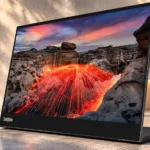
Lenovo ThinkVision M14t Gen2 Feature Scores
Explore all 54 feature scores for Lenovo ThinkVision M14t Gen2, organized into pros and cons.
Scores by Feature
Summary
54 reviewed features-
Very positive 4.5-5.025 (46%)
-
Positive 3.5-4.410 (19%)
-
Neutral 2.5-3.46 (11%)
-
Negative 1.5-2.48 (15%)
-
Very negative below 1.55 (9%)
Pros
Sort
-
The 2240-by-1400 display brings unusually crisp detail to a 14-inch portable panel. Multiple evaluations call it a meaningful leap from the older 1080p models.
-
Fine text is strikingly crisp, and video looks well defined at normal distances. The high density makes its small size less of a compromise.
-
Finger taps and stylus inputs feel quick and smooth, making touch navigation one of the monitor’s best differentiators. The feature is most useful with supported operating systems.
-
Sharpness, natural color, and rich-looking standard content draw widespread compliments. Its limited wide-gamut punch, modest brightness, and glossy reflections stop it from being universally impressive.
-
A measured low Delta E, accurate sRGB mode, and natural-looking hues earn strong praise. Some saturated blue and cyan shades are less perfect, but ordinary color reproduction is excellent.
-
Most evaluations warmly recommend it as a premium touch-enabled portable second screen. The enthusiasm is tempered by glare, gaming shortcomings, and a relatively high price.
-
The taller 16:10 screen shows extra spreadsheet rows, document text, and app content. It suits work better than the usual 16:9 video shape.
-
The image flips smoothly when changing between landscape and portrait. Several hands-on accounts treat auto-rotation as a standout convenience.
-
About 189 pixels per inch gives fine text and images exceptional definition for a portable display. This is one of its most consistent advantages.
-
At roughly 1.5 pounds and impressively thin, it is easy to transport without sacrificing display sharpness or hinge stability.
-
The hinged stand supports broad tilt and positioning changes, along with horizontal and vertical use. Portrait tilt is the main ergonomic limitation.
-
Photos appear detailed and colors are accurate in the sRGB range, making the screen a useful Adobe companion. Its wider-gamut limits matter for specialized creative finishing.
-
Pass-through charging adds convenience, potentially powering the laptop or other connected devices. Actual charging behavior depends on the source, cables, and device power requirements.
-
The included pen responds well for signing and doodling, but one user found its thick, rounded tip less refined. Buyers needing pressure-sensitive active-pen input should check optional pen compatibility.
-
Sleek matte-black styling and a slim body look professional beside laptops. Travelers appreciate the unobtrusive appearance as much as the dimensions.
-
Reviewers repeatedly commend the sturdy hinge and premium-feeling construction. The design has a practical, durable feel for repeated setup and transport.
-
Responsive touch and easy-to-reach controls make navigating both content and the screen menus straightforward.
-
An all-black finish, slim silhouette, and solid construction give the M14t Gen 2 an upscale feel that reviewers noticed immediately.
-
The integrated hinged stand is frequently praised as sturdy, stable, and more dependable than a folding sleeve stand. It stays useful on compact hotel and office desks.
-
Its IPS contrast gives good tonal depth for day-to-day work and improves on earlier Lenovo portables. Reviewers differ on how engaging it looks beside OLED competitors.
-
A sleeve, USB-C cable, angled connector, and pen make travel setup convenient. One detailed compatibility review warns that the bundled passive pen is not a fully featured active stylus.
-
Buttons and basic picture presets are easy to use and permit simple color adjustments. Advanced calibration choices remain narrow.
-
VESA support broadens the choice of desk positions and can make it a space-saving permanent second screen. Included clips make mounting more practical.
-
Some evaluations consider the high resolution, touch input, pen, and build worth a premium, especially at a discount. Others regard the roughly $400 list price as steep for a small SDR screen.
-
The sleeve slips into a medium backpack and protects the thin screen. Its pen holder and soft fabric add everyday convenience.
-
The compact panel extends a desk setup without taking much space, ideal when a full-size second monitor would be cumbersome.
-
Its measured gamma follows the target closely, preserving intended tonal brightness through normal content.
-
The glossy coating gives images extra clarity versus the matte first-generation ThinkVision M14. The tradeoff is heavy glare in challenging light.
-
Connecting a compatible laptop by USB-C is largely plug and play. Phone users and systems without video-capable USB-C may need extra power or different hardware.
-
Photo and video scenes retain detail in dark as well as bright areas, supporting nuanced viewing in controlled lighting.
-
Near-complete sRGB coverage is unusually good among budget-oriented portable monitors. DCI-P3 and Adobe RGB reach much less, so high-end OLED rivals deliver richer wide-gamut color.
-
Either-side USB-C ports can keep cables out of the way in cramped spaces. In portrait orientation, an angled adapter helps offset inconvenient port placement.
-
The 14-inch footprint is a great companion to smaller laptops and cramped travel desks. Some buyers with large laptops will want a 15.6-inch secondary panel instead.
-
DisplayPort Alt Mode through USB-C offers a clean video connection to compatible computers. Lack of conventional video inputs is the main caveat.
-
Having a USB-C connection on either side lets users route cables around their laptops. Portrait placement is less convenient because it can block one port.
Cons
Sort
-
Fast characters and interface details blur under motion, with the 60Hz limit offering no competitive advantage. Reviewers explicitly advise serious gamers to look elsewhere.
-
USB-C-only input and a 60Hz screen make this a weak main PC gaming monitor. Motion clarity and response limitations are especially noticeable in faster games.
-
There is no HDMI input, making conventional console hookup a nonstarter without an untested workaround. The monitor is built for compatible USB-C computers instead.
-
The glossy touchscreen is very reflective. Strong ambient light and windows can drown out its otherwise sharp image.
-
Touch interaction leaves noticeable finger marks on the glossy surface. Using the pen or wiping with the sleeve helps, but smudges recur.
-
Fast-moving game elements become difficult to distinguish, and the fastest mode offers little improvement. This is a productivity panel first.
-
The Extreme setting marginally changes response, but may introduce visible shadows without sufficiently improving fast motion. It does not solve the gaming limitations.
-
A 60Hz limit is acceptable for office work, videos, and some casual games. It falls behind higher-refresh monitors for fast or competitive play.
-
Although gamma tracks accurately out of the box, the limited gamma and color-temperature adjustments restrict deeper tailoring.
-
The fastest response setting can create shadowing around moving objects. Quick scenes therefore look less clean than on gaming-oriented screens.
-
The lack of HDR is a missed opportunity on an otherwise attractive image. Viewers using HDR-capable laptops will not get equivalent highlights or dynamic range here.
-
The available latency settings do little to make the monitor attractive for serious gaming. Everyday touch response remains smooth in non-gaming tasks.
-
Mac users can gain a second display, but they are unlikely to enjoy the touch functionality that defines this model. Windows is the more complete experience.
-
Its 6ms fastest setting is not enough for demanding players, and trying to speed motion can produce visible shadows.
-
Two USB-C ports on opposite sides are handy for laptop placement and power passthrough. The absence of HDMI or other input types significantly reduces compatibility.
-
Experiences differ on whether its roughly 245–250-nit measured brightness is adequate for the portable category. It can look good indoors, but falls short when daylight or reflections increase.
-
An optional active stylus may extend what the touchscreen can do, but model, region, and host support need verification before purchase.
-
Contrast is respectable for an IPS portable display, but OLED competitors produce much deeper blacks. Dark-scene impact is therefore limited.
-
Compatible USB-C laptops and certain smartphones work well, but a USB-C-shaped port alone does not guarantee video or touch. Phone setups can require a separate power connection.
Use Cases
Best for
Sort
-
Sharp text, a taller 16:10 layout, and touch controls make office apps, browser tabs, and documents convenient. It is consistently praised as an auxiliary productivity screen.
-
It excels as an extra laptop screen for chat, office apps, and creative tools, particularly when working away from a usual desk. Compatibility with the host USB-C port is essential.
-
At roughly 1.5 pounds, it packs easily in a laptop bag and sets up well in hotels or temporary workspaces. Travelers repeatedly rate it among the strongest portable secondary screens.
-
Automatic rotation and the integrated stand make vertical document work easy. One reviewer notes limited tilt and awkward USB-C access when standing upright.
-
The dense, accurate sRGB image helps with editing in Premiere Pro and similar software. It is useful for secondary panels and routine projects, not full HDR or wide-gamut grading.
-
The detailed, color-accurate screen works well as an Adobe-app companion for photography and video projects. Its narrower gamut keeps it from replacing a specialist main display.
-
The bundled pen works smoothly for signing documents, and reviewers found this a practical touchscreen workflow. More advanced pen work may need a separate active stylus.
-
As a small second screen at a permanent desk, it offers useful flexibility without a large footprint. VESA mounting and a built-in stand strengthen this arrangement.
-
Vivid color and fine detail impress for YouTube and streaming entertainment. The taller 16:10 shape is less aligned with standard 16:9 video, but casual viewing remains enjoyable.
-
Simple games and occasional 60fps play can look lovely, and one traveler found the refresh rate unobtrusive. It is an entertainment extra, not a competitive display.
-
Light weight, a stable hinged stand, and clear secondary-screen visuals suit mobile work exceptionally well. It packs into a backpack and expands usable workspace quickly.
-
Moderately lit and dim workplaces are the best match because they avoid glare without needing excessive backlight output. It remains comfortable to see in controlled lighting.
-
With a compatible USB-C video-output laptop, a single cable can carry image data and monitor power. It is not a universal dock, and additional power connections may be necessary.
-
The screen can lie flat, which makes sketching and doodling more comfortable. The bundled pen is usable for casual work, though not a direct substitute for a dedicated drawing tablet.
-
The 16:10 shape can show more lines of code than a comparably sized widescreen panel. Sharp text makes it practical as a compact coding side screen.
-
USB-C power passthrough and video help create a tidy laptop-and-screen arrangement. It depends on a host that actually supports DisplayPort over USB-C.
Conditional or not ideal for
Sort
-
Bright-room viewingIts glossy surface picks up severe glare, and modest brightness cannot overpower sunny windows or outdoor lighting. Bright-room use is a poor fit.
-
Apple ecosystem householdsThe display still offers sharp, portable screen space to Mac users, but touch support is described as unavailable or unreliable on their systems. That removes a major reason to pay the premium.
-
Color-critical workColor accuracy within sRGB is strong, making basic digital editing credible. Limited coverage beyond sRGB means demanding wide-gamut or final-proof work still benefits from a more capable primary monitor.