
The image flips smoothly when changing between landscape and portrait. Several hands-on accounts treat auto-rotation as a standout convenience.
Pros: overall picture quality, Stylus usability
Cons: port selection, refresh rate

The image flips smoothly when changing between landscape and portrait. Several hands-on accounts treat auto-rotation as a standout convenience.
Pros: overall picture quality, Stylus usability
Cons: port selection, refresh rate

With Flow installed, rotation and positioning can update automatically as the screen moves, easing changes between portrait and landscape work.
Pros: overall satisfaction, stand adjustability
Cons: value for money, reflection handling

Turning the monitor can automatically rotate its image, a convenient feature for moving between normal and portrait work. Some computer configurations still need adjustment.
Pros: brightness, portability and weight
Cons: value for money, port selection
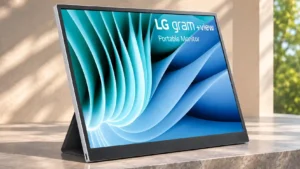
Auto-rotation gets both praise when it works and criticism when it fails or requires installing extra software.
Pros: portability and weight, overall satisfaction
Cons: port selection, Device compatibility