
Overall: 4.0/5
Four capable HDMI sockets provide plenty of room for consoles, streaming hardware and other sources.
Pros: black levels, picture quality
Cons: glare resistance, reflection handling

Overall: 4.0/5
Four capable HDMI sockets provide plenty of room for consoles, streaming hardware and other sources.
Pros: black levels, picture quality
Cons: glare resistance, reflection handling

Overall: 3.3/5
Four HDMI inputs are considered practical and easy to organize for a shared entertainment setup. Overall port quantity is better received than the HDMI 2.1 mix.
Pros: picture quality, overall satisfaction
Cons: value for money, reliability

Overall: 4.4/5
Four capable HDMI inputs provide ample room for consoles, PCs, and external media devices.
Pros: picture quality, peak brightness
Cons: value for money, sound quality

Overall: 4.0/5
Four HDMI connections provide ample room for modern high-bandwidth devices without constant cable swapping.
Pros: peak brightness, picture quality
Cons: value for money, viewing angles
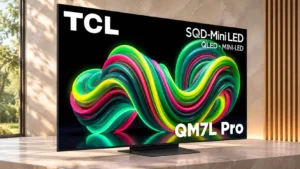
Overall: 4.1/5
Four HDMI connections let multiple devices stay plugged in without constantly swapping cables.
Pros: picture quality, black levels
Cons: viewing angles, motion clarity

Overall: 4.1/5
Four HDMI inputs provide ample room for consoles, media players, and an eARC sound system.
Pros: picture quality, gaming performance
Cons: value for money, sound quality
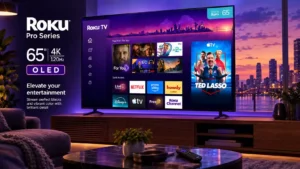
Overall: 4.1/5
Four HDMI connections provide generous space for connecting multiple devices.
Pros: contrast ratio, value for money
Cons: peak brightness, HDR brightness

Overall: 4.1/5
Four high-bandwidth connections allow a multi-device setup without sacrificing full-speed ports.
Pros: black levels, contrast ratio
Cons: Dolby Vision support, stutter handling

Overall: 3.8/5
Four inputs make it easier to leave multiple gaming and home-theater devices connected at once.
Pros: overall satisfaction, color gamut
Cons: value for money, local dimming performance

Overall: 4.5/5
Four HDMI inputs give the S90H enough wired flexibility for multiple consoles, players and audio gear.
Pros: glare resistance, black levels
Cons: Dolby Vision support, color gamut
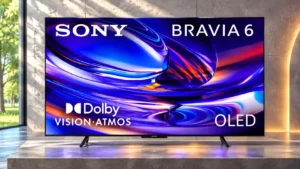
Overall: 3.8/5
Four HDMI inputs offer plenty of room for consoles, media players, and other AV devices. Their full bandwidth makes the count more useful than a simple four-port specification.
Pros: HDMI 2.1 port count, Video input versatility
Cons: value for money, overall satisfaction
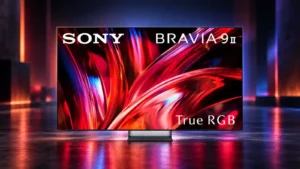
Overall: 4.3/5
Four total HDMI inputs are convenient for mixed setups with consoles, audio gear and other sources.
Pros: overall satisfaction, overall image accuracy
Cons: value for money, bass performance

Overall: 3.9/5
Four HDMI inputs provide enough flexibility for consoles, media players, and audio equipment.
Pros: peak brightness, picture quality
Cons: color accuracy, viewing angles

Overall: 4.4/5
The expanded four-port layout is especially useful for households with several consoles, a PC, and an external audio system.
Pros: picture quality, value for money
Cons: stand quality, judder handling

Overall: 3.8/5
Four well-equipped HDMI inputs provide ample room for a console, gaming PC, sound system, and additional streaming devices.
Pros: picture quality, overall satisfaction
Cons: color crosstalk, value for money

Overall: 4.0/5
Four inputs provide room for several consoles, streamers or a PC without constantly swapping cables.
Pros: contrast ratio, black levels
Cons: reflection handling, color accuracy

Overall: 4.1/5
Four HDMI connectors accommodate consoles, streamers and soundbars without frequent cable swaps.
Pros: value for money, overall satisfaction
Cons: HDR brightness

Overall: 4.1/5
Four HDMI sockets should cover a typical media setup, but only two offer the bandwidth needed for high-refresh gaming.
Pros: overall satisfaction, value for money
Cons: Smart TV platform, advertising intrusiveness

Overall: 2.7/5
Three HDMI sockets cover basic setups, but connecting an eARC soundbar leaves just two for other devices.
Pros: white balance accuracy, design and appearance
Cons: overall satisfaction, value for money

Overall: 3.4/5
Three HDMI inputs are enough for a modest setup but can feel restrictive alongside multiple consoles and audio gear.
Pros: picture quality, color accuracy
Cons: remote control quality, black levels

Overall: 4.1/5
The three-HDMI arrangement is workable for simple setups but tight for multiple consoles, streamers and a soundbar.
Pros: peak brightness, picture quality
Cons: value for money, color accuracy

Overall: 3.1/5
Three total HDMI sockets may not be enough for a console, PC, streaming device and soundbar together.
Pros: gaming performance, color accuracy
Cons: value for money, overall satisfaction

Overall: 2.6/5
Three HDMI inputs cover basic gear, but a soundbar can occupy one of them and limit room for gaming devices.
Pros: sound quality, picture quality
Cons: value for money, local dimming performance

Overall: 3.1/5
Three HDMI inputs cover ordinary equipment but represent a basic connection set rather than a generous one.
Pros: design and appearance, maximum volume
Cons: picture quality, value for money

Overall: 3.7/5
Four built-in HDMI inputs cover most entertainment setups; an optional One Connect accessory can expand the available connections.
Pros: color volume, overall satisfaction
Cons: value for money, color accuracy

Overall: 2.9/5
Three HDMI inputs can be restrictive once a soundbar, console, cable box, and streamer are connected.
Pros: value for money, picture quality
Cons: account requirements, gaming performance