
Software usability was generally strong because iCUE is powerful and detailed, though a few reviewers noted a learning curve or unintuitive UI.
Pros: value for money, shape comfort
Cons: scroll wheel quality, left and right click quality

Software usability was generally strong because iCUE is powerful and detailed, though a few reviewers noted a learning curve or unintuitive UI.
Pros: value for money, shape comfort
Cons: scroll wheel quality, left and right click quality

Software usability was powerful and often easy for basic setup, but the depth of options could feel overwhelming or clunky.
Pros: button customization, scroll wheel quality
Cons: weight, value for money

Software usability was polarized but leaned positive: many praised customization ease, while several disliked bloat or dongle-only limitations.
Pros: side button quality, MMO gaming suitability
Cons: value for money, claw grip comfort

Software usability was divided: G Hub was often called intuitive or feature-rich, but multi-app fragmentation and per-device setup made it frustrating for some.
Pros: shape comfort, battery life
Cons: value for money, DPI range

Software usability was mixed, ranging from easy, robust, and feature-rich to clunky, overwhelming, dated, or rough around the edges.
Pros: RGB features, battery life
Cons: value for money, scroll wheel quality

Software usability split reviewers: some found G Hub easy or intuitive, while others called button programming complicated or the software poor.
Pros: RGB features, weight
Cons: value for money, scroll wheel quality

Software usability was the most mixed major area: some found Armoury Crate polished or comprehensive, while others called it bloated, overloaded, or unusable.
Pros: battery life, software usability
Cons: click noise, fingertip grip comfort

Software usability was mixed: some found SteelSeries GG clear and powerful, while others called it cluttered, bloated, or limited on macOS.
Pros: battery life, weight
Cons: side button quality, value for money

Software usability was mostly positive for remapping and customization, but deeper macro workflows and generic keybind setup felt limited to some reviewers.
Pros: MMO gaming suitability, 2.4GHz connectivity
Cons: charging convenience, value for money
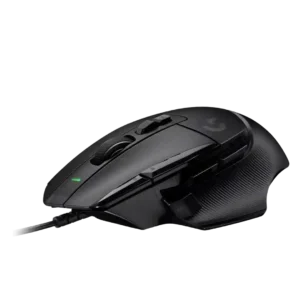
Software usability was useful but mixed: reviewers liked easy button assignment and profiles, while some found the software limited or time-consuming.
Pros: button customization, switch feel
Cons: RGB features, weight tuning

Software usability was mixed: G Hub enables useful tuning, profiles, macros, and battery estimates, but reviewers also found it bad, buried, unavailable, or limiting.
Pros: shape comfort, programmable buttons
Cons: value for money, side button quality
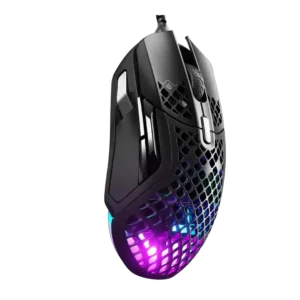
Software usability was sharply split, from easy, refined, and nearly perfect to terrible, clunky, and confusing.
Pros: weight, programmable buttons
Cons: value for money, side button quality