Best for cross-platform compatibility
Glorious Model I 2 Wireless
5.0 attribute score
Highest scored product for this attribute based on supporting review evidence.

Highest scored product for this attribute based on supporting review evidence.
Balances the attribute score, supporting reviews, and overall product strength.
Has the broadest review evidence for this attribute.
Strongest overall product among items with scored evidence for this attribute.

Cross-platform compatibility was praised for Windows, macOS, Linux, and easy pairing across multiple devices.
Pros: weight, shape comfort
Cons: battery life, side button quality

Cross-platform compatibility has limited but strong support from one review praising Windows and macOS usefulness.
Pros: weight, battery life
Cons: value for money, profile switching

Cross-platform support appeared strongest for creator workflows, with one review praising full Mac support alongside Windows software.
Pros: button customization, MMO gaming suitability
Cons: FPS gaming suitability

Cross-platform compatibility was praised by one reviewer because the software works on Windows and macOS.
Pros: side button quality, MMO gaming suitability
Cons: value for money, claw grip comfort

Cross-platform compatibility was strong in the few reviews that tested it, with use across gaming rigs, work laptops, Chrome OS, Android, and iPad-style scenarios.
Pros: value for money, weight
Cons: premium feel, polling rate

Cross-platform flexibility was praised for users switching among PCs, laptops, Macs, handhelds, tablets, or other devices.
Pros: weight, grip texture
Cons: software usability, profile switching

Cross-platform use was praised through Bluetooth multi-device pairing and easy movement between PCs, laptops, tablets, and handhelds.
Pros: value for money, sensor performance
Cons: software usability, grip texture
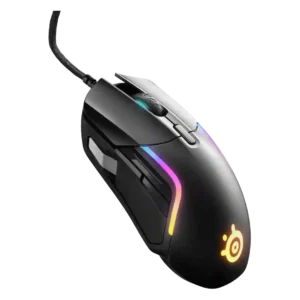
Cross-platform compatibility had limited positive evidence, including Xbox support and software working across macOS and Windows.
Pros: value for money, software usability
Cons: side button quality, onboard memory

Cross-platform compatibility was positive, especially for Mac, iPad, and multi-device workflows.
Pros: battery life, software usability
Cons: click noise, fingertip grip comfort

Cross-platform compatibility was positive because web-based settings and easy PC/Mac switching made the mouse flexible across devices.
Pros: glide smoothness, weight
Cons: handedness options
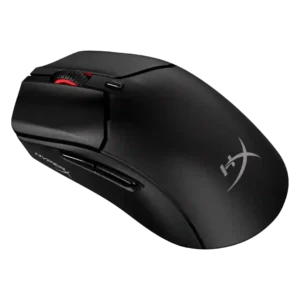
Cross-platform compatibility was positively noted for console and PC use where games support keyboard and mouse.
Pros: weight, value for money
Cons: side button quality, RGB features

Bluetooth and the web-based controls make the mouse practical across Windows, macOS, and other supported systems. Portal X broadens access, although its reliability and feature parity need improvement.
Pros: software usability, sensor performance
Cons: RGB features, scroll wheel quality

Cross-platform compatibility was scored from the review saying settings work on another PC without needing software.
Pros: button responsiveness, shape comfort

Cross-platform compatibility has limited but positive evidence from stored settings that allow easier use across different PCs and devices.
Pros: Accuracy and tracking precision, shape comfort
Cons: long-session comfort
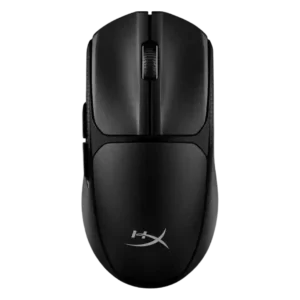
Cross-platform compatibility was praised in the review that tested it as useful across PCs, laptops, consoles, and productivity setups.
Pros: switch feel, weight
Cons: RGB features, handedness options

Cross-platform compatibility was only lightly covered but positively described when the software and OS range were mentioned.
Pros: value for money, battery life
Cons: cable flexibility, RGB features

Cross-platform compatibility was praised through G Hub support for both Windows and macOS.
Pros: switch feel, polling rate
Cons: value for money, side button quality

Cross-platform compatibility was supported by positive switching between a MacBook and gaming PC.
Pros: weight, value for money
Cons: click noise, AI Prompt Master

Cross-platform compatibility was supported through Bluetooth use for everyday and cross-device scenarios.
Pros: value for money, battery life
Cons: glide smoothness, side button quality

Cross-platform use was supported by positive Xbox testing, though software features were more limited outside Windows.
Pros: battery life, weight
Cons: side button quality, value for money
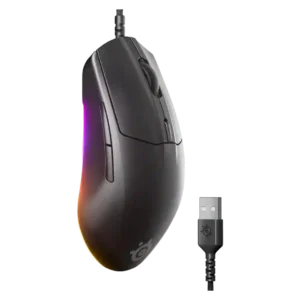
Cross-system use was supported by onboard settings, with one review calling personal settings seamless across different computers.
Pros: cable flexibility, value for money
Cons: premium feel

Cross-platform compatibility was positive at the basic mouse level, with one review reporting issue-free Windows, Mac, and Android use.
Pros: weight, battery life
Cons: polling rate, RGB features

Cross-platform evidence was positive but limited, tied to easy device connectivity and onboard profiles that simplify software-free use.
Pros: software usability, polling rate
Cons: palm grip comfort, fingertip grip comfort
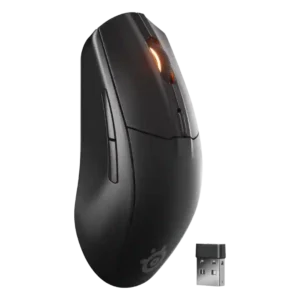
Reviewers valued quick switching across PC, consoles, tablets, phones, and other devices, especially when using Bluetooth alongside the dongle.
Pros: battery life, value for money
Cons: weight, RGB features

Cross-platform compatibility was positive in limited evidence, especially Windows/Mac Bluetooth use and flexible multi-platform operation.
Pros: shape comfort, value for money
Cons: handedness options

Cross-platform compatibility had limited positive evidence tied to Bluetooth use with laptops and tablets.
Pros: value for money, shape comfort
Cons: scroll wheel quality, left and right click quality

Cross-platform use was supported by Bluetooth and Web Hub convenience, with evidence that re-pairing between devices is easy and the web approach is platform-independent.
Pros: shape comfort, sensor performance
Cons: value for money, side button quality

Cross-platform or multi-device use was praised for switching between systems and productivity devices.
Pros: glide smoothness, scroll wheel quality
Cons: analog joystick usability, shape comfort

Cross-platform compatibility was helped by browser-based configuration across computers, though it is still browser/software dependent.
Pros: value for money, weight
Cons: click noise, RGB features

Cross-platform compatibility was supported by onboard memory comments about settings carrying across systems.
Pros: battery life, weight
Cons: click noise, left and right click quality

Cross-platform compatibility has limited but positive evidence, with one review calling the mouse versatile across Windows, Mac, and most OS setups.
Pros: tilt gesture controls, MMO gaming suitability
Cons: battery life, software usability

Cross-platform use was a plus, especially Bluetooth use with phones/tablets/iPad, though Ars wanted better multi-Bluetooth profile support.
Pros: shape comfort, battery life
Cons: value for money, DPI range

Cross-platform compatibility was useful across laptops, tablets, and mobile devices, though USB-A dongle use on phones and tablets was awkward.
Pros: ergonomic design, scroll wheel quality
Cons: AI Prompt Master, click noise

Cross-platform compatibility has limited positive support from the review that praised Bluetooth convenience across a broader range of devices.
Pros: left and right click quality, build quality
Cons: macro support, palm grip comfort

Cross-platform compatibility had limited positive evidence through onboard memory helping when using the mouse on multiple systems.
Pros: RGB features, weight
Cons: value for money, scroll wheel quality

Cross-platform compatibility was supported by travel use with laptops and tablets, though evidence beyond that was limited.
Pros: value for money, battery life
Cons: weight, balance and weight distribution

Cross-platform compatibility was mixed: reviewers liked PC/Mac or broad device support, but software and Linux limitations reduced flexibility.
Pros: value for money, weight
Cons: charging convenience, palm grip comfort

Cross-platform compatibility was mixed: hardware use across Mac and Windows was positive, but software was Windows-only.
Pros: charging convenience, software usability
Cons: RGB features, value for money

Platform support was mixed: connectivity options widened device use, but Synapse being Windows-only limited full customization.
Pros: button customization, scroll wheel quality
Cons: weight, value for money

Cross-platform compatibility was mixed: reviewers liked laptop and multi-device use, but one found limited button recognition on iPadOS.
Pros: RGB features, battery life
Cons: value for money, scroll wheel quality

Cross-platform compatibility was mixed: console compatibility added versatility, but one review noted NGENUITY is Windows-only.
Pros: weight, battery life
Cons: value for money

Cross-platform compatibility was mixed: Xbox plug-and-play was a plus, but lack of macOS and non-Windows support limited the PC software experience.
Pros: value for money, button customization
Cons: fingertip grip comfort, portability
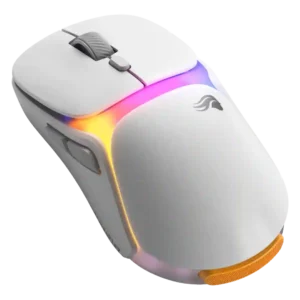
Cross-platform compatibility was limited by the software being Windows-only in the reviewed material.
Pros: charging convenience, shape comfort
Cons: value for money, weight

Cross-platform compatibility was mixed because the mouse works on Windows and Mac, but the software support was described as Windows-only.
Pros: value for money, shape comfort
Cons: onboard memory, side button quality

Cross-platform compatibility was limited because full customization was described as Windows-only.
Pros: battery life, software usability
Cons: weight, FPS gaming suitability

Cross-platform compatibility was mixed because the mouse worked on macOS, but the required Glorious Core software was not available on Apple devices.
Pros: value for money, glide smoothness
Cons: battery life, polling rate

Cross-platform compatibility was limited by the lack of Bluetooth and multi-device switching, making it less flexible than generalist mice.
Pros: weight, shape comfort
Cons: side button quality, value for money

Cross-platform support was a weakness for Linux users because Synapse is not officially available there.
Pros: scroll wheel quality, battery life
Cons: value for money, weight
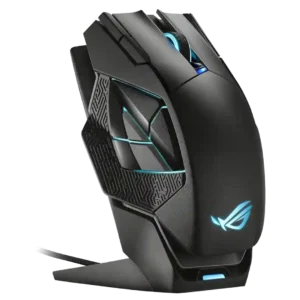
Cross-platform support was weak in the available evidence because Mac/iOS software support was criticized as absent.
Pros: charging convenience, RGB features
Cons: side button quality, weight

Cross-platform compatibility was criticized because firmware updating appeared Windows-only despite the mouse being used across Mac and Linux contexts.
Pros: build quality, weight
Cons: software usability, battery life