Best for charging convenience
Razer DeathAdder V3
5.0 attribute score
Highest scored product for this attribute based on supporting review evidence.

Highest scored product for this attribute based on supporting review evidence.
Balances the attribute score, supporting reviews, and overall product strength.
Has the broadest review evidence for this attribute.
Strongest overall product among items with scored evidence for this attribute.

Charging convenience was praised because the wired design avoids charging and battery maintenance entirely.
Pros: value for money, weight
Cons: fingertip grip comfort, profile switching

Charging convenience was praised, with reviewers noting quick top-ups from under 30 minutes to about an hour.
Pros: weight, grip texture
Cons: software usability, profile switching
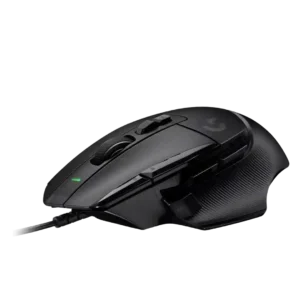
Charging convenience scored well only because one reviewer valued the wired model not needing charging.
Pros: button customization, switch feel
Cons: RGB features, weight tuning

Charging convenience was praised for USB-C, PowerPlay-style charging support, and not needing to think much about recharging.
Pros: shape comfort, programmable buttons
Cons: value for money, side button quality

Charging convenience was positive because reviewers could keep playing while charging or recover hours of play from short top-ups.
Pros: glide smoothness, weight
Cons: handedness options

Charging convenience scores well thanks to PowerPlay support, USB-C charging, and quick recovery from low battery in reviewer testing.
Pros: switch feel, click latency
Cons: value for money, glide smoothness

Charging convenience was positive because reviewers appreciated the wired design avoiding charging and battery maintenance.
Pros: value for money, ergonomic design
Cons: RGB features, portability

Charging convenience was a strength thanks to fast USB-C top-ups, charge-and-play support, and painless cable use.
Pros: battery life, weight
Cons: side button quality, value for money

Charging convenience was viewed positively through quick practical recharge outcomes, a usable charging cable, and comfortable use while charging.
Pros: button customization, MMO gaming suitability
Cons: FPS gaming suitability

Charging convenience was positive thanks to quick charging, rapid USB-C top-ups, and the ability to charge without much disruption.
Pros: weight, battery life
Cons: polling rate, RGB features
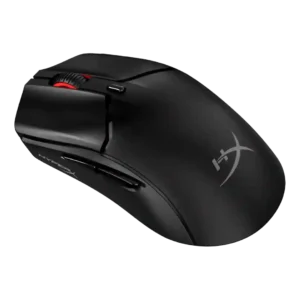
Charging convenience was positive because the mouse can be used while charging from a front USB-C port.
Pros: side button quality, scroll wheel quality
Cons: weight, FPS gaming suitability

Charging convenience was praised for flexible cables, easy wired charging, and the ability to keep playing while charging.
Pros: battery life, software usability
Cons: weight, FPS gaming suitability
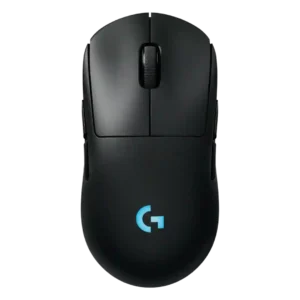
Charging convenience is strong thanks to fast charging impressions, USB-C, and Power Play/constant-power convenience.
Pros: battery life, handedness options
Cons: value for money, polling rate

Charging convenience was praised for USB-C, faster charging, and fewer desk cables.
Pros: switch feel, polling rate
Cons: value for money, side button quality

Charging convenience was positive overall thanks to USB-C quick charging and the ability to use the mouse while plugged in.
Pros: battery life, weight
Cons: click noise, left and right click quality

Charging convenience was a standout because the hot-swap battery system reduced cable interruptions, with minor one-handed and clutter caveats.
Pros: charging convenience, software usability
Cons: RGB features, value for money
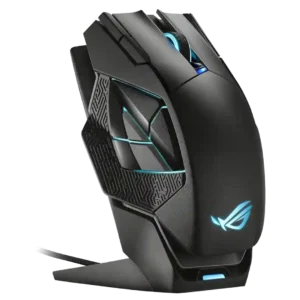
Charging convenience was a major strength, especially because the magnetic dock made it easy to keep the mouse topped up.
Pros: charging convenience, RGB features
Cons: side button quality, weight

Charging convenience was a strength, with reviewers praising fast charging, quick top-ups, and easy cable access.
Pros: side button quality, MMO gaming suitability
Cons: value for money, claw grip comfort
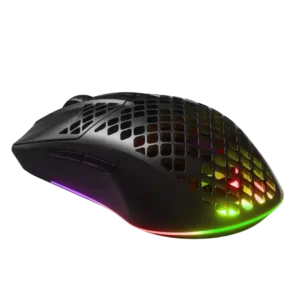
Charging convenience was a clear strength thanks to USB-C, fast charging, and easy wired use while charging.
Pros: value for money, battery life
Cons: glide smoothness, side button quality

Charging convenience was praised because the mouse can be used while charging and has convenient USB-C behavior.
Pros: battery life, software usability
Cons: click noise, fingertip grip comfort
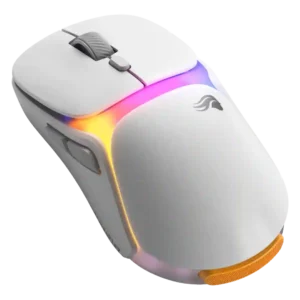
Charging convenience was the headline strength for most reviewers, though one reviewer disliked the extra battery-management steps.
Pros: charging convenience, shape comfort
Cons: value for money, weight

Charging convenience was positive thanks to fast top-ups and enough quick-charge power for practical use.
Pros: ergonomic design, scroll wheel quality
Cons: AI Prompt Master, click noise

Charging convenience was strongest with PowerPlay or AA swapping, though one review disliked the lack of USB-C charging.
Pros: value for money, weight
Cons: premium feel, polling rate

Charging convenience had limited but positive evidence, especially around USB-C fast charging and quick top-ups.
Pros: shape comfort, value for money
Cons: handedness options
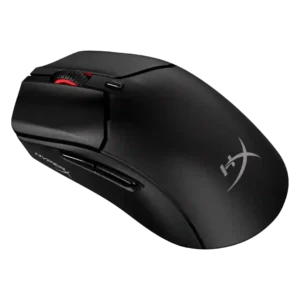
Charging convenience was positive, with reviewers appreciating wired use while charging, plug-and-play charging, and fast-enough recharge times.
Pros: weight, value for money
Cons: side button quality, RGB features

Charging convenience was usually praised because of the dock and quick charge, but several reviewers disliked dock sensitivity, complexity, or unusability while docked.
Pros: RGB features, battery life
Cons: value for money, scroll wheel quality

Charging convenience was mostly positive, helped by fast charging, wired-use capability, and PowerPlay support, though micro-USB was viewed as dated.
Pros: value for money, battery life
Cons: cable flexibility, RGB features

Charging convenience was well received thanks to USB-C, fast recharge mentions, and the ability to keep using the mouse while charging.
Pros: shape comfort, battery life
Cons: value for money, DPI range

Charging convenience was strong when using USB-C or Powerplay, though one reviewer criticized the full recharge time.
Pros: weight, shape comfort
Cons: side button quality, value for money

Charging convenience was positive thanks to fast recharge and easy USB-C top-ups.
Pros: battery life, glide smoothness
Cons: side button quality, value for money

Charging convenience ranged from excellent with the dock to frustrating when relying on quick wired top-ups.
Pros: scroll wheel quality, battery life
Cons: value for money, weight
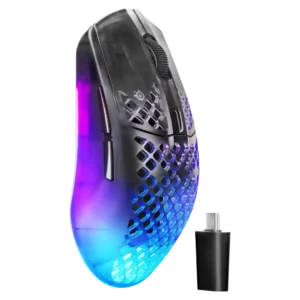
Charging convenience was positive overall thanks to wired-use charging and long cables, though peak-performance polling requires more frequent charging.
Pros: software usability, polling rate
Cons: palm grip comfort, fingertip grip comfort

Charging convenience is generally positive, helped by USB-C, around-75-minute recharge comments, and usable wired operation.
Pros: weight, battery life
Cons: value for money, profile switching

Charging convenience was positive because the rechargeable battery, USB-C cable, and wired fallback reduced battery anxiety.
Pros: value for money, shape comfort
Cons: scroll wheel quality, left and right click quality

Charging convenience was generally positive thanks to USB-C and charge-while-playing, though one reviewer found the USB-C port fiddly.
Pros: RGB features, weight
Cons: value for money, scroll wheel quality

Charging was mostly convenient, especially through the flexible cable or optional dock, though one user disliked unplugging the cable and others questioned dock value.
Pros: button customization, scroll wheel quality
Cons: weight, value for money
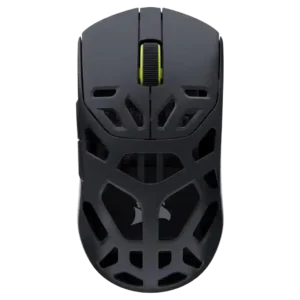
Charging convenience was positive where reviewed, with quick charging and short full-charge timing balancing the stiff cable complaint.
Pros: shape comfort, sensor performance
Cons: value for money, side button quality
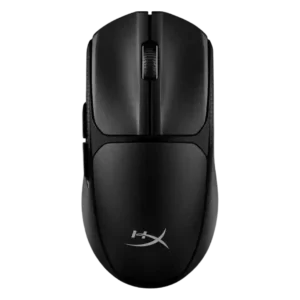
Charging convenience is really battery-swap convenience: reviewers liked the quick removable cover and fast AAA replacement despite no rechargeable battery.
Pros: switch feel, weight
Cons: RGB features, handedness options

Charging convenience was mostly praised for quick charging, Qi support, and accessible charging, with one caveat about keeping USB-C nearby.
Pros: glide smoothness, scroll wheel quality
Cons: analog joystick usability, shape comfort
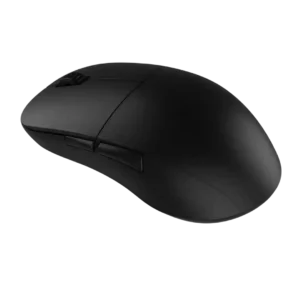
Charging was generally considered simple and convenient, with reviewers pointing to straightforward USB-C charging and about a two-hour charge estimate.
Pros: value for money, glide smoothness
Cons: fingertip grip comfort, surface compatibility

Charging convenience has limited but positive support, with one review praising the USB-C setup for fast data transfer and quick charging.
Pros: left and right click quality, build quality
Cons: macro support, palm grip comfort

Charging convenience received limited positive evidence from the front port placement being exactly where expected.
Pros: weight, battery life
Cons: value for money

Charging convenience was positive where reviewers noted cable charging was easy and the mouse could continue working while plugged in.
Pros: battery life, scroll wheel quality
Cons: value for money, click noise

Charging convenience was acceptable to the reviewer because plugging in during breaks was not treated as a major burden.
Pros: value for money, button customization
Cons: fingertip grip comfort, portability

Charging convenience was useful but accessory-dependent, with praise for cable play-and-charge and dock charging offset by complaints that charging accessories cost extra.
Pros: value for money, battery life
Cons: weight, balance and weight distribution

Charging convenience was split: wireless charging accessories impressed reviewers, but the need to buy extras and slower charging drew criticism.
Pros: weight, value for money
Cons: click noise, AI Prompt Master

Charging and dongle convenience were mixed: USB-C and cable placement helped, but the booster/dongle setup could feel chunky.
Pros: value for money, sensor performance
Cons: software usability, grip texture

Power and charging convenience is mixed: some reviewers like easy-to-buy batteries, while others dislike needing spares or missing an internal rechargeable battery.
Pros: Accuracy and tracking precision, shape comfort
Cons: long-session comfort

Charging convenience was mixed: long battery life reduces the issue, but cable-only charging and stiff cables drew criticism.
Pros: value for money, weight
Cons: click noise, RGB features

Charging itself was convenient by USB-C, but the short or unpleasant cable hurt the charging-and-play experience for some reviewers.
Pros: value for money, weight
Cons: Bluetooth support, cable flexibility