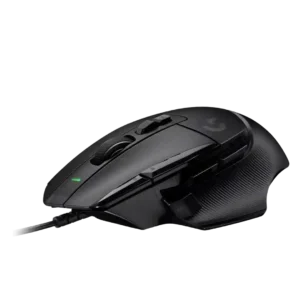
Charging convenience scored well only because one reviewer valued the wired model not needing charging.
Pros: button customization, switch feel
Cons: RGB features, weight tuning

Charging convenience scored well only because one reviewer valued the wired model not needing charging.
Pros: button customization, switch feel
Cons: RGB features, weight tuning

Charging convenience was praised for USB-C, PowerPlay-style charging support, and not needing to think much about recharging.
Pros: shape comfort, programmable buttons
Cons: value for money, side button quality

Charging convenience was a strength thanks to fast USB-C top-ups, charge-and-play support, and painless cable use.
Pros: battery life, weight
Cons: side button quality, value for money

Charging convenience was a strength, with reviewers praising fast charging, quick top-ups, and easy cable access.
Pros: side button quality, MMO gaming suitability
Cons: value for money, claw grip comfort

Charging convenience was praised because the mouse can be used while charging and has convenient USB-C behavior.
Pros: battery life, software usability
Cons: click noise, fingertip grip comfort

Charging convenience was usually praised because of the dock and quick charge, but several reviewers disliked dock sensitivity, complexity, or unusability while docked.
Pros: RGB features, battery life
Cons: value for money, scroll wheel quality

Charging convenience was well received thanks to USB-C, fast recharge mentions, and the ability to keep using the mouse while charging.
Pros: shape comfort, battery life
Cons: value for money, DPI range

Charging convenience was positive because the rechargeable battery, USB-C cable, and wired fallback reduced battery anxiety.
Pros: value for money, shape comfort
Cons: scroll wheel quality, left and right click quality

Charging convenience was generally positive thanks to USB-C and charge-while-playing, though one reviewer found the USB-C port fiddly.
Pros: RGB features, weight
Cons: value for money, scroll wheel quality

Charging was mostly convenient, especially through the flexible cable or optional dock, though one user disliked unplugging the cable and others questioned dock value.
Pros: button customization, scroll wheel quality
Cons: weight, value for money

Charging convenience was mixed to negative: battery swapping can be useful mid-session, but several reviewers disliked the lack of charging.
Pros: MMO gaming suitability, 2.4GHz connectivity
Cons: charging convenience, value for money