Best for Bluetooth support
MSI Versa 300 Wireless 8K
4.8 attribute score
Highest scored product for this attribute based on supporting review evidence.

Highest scored product for this attribute based on supporting review evidence.
Balances the attribute score, supporting reviews, and overall product strength.
Has the broadest review evidence for this attribute.
Strongest overall product among items with scored evidence for this attribute.

Bluetooth adds useful laptop, phone, and multi-device flexibility, and testers generally found it stable. It is best suited to everyday use rather than maximum polling performance.
Pros: software usability, sensor performance
Cons: RGB features, scroll wheel quality

Bluetooth support was appreciated for extra device flexibility, though reviewers still favored 2.4 GHz for gaming.
Pros: weight, shape comfort
Cons: battery life, side button quality

Bluetooth was valued as a convenient secondary mode for non-competitive use and multi-device flexibility, even when 2.4GHz remained preferred for gaming.
Pros: weight, grip texture
Cons: software usability, profile switching

Bluetooth support was praised for stable productivity use and broader multi-device convenience, though competitive use favored 2.4GHz.
Pros: glide smoothness, weight
Cons: handedness options

Bluetooth support was valued for work and everyday use, especially switching between devices, though one reviewer called it merely serviceable.
Pros: weight, value for money
Cons: click noise, AI Prompt Master

Bluetooth support was widely appreciated for dual-device use, easy pairing, travel, and work-and-gaming flexibility.
Pros: value for money, weight
Cons: premium feel, polling rate

Bluetooth was viewed as a useful convenience for work, travel, and multi-device use, not as the preferred competitive mode.
Pros: value for money, sensor performance
Cons: software usability, grip texture

Bluetooth was valued for work, travel, and multi-device flexibility, though not always ideal for esports latency.
Pros: scroll wheel quality, battery life
Cons: value for money, weight

Bluetooth support was positively supported by one reviewer using Bluetooth on Mac for work.
Pros: charging convenience, software usability
Cons: RGB features, value for money
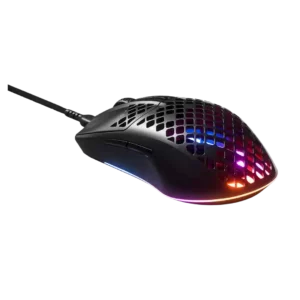
Bluetooth support contributed positively to avoiding cable dependence in the wireless model.
Pros: glide smoothness, RGB features
Cons: build quality, cable flexibility

Bluetooth support was positively received for easy pairing, useful productivity support, and painless mode switching.
Pros: shape comfort, value for money
Cons: handedness options

Bluetooth support was valued as versatile and reliable for casual, laptop, or work use.
Pros: weight, battery life
Cons: value for money

Bluetooth support is positive for everyday flexibility and long battery life, though one reviewer notes lower Bluetooth polling compared with 2.4GHz.
Pros: Accuracy and tracking precision, shape comfort
Cons: long-session comfort

Bluetooth support was appreciated for flexibility, portability, and device switching, though it was not always preferred for peak gaming.
Pros: weight, battery life
Cons: polling rate, RGB features
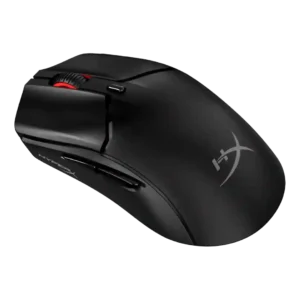
Bluetooth support was widely valued for portability and multi-device use, with generally reliable behavior.
Pros: side button quality, scroll wheel quality
Cons: weight, FPS gaming suitability
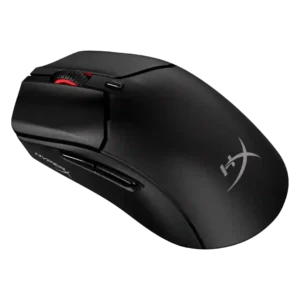
Bluetooth support was valued as convenient and versatile, particularly for multi-device or console-adjacent setups, though it was not the preferred performance mode.
Pros: weight, value for money
Cons: side button quality, RGB features
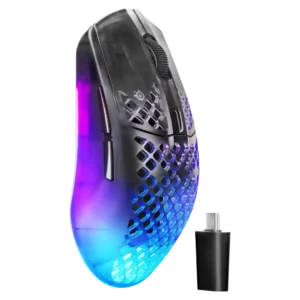
Bluetooth support was valued for versatility and travel, but reviewers noted advanced performance settings are limited outside 2.4GHz or wired mode.
Pros: software usability, polling rate
Cons: palm grip comfort, fingertip grip comfort

Bluetooth was viewed as a useful productivity or secondary mode rather than the preferred gaming connection, and reviewers reported it worked well.
Pros: button customization, MMO gaming suitability
Cons: FPS gaming suitability
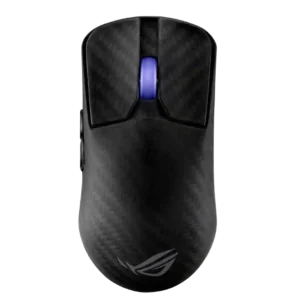
Bluetooth was treated as a useful convenience and notable inclusion on such a lightweight esports-focused mouse.
Pros: sensor performance, build quality
Cons: value for money, battery life

Bluetooth support expanded device compatibility, but the lack of easy multi-device memory hurt one reviewer’s mobile workflow.
Pros: ergonomic design, scroll wheel quality
Cons: AI Prompt Master, click noise

Bluetooth support was considered useful and convenient, especially for device switching or alternate connection modes.
Pros: battery life, weight
Cons: click noise, left and right click quality
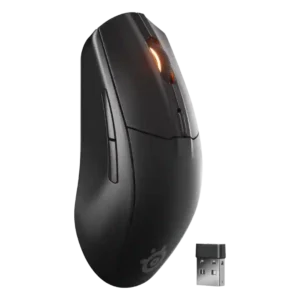
Bluetooth was widely valued for device switching, travel, and battery savings, but one reviewer had pairing problems and others treated it as less suitable for serious gaming.
Pros: battery life, value for money
Cons: weight, RGB features

Bluetooth support was generally valued for flexibility and secondary-device use, although one review called it suboptimal for gaming.
Pros: RGB features, battery life
Cons: value for money, scroll wheel quality

Bluetooth support was valued for work, tablets, laptops, and longer runtime, with a gaming-latency caveat.
Pros: value for money, shape comfort
Cons: scroll wheel quality, left and right click quality

Bluetooth support was useful for battery life and multi-device use, but lower polling or lighter-use caveats appeared.
Pros: battery life, software usability
Cons: click noise, fingertip grip comfort
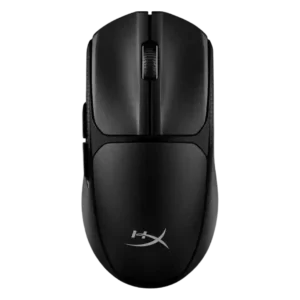
Bluetooth support was valued for versatility and device switching, though one reviewer warned its latency is noticeable in fast games.
Pros: switch feel, weight
Cons: RGB features, handedness options
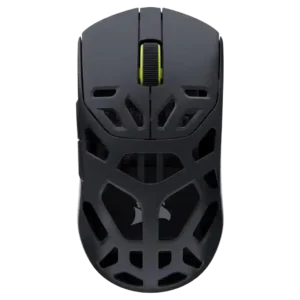
Bluetooth was viewed as a useful quality-of-life addition for non-gaming or multi-device use, though one reviewer noted 2.4GHz remains better for latency-sensitive play.
Pros: shape comfort, sensor performance
Cons: value for money, side button quality

Bluetooth support was useful for battery life and device switching, but it was also described as slower than 2.4GHz.
Pros: battery life, glide smoothness
Cons: side button quality, value for money

Bluetooth support was useful for versatility and long battery life, but reviewers warned it is not the best mode for competitive performance.
Pros: battery life, software usability
Cons: weight, FPS gaming suitability
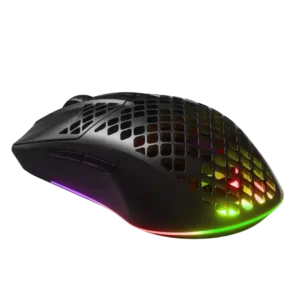
Bluetooth support was useful for fallback, travel, and cross-device use, but at least one reviewer found Bluetooth responsiveness laggy.
Pros: value for money, battery life
Cons: glide smoothness, side button quality

Bluetooth support was scored from a review that praised the breadth of the connectivity options including Bluetooth.
Pros: button responsiveness, shape comfort

Bluetooth support was valued for travel, laptops, and productivity, but multiple reviewers warned it adds latency for serious gaming.
Pros: value for money, battery life
Cons: weight, balance and weight distribution

Bluetooth was useful and often flawless, but a few reviewers hit setup confusion or lower polling-rate limitations compared with the dongle.
Pros: shape comfort, battery life
Cons: value for money, DPI range

Bluetooth support was useful for travel and secondary devices, but reviewers also noted latency and configuration limitations.
Pros: side button quality, MMO gaming suitability
Cons: value for money, claw grip comfort

Bluetooth was useful for productivity and multiple devices but not treated as a serious gaming mode.
Pros: glide smoothness, scroll wheel quality
Cons: analog joystick usability, shape comfort

Bluetooth was valued for versatility and secondary-device use, but several reviewers warned it is less suitable for serious gaming than 2.4GHz.
Pros: battery life, weight
Cons: side button quality, value for money

Bluetooth support is mixed: reviewers appreciate the option for productivity and multi-device use, but some dislike Bluetooth latency or mode switching.
Pros: weight, battery life
Cons: value for money, profile switching

Bluetooth support is useful for travel, secondary devices, and pairing flexibility, but reviewers warn it is too high-latency for gaming.
Pros: tilt gesture controls, MMO gaming suitability
Cons: battery life, software usability

Bluetooth evidence is split: one reviewer missed it as an option, while another praised Bluetooth 5.1 for convenience and broader device compatibility.
Pros: left and right click quality, build quality
Cons: macro support, palm grip comfort

Bluetooth support was useful for flexibility and battery life, but reviewers warned that it is laggier than 2.4GHz for gaming.
Pros: MMO gaming suitability, 2.4GHz connectivity
Cons: charging convenience, value for money

Bluetooth support was present but received a setup complaint from one reviewer.
Pros: charging convenience, shape comfort
Cons: value for money, weight

Bluetooth support was seen as a useful power-efficient option, but with the caveat that performance is lower than 2.4GHz.
Pros: value for money, button customization
Cons: fingertip grip comfort, portability

Bluetooth was viewed as useful for battery life or fallback use, but several reviewers warned it felt slower or worse than 2.4GHz for gaming.
Pros: button customization, scroll wheel quality
Cons: weight, value for money
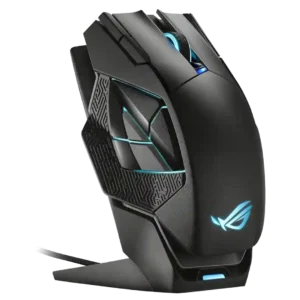
Bluetooth was a limitation rather than a strength; reviewers wanted it for flexibility, especially on the go or for premium expectations.
Pros: charging convenience, RGB features
Cons: side button quality, weight

Bluetooth support was weak because reviewers noted its absence, though at least one said it was unlikely to be a dealbreaker.
Pros: value for money, grip texture
Cons: weight, charging convenience

Bluetooth support was a recurring limitation; some reviewers did not mind, but others called the omission disappointing for versatility.
Pros: battery life, scroll wheel quality
Cons: value for money, click noise

Bluetooth support was a weakness because it is absent, though some reviewers accepted the tradeoff for weight and responsiveness.
Pros: weight, shape comfort
Cons: side button quality, value for money

Bluetooth support was a limitation where discussed; reviewers noted the mouse relies on its receiver and wished Bluetooth were included.
Pros: value for money, battery life
Cons: cable flexibility, RGB features

Bluetooth support was a clear limitation; reviewers repeatedly noted its absence reduces versatility outside dedicated esports setups.
Pros: build quality, software usability
Cons: value for money, polling rate
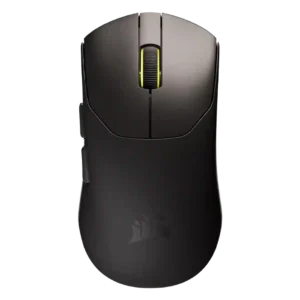
Bluetooth support was a repeated drawback; reviewers often understood the weight-saving reason but still found the lack inconvenient for travel or multi-device use.
Pros: build quality, weight
Cons: software usability, battery life