
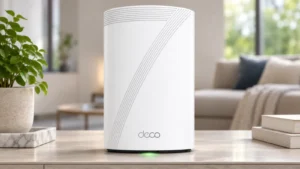
TP-Link Deco 7 Pro BE67 Feature Scores
Overall Scorata score: 4.1/5
Based on 19 analyzed reviews · View source samples
Explore all 101 feature scores for TP-Link Deco 7 Pro BE67, organized into pros and cons.
Scores by Feature
Summary
101 reviewed features-
Very positive 4.5-5.053 (52%)
-
Positive 3.5-4.431 (31%)
-
Neutral 2.5-3.410 (10%)
-
Negative 1.5-2.46 (6%)
-
Very negative below 1.51 (1%)
Pros
Sort
-
Multiple units provide strong coverage throughout homes, including distant rooms that previously had weak connections.
-
Peak speeds are a standout, with multi-gigabit wireless throughput in favorable conditions and full broadband speeds in previously slow rooms.
-
The system is approachable for nontechnical users, with clear app controls and straightforward everyday operation.
-
The Deco app is polished, approachable and offers useful network controls, though it is required for most administration.
-
Setup is usually quick and intuitive, though a few installations required resetting or rebooting additional nodes.
-
6 GHz is a major strength, with exceptional nearby throughput and less interference; walls and distance reduce its advantage.
-
The mesh delivers excellent overall speed and coverage without demanding elaborate networking knowledge.
-
Dozens of connected devices can browse, stream and game concurrently without a noticeable loss of performance.
-
Usable signal extends into yards, decks and garden offices, with tested coverage reaching well beyond the house.
-
Multiple 4K streams and other simultaneous activity rarely cause major slowdowns, and congested benchmarks are competitive.
-
Downloads are markedly faster in hard-to-reach rooms, with a 600 Mbps connection reaching its full speed throughout one tested home.
-
Adding more Deco nodes is straightforward, allowing coverage to grow with the property's needs.
-
Remote rooms can retain useful or even full broadband speeds, but throughput falls with distance and obstacles, especially at 6 GHz.
-
Wireless throughput is excellent for a mesh system, particularly with compatible Wi-Fi 7 clients; some users still encounter intermittent stuttering.
-
Close-range 6 GHz transfers can exceed 3 Gbps, although some competing routers are faster in particular tests.
-
Stress tests and weeks of household use generally went smoothly, though one owner experienced persistent Wi-Fi stutters.
-
The app balances simple everyday management with deeper controls, although some band and desktop configuration options are restricted.
-
Multi-gigabit ports and the 6 GHz band offer useful headroom for future equipment upgrades.
-
A separate IoT network is easy to create and helps keep smart devices apart from other equipment.
-
Reusing existing network credentials and guided upgrade options makes migration relatively painless, apart from occasional satellite pairing problems.
-
Most installations deliver dependable connections, with occasional phone reconnection issues and more serious stuttering on certain devices in one setup.
-
Strategically placed nodes extend signal across multiple floors, including basements and lofts.
-
The app provides a useful overview of network topology, activity, device connections and node signal status.
-
Roaming between units is generally smooth, with devices automatically switching to a stronger node.
-
The three-band design provides useful additional capacity and speed headroom, especially for newer devices.
-
Upload speeds improved substantially in distant rooms and outdoor work areas; gigabit service can approach its practical ceiling.
-
Performance is competitive with significantly more expensive systems, but households with modest needs may find cheaper models equally effective.
-
A 10 Gbps socket on every node is valuable for fast internet and local equipment, but only one per node limits simultaneous 10 Gbps links.
-
Latency is generally low enough for everyday gaming and streaming, with a wireless satellite adding some delay.
-
The guided app setup is clear and approachable, including when upgrading from an older Deco system.
-
Flexible WAN/LAN port selection and interchangeable nodes make installation easier.
-
Wired devices can deliver excellent throughput and avoid the occasional stutters experienced over Wi-Fi.
-
Overall satisfaction is high thanks to speed and coverage, although one long-term user found intermittent stuttering disappointing.
-
The units are relatively compact for high-end mesh hardware, although they still occupy noticeable shelf space.
-
Manual channel selection helps manage interference and gives demanding users more control.
-
Automatic node selection and manual client preferences help keep devices connected to suitable access points.
-
Installation can take only minutes, with the app guiding the process from unboxing to a working mesh.
-
Adding satellites improves coverage and can recover much of the speed lost in distant rooms.
-
The nodes run silently or nearly silently, making them unobtrusive in living areas.
-
Video streams and calls can continue while moving between nodes without noticeable interruptions.
-
Settings are logically arranged, making common controls easy to find.
-
Smart-home integration works well in tested setups, including Apple Home and controls for compatible TP-Link devices.
-
VPN client setup is straightforward and can route selected devices or the whole network through a VPN.
-
5 GHz throughput is solid and frequently exceeds gigabit speeds nearby, although it drops with distance.
-
The understated white cylinders look cleaner than many gaming routers, though some find them bulky or visually plain.
-
Satellite pairing is often automatic, but some users needed to reset or restart nodes before they would connect.
-
Wireless backhaul can cover difficult locations at useful speeds, but satellite links can lose throughput or add latency.
-
The 2.4 GHz band holds up well at distance and through obstacles, and remains competitive under load.
-
Wide 320 MHz channels provide additional bandwidth for compatible devices and busy networks.
-
Backhaul performance is strong, with wireless links capable of high throughput and only modest losses in some installations.
-
Device management is useful for assigning clients to specific nodes and checking connected equipment.
-
The hardware runs only mildly warm or within normal operating temperatures during sustained use.
-
The built-in VPN server offers a convenient way to access home devices remotely.
-
Range is strong across a multi-node installation, but some competing mesh systems reach farther and node placement matters.
-
MLO can improve throughput and latency, but its implementation has limitations and some users experience stuttering or device-specific connection trouble.
-
Ethernet backhaul is valuable for stable, fast connections, but the single 10 Gbps socket constrains fully wired multi-gigabit layouts.
-
The upgrade is worthwhile for faster wired equipment, newer clients or greater capacity, but often incremental for ordinary broadband use.
-
Additional units can be detected automatically as soon as they are plugged in.
-
Per-device band preferences are handy for equipment that struggles when switching frequencies.
-
Throughput remains impressive under competing traffic, including particularly strong congested 6 GHz and 2.4 GHz results.
-
The system has ample capacity for a large household with numerous simultaneous connections.
-
Compatibility with other Deco models provides flexible expansion without replacing the entire network.
-
A month of demanding household use produced consistent speeds and reliable coverage.
-
Device isolation is handy for allowing internet access without exposing the rest of the local network.
-
The app's placement guide makes finding suitable locations for satellite nodes easier.
-
Pre-synced units make forming a mesh particularly convenient.
-
Clear app instructions make installation and network configuration easier.
-
Individually adjustable LED settings keep bedroom units from disturbing users at night.
-
Wi-Fi 7 delivers impressive speed throughout a mesh installation when paired with capable clients.
-
Automatic channel optimization is convenient in congested areas, although one user noticed no clear speed improvement.
-
Satellite nodes retain useful throughput, but wireless connections introduce some speed loss and latency compared with the main router.
-
Basic content filtering is sufficient for some parents without a subscription.
-
Optional client identification makes connected devices easier to recognize, with a third-party data-sharing tradeoff.
-
The quick-start documentation provides useful information for getting started.
-
Most existing smart devices reconnect smoothly, although a Tesla charging connector proved troublesome in one installation.
-
At around 25 feet, throughput remains competitive, though the fastest rivals can pull ahead.
-
A well-positioned wireless inter-node link can sustain impressive multi-gigabit throughput.
-
Per-device speed limits offer useful control over individual clients.
-
App-based QoS makes prioritizing latency-sensitive devices straightforward.
-
The status lights are neatly implemented and fit the clean hardware design.
-
The USB port is useful for basic shared storage and media streaming.
-
USB storage sharing is capable enough for basic file sharing and media streaming, although it is not the fastest solution.
-
Latency can be consistent with compatible clients and MLO, but satellite connections may introduce jitter.
-
Thick walls can sharply reduce high-frequency throughput, though the lower-frequency band can remain useful through brick walls.
Cons
Sort
-
Browser administration is limited compared with the mobile app, frustrating users who prefer desktop configuration.
-
Advanced parental controls and security subscriptions are a recurring frustration, although basic tools may be sufficient for some homes.
-
Dependence on the Deco mobile app and online account is a drawback for users who prefer local desktop administration.
-
One reviewer reported an unsatisfactory response when seeking help for persistent Wi-Fi stuttering.
-
Basic parental controls are useful, but advanced filtering and scheduling require payment and frustrate some buyers.
-
Basic reporting offers limited insight into detailed network activity.
-
Availability varies by market, and one account found the model difficult to obtain outside the US.
-
Free scheduling is limited, including a lack of separate weekend schedules in one account.
-
Vendor account dependence and optional third-party identification raise privacy concerns for some users.
-
Security tools are useful, but advanced protections behind a paywall reduce their appeal.
-
App promotions range from occasional unobtrusive ads to intrusive subscription prompts and warnings.
-
The advertised aggregate link rate is not a realistic single-device download speed; achievable throughput depends on equipment and placement.
-
Most equipment connects easily, although particular clients such as a Mac Mini or Tesla charger can encounter problems.
-
Mac users can benefit from storage features, but one Mac Mini experienced Wi-Fi stuttering and worked better wired.
-
The white-only finish limits options for matching different interiors.
-
A newer firmware update improved some MLO-related stuttering, but did not fully resolve every complaint.
-
Three ports per node are sufficient for modest wired setups, but can feel restrictive in a home office or media room.
Use Cases
Best for
Sort
-
Large and multi-story homes benefit from strong coverage, scalable nodes and high speeds in remote rooms.
-
High-resolution streaming works smoothly, even at distance or with other devices sharing the network.
-
Busy households can keep dozens of devices connected, streaming and gaming simultaneously with minimal slowdowns.
-
Online gaming generally works without noticeable lag, though serious competitive players may prefer wired connections to the primary node.
-
Multi-gigabit broadband is a strong fit, with a fast uplink and wireless speeds that can exceed gigabit rates.
-
Newer Wi-Fi 7 clients can make the most of the 6 GHz band, wide channels and speed headroom.
-
Additional nodes can extend coverage easily; older mixed-model nodes may limit available features and speeds.
-
Beginners can usually install the mesh in minutes using the guided app, with occasional extra pairing steps.
-
Basic shared storage and fast local NAS transfers work well, though a heavily wired NAS setup may need additional ports or a switch.
-
Fast local wired connections can suit NAS and desktop equipment, though one 10 Gbps port per node limits some topologies.
-
Large local file transfers benefit from high-speed wireless mesh links and multi-gigabit Ethernet.
-
Smart-home households benefit from strong coverage, useful client controls and a separate IoT network; most accessories work without trouble.
-
Ordinary home networking is simple and capable, but cheaper models may offer comparable internet speeds for basic needs.
-
Improved coverage in distant offices makes remote work practical, with strong speeds even in a garden office.
-
Low latency and smooth roaming can support video calls even in busy homes.
-
Compatible MLO devices may deliver low gaming latency, but satellite jitter makes a wired main-node connection safer for ranked play.
-
An Apple Home household with many connected accessories experienced sturdy networking and few device errors.
-
Everyday console gaming works well, including an Ethernet-connected PS5 with no noticeable lag complaints.
-
Compatible gaming PCs can benefit from the fast MLO network.
-
The scalable mesh can serve smaller businesses that struggle with dropped connections or inadequate coverage from one router.
-
Enthusiasts can get excellent wireless speed at a competitive price, although those needing deeper browser controls may prefer another platform.
-
Everyday browsing and streaming benefit from good speeds and reasonable latency.
-
A built-in VPN server makes remote access to home network devices convenient.
-
Browsing remains responsive even in distant rooms.
Conditional or not ideal for
Sort
-
Gigabit-or-slower internet plansThe system can deliver full speeds on gigabit or slower plans, but a cheaper mesh may offer the same internet performance.
-
Advanced network administrationThe app offers useful configuration options, but advanced administrators may dislike its browser restrictions and limited granular controls.
-
Households with childrenFamilies can use basic parental controls for free, but advanced scheduling and reporting add recurring costs.
-
Budget-conscious buyersPricing is attractive for premium mesh performance, but less expensive systems can be better buys for modest needs.
-
Small homes and apartmentsA single less expensive router may be enough for smaller homes, although congested apartments can benefit from the additional 6 GHz band.
-
Access point modeAccess point mode avoids double NAT, but disables several native controls and notifications.
-
Internet plans above 2.5 GbpsThe 10 Gbps port offers headroom for very fast broadband, but simultaneous 10 Gbps wired backhaul is constrained.