If you want better Ethernet port count
Choose TP-Link Deco 7 Pro BE63. It scores 4.8 vs 3.1 for Ethernet port count, with a 4.2 overall score.

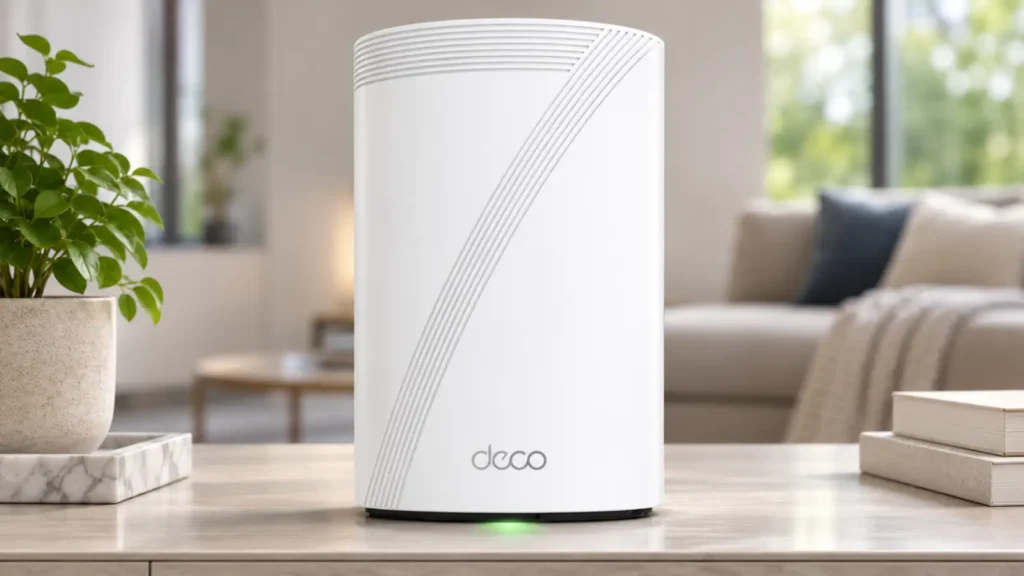
Fast wireless coverage and straightforward setup make this mesh a strong choice for demanding homes. Its single 10 Gbps port per node, paid advanced controls and occasional device-specific stuttering are worth considering.
Large or multi-story homes, busy households and owners of newer Wi-Fi 7 devices or fast local storage equipment benefit most from the additional capacity and broad coverage.
Budget-conscious buyers with modest internet plans and advanced network administrators who need extensive local browser controls may be better served by alternatives.
The TP-Link Deco 7 Pro BE67 combines exceptional peak wireless throughput with broad coverage and a relatively approachable setup process. In favorable conditions, 6 GHz speeds can exceed 3 Gbps, and multiple nodes help eliminate slow spots in large or multi-story homes. Busy households can stream and game simultaneously without major slowdowns. Its price is competitive against premium mesh systems, but a less expensive router may be equally effective on a modest internet plan. Each node has only three Ethernet ports, including a single 10 Gbps port, which limits some fully wired configurations. Advanced parental and security controls cost extra, and a few installations experienced pairing problems or Wi-Fi stuttering, particularly with certain MLO clients. It is best suited to homes that can use its extra wireless capacity or fast local networking.
Compared with other Routers, this product is above average in band steering, channel selection, backhaul performance, near average in mobile app quality, value for money, below average in customer support, web interface quality, usage schedules.
| Attribute | This product | Category average | Difference |
|---|---|---|---|
| customer support | 1.0 | 3.3 | -2.3 |
| band steering | 5.0 | 2.9 | +2.1 |
| web interface quality | 2.0 | 4.0 | -2.0 |
| channel selection | 5.0 | 3.2 | +1.8 |
| usage schedules | 2.0 | 3.7 | -1.7 |
| subscription requirements | 2.3 | 3.7 | -1.4 |
| backhaul performance | 4.5 | 3.0 | +1.5 |
| security features | 2.8 | 4.1 | -1.3 |
Choose TP-Link Deco 7 Pro BE63. It scores 4.8 vs 3.1 for Ethernet port count, with a 4.2 overall score.
Choose ASUS ZenWiFi BT10. It scores 5.0 vs 2.3 for subscription requirements, with a 4.0 overall score.
Choose TP-Link Archer BE550. It scores 4.8 vs 2.0 for web interface quality, with a 4.3 overall score.
Choose ASUS ROG Strix GS-BE18000. It scores 4.8 vs 2.8 for security features, with a 4.3 overall score.
Compared with TP-Link Deco 7 Pro BE67
Close-range 6 GHz tests exceeded 3 Gbps in favorable conditions. Real-world speed depends on clients, placement, walls and broadband service.
Yes. Multiple nodes extend coverage to remote rooms and across floors, and can even provide usable outdoor coverage.
Basic networking and parental controls are available without a subscription, but more advanced security, parental controls and detailed reports may require paid plans.
Yes. Each node has one 10 Gbps, one 2.5 Gbps and one 1 Gbps Ethernet port, so the single 10 Gbps port can constrain some wired layouts.
It can deliver strong coverage and full broadband speeds, but a less expensive mesh may achieve similar internet speeds if you do not need the extra wireless or wired capacity.
Ordinary online gaming generally runs smoothly. For latency-sensitive competitive gaming, a wired connection to the primary node is preferable to a wireless satellite.
The guided Deco app generally makes setup quick, although some users had to reset or restart extra nodes to pair them.
These are a few of the reviews included in our analysis.




We put 11 range extenders and mesh systems to the test to find the fastest and most reliable for streaming, gaming and working from home
TP-Link Deco 7 Pro BE67 review: tri-band BE14000 Wi-Fi 7 mesh, 3-pack, with 10G, 2.5G and 1G ports on every unit, 10G wired backhaul and...
TP-Link Deco BE14000 Wi-Fi 7 mesh review: a three-pack in a 2,500 sq ft home with six users, full 600 Mbps everywhere, setup hiccups...
See what the TP-Link Deco BE67’s Wi-Fi 7 speeds, 10 Gbps port, coverage claims, and independent testing mean for a multi-gig home.
A practical TP-Link Deco BE67 review covering Wi-Fi 7 speed, Ethernet ports, coverage claims, compatibility, RTINGS testing and who should...

Choose the R95 for a busy home that needs fast Wi-Fi 7, strong range, multi-gig ports, and low-lag gaming. Skip it for a small, lightly connected space or if advanced...
Pros: Wi-Fi 7 support, Wi-Fi speed

Best for frequent travel, fast VPNs, dual 2.5GbE and resilient multi-WAN. Skip it if you need full 6GHz/320MHz Wi‑Fi 7, mesh, or desktop-class USB storage and long-range indoor coverage.
Pros: VPN client support, value for money
Cons: 6 GHz performance, USB storage sharing

Exceptional VPN speeds, strong Wi-Fi 6 coverage and extensive OpenWrt controls make the Flint 2 a compelling value. Its advanced setup, missing 6GHz band and firmware-specific caveats matter if you...
Pros: setup ease, configuration flexibility
Cons: Wi-Fi 7 support, USB storage sharing

The Beryl AX packs exceptionally flexible VPN and networking tools into a pocket-sized router. It is a great travel companion, but hotel login issues, limited whole-home range and a single...
Pros: Overall satisfaction, size and footprint
Cons: Captive portal handling, Ethernet port count