
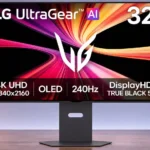
LG 32GX870B-B Feature Scores
Explore all 71 feature scores for LG 32GX870B-B, organized into pros and cons.
Scores by Feature
Summary
71 reviewed features-
Very positive 4.5-5.033 (46%)
-
Positive 3.5-4.421 (30%)
-
Neutral 2.5-3.412 (17%)
-
Negative 1.5-2.44 (6%)
-
Very negative below 1.51 (1%)
Pros
Sort
-
Switching between native 4K at 240Hz and Full HD at 480Hz is the defining strength, though many notice the loss of sharpness in the faster mode.
-
Inky blacks are consistently a highlight, giving night scenes pronounced depth and helping bright objects stand apart.
-
Pixel response is exceptionally quick, helping the display remain crisp during high-speed gaming without obvious overshoot.
-
The 480Hz Full HD mode and fast pixel response suit fast multiplayer shooters, provided you can accept a visibly softer image at 32 inches.
-
Wide, more vibrant colors mark a meaningful improvement over older WOLED panels for many users. A dissenting owner still found the newest ASUS QD-OLED more colorful.
-
The monitor earns widespread enthusiasm for its premium dual-mode OLED performance, although one outspoken owner returned it after a disappointing side-by-side comparison.
-
Bright accents against dark OLED backgrounds create engaging HDR, especially compared with older LG panels. Owners disagree about sustained color brightness and how it fares against high-end QD-OLED.
-
Up to 90W of laptop power is a strong convenience feature, sufficient for many work laptops while driving the display.
-
Pixel-level control delivers striking contrast and clean transitions between near-black areas and brilliant highlights.
-
Very fast OLED transitions make movement crisp and responsive, letting details stay easier to follow during quick camera movements.
-
Height, swivel, tilt and portrait adjustment make the stand flexible for different desks and viewing arrangements.
-
The Tandem OLED panel makes a noticeable leap over older LG OLEDs for several owners, especially in HDR. One disappointed owner found it dimmer than rival QD-OLEDs, and full-screen brightness remains a limitation.
-
The matte surface substantially softens glare compared with glossy competitors, though it sacrifices some of their pristine-looking image clarity.
-
Native 4K at 240Hz and OLED HDR are especially well suited to richly detailed story games and atmospheric scenes.
-
Native 4K/240Hz is already fast, and the optional Full HD/480Hz mode adds another level of smoothness for suitably powerful systems.
-
DisplayPort 2.1, two HDMI 2.1 ports, USB-C and USB-A make connectivity more flexible than a typical gaming-only monitor.
-
Several hands-on units have impressively smooth dark grays, but reports of dirty-screen texture and intermittent horizontal banding show unit variation.
-
Rich blacks, sharp 4K detail and clean fast motion create striking images. Brightness consistency and color vividness compared with QD-OLED are more disputed.
-
Darker game scenes reveal more previously obscured detail, improving visibility and the perceived depth of HDR.
-
Dynamic tone mapping gives users a welcome way to lift HDR brightness, especially in dark competitive scenes.
-
VRR is smooth and tear-free in testing, and a hands-on owner encountered no sync problems during gaming.
-
HDMI 2.1 supports 4K, HDR and 120Hz console play; the image impresses, though consoles cannot use the full 240Hz or 480Hz capabilities.
-
Integrated audio is usable and sometimes good enough to avoid extra speakers, but it is noticeably less impressive than LG’s former Pixel Sound system.
-
Native 4K looks crisp on the large panel, but dropping to Full HD for 480Hz creates noticeable softness at typical desk distances.
-
DisplayPort 2.1 UHBR20 is a meaningful upgrade for advanced GPUs and high-bandwidth 4K gaming.
-
Hands-on reports found the small internal cooling fan unobtrusive, even with an ear close to the back of the screen.
-
At 32 inches, 4K makes ordinary desktop text and images sharp, even if the pixel arrangement introduces some color fringes.
-
The monitor offers useful picture controls and calibration software, making it easier to tune gamma, color and brightness beyond their factory settings.
-
Cooling and internal heat distribution appear well controlled during extended tests, without troublesome surface temperatures.
-
Fourth-generation Tandem WOLED brings useful brightness and efficiency improvements, while its RGWB subpixel structure still involves text and color-volume compromises.
-
The newer OLED stack is praised for producing more brightness while drawing less power than older designs.
-
The monitor provides a useful blend of gaming presets, dual resolution modes, crosshair tools and on-screen adjustments.
-
The understated metal stand and restrained gaming styling are admired, with a practical pivoting design rather than an overly flashy look.
-
The large 32-inch format supports immersive games and side-by-side windows without feeling like an oversized television.
-
The on-monitor AI scaling noticeably cleans up the 1080p/480Hz mode at low strength. High strength can over-sharpen, and noisy low-quality sources may create artifacts.
-
Self-emissive OLED pixels produce black without the halo or leakage associated with LCD backlights.
-
Internal construction is impressively organized and solid, although dismantling the complex assembly is laborious.
-
An owner appreciated that display edges remained evenly bright rather than developing the darkening seen on the older model.
-
OLED transitions are very clean at both 4K and 1080p, with almost no visible trails.
-
Smooth tonal transitions avoid distracting posterization and banding in detailed skies and other difficult gradients.
-
VRR works with both PCs and modern consoles, making changing frame rates less distracting.
-
Two HDMI 2.1 inputs allow modern consoles and another source to connect without sacrificing their common 4K/120Hz capabilities.
-
Wide viewing angles make side-by-side viewing and off-axis use easy.
-
An existing LG stand can be reused, helping owners place the display farther back on the desk.
-
Standard 100-by-100 mounting lets users replace the included stand with a compatible arm.
-
The matte treatment minimizes distracting reflections, but its slight haze is less clean-looking than glossy OLED surfaces.
-
The familiar 16:9 screen fills conventional PC and console games without the unwanted black bars of ultrawide formats.
-
The high-refresh Full HD option makes fast competition viable on the same screen used for rich 4K gaming.
-
Dynamic tone mapping and brighter picture modes add punch, although the most vivid choices can blow out details and distort color accuracy.
-
Picture-in-picture and side-by-side modes can be handy when following content from more than one source.
-
Strong gamut and calibration can make photo work practical, provided settings are checked rather than relying blindly on the default picture profile.
-
The built-in USB-A ports provide convenient places for simple peripherals and receiver dongles.
-
Most essentials are present, but one tester found the missing DisplayPort cable disappointing on an expensive gaming screen.
-
One tester observed mild flicker in dark scenes, while another owner noticed none; sensitivity and game conditions can change the experience.
Cons
Sort
-
One owner reported intrusive SDR brightness dips when resizing windows; other users challenged whether the problem is consistent across units.
-
The absence of a KVM switch is a drawback for people who want to share one keyboard and mouse between multiple machines.
-
The revised stand positions the screen farther forward than the earlier LG model, taking up more usable viewing depth despite a similar base.
-
A concern about possible third-party data collection was raised, but the alleged installation has not been independently established.
-
Although assembly quality is high, extensive disassembly and tightly fitted internal parts can complicate service work.
-
To approach 4K at 240 frames per second or Full HD at 480, a powerful computer is necessary; weaker systems cannot fully exploit it.
-
Some games fail to recognize the 480Hz resolution after switching, forcing a restart to expose the correct refresh setting.
-
The monitor is expensive and not always a compelling upgrade from last-generation OLEDs. Its relative value improves when priced below top-end rivals.
-
Automatic image adjustment is divisive: some find it useful, while owners report that it can distort desktop images and text until disabled.
-
Small periodic brightness fluctuations were observed during measurement, which could be distracting to especially flicker-sensitive users.
-
Increasing dynamic tone mapping raises perceived brightness but departs from reference image fidelity; different modes offer different compromises.
-
Rear RGB looks tasteful but has limited reach; it can serve as faint ambient lighting, though it rarely transforms the desktop.
-
Sharp 4K density limits the damage, but RGWB subpixel fringing can still show around letters, particularly at smaller font sizes.
-
OLED Care and pixel maintenance help manage panel wear, but keeping static desktop elements displayed for long periods still calls for caution.
-
Colors can be excellent after calibration, while factory settings and some brightness-boosting modes can sacrifice fidelity.
-
Built-in speakers draw mixed reactions: volume and clarity satisfy some users, but others miss LG Pixel Sound or dislike muffled and bass-light output.
-
AI Sound can clear up voices and treble, but another owner found its processing echoey and switched it off.
Use Cases
Best for
Sort
-
The matte finish usually controls overhead lights and ambient reflections well, though a sunny window directly opposite the screen can still overpower it.
-
One USB-C connection carries video, data and laptop charging, making workstation changes quick and straightforward.
-
4K resolution, deep blacks and vibrant HDR bring films and streaming to life; built-in sound is serviceable rather than cinematic.
-
Gaming excellence pairs with 4K desktop space and laptop connectivity, but users should manage static images and some temperamental AI settings.
-
The rotating stand and automatic orientation adjustment work well for tall documents and vertical workflows.
-
Detailed 4K visuals and fluid motion make racing games a strong fit, while 480Hz is better reserved for competitive shooters.
-
The USB-C input provides a convenient one-cable laptop display and charging solution.
-
Wide viewing angles and an adjustable stand make it easy for someone alongside you to see the screen clearly.
-
Two full-size HDMI 2.1 inputs can serve a PlayStation and Xbox alongside DisplayPort for a gaming PC.
-
Its wide gamut and capable calibration make creative work possible, but professional color-critical use requires careful setup and consistency checks.
-
A sharp, spacious 32-inch 4K desktop and USB-C make office work pleasant, but text fringes, auto-dimming complaints and static-image wear make intensive office-only use less ideal.
-
Wide color support and smooth 4K viewing support mixed video work, though professional grading still benefits from careful calibration.
-
Built-in speakers are adequate for calls, but the screen is not presented as a complete conferencing setup.
Conditional or not ideal for
Sort
-
Budget-conscious buyersIt is an expensive high-end display, so budget-focused buyers may get more useful value from a simpler IPS monitor.
-
HDR gamingOne particularly critical owner found bright, colorful game scenes less impactful than on a competing QD-OLED, contrasting sharply with others’ enthusiasm.
-
Multi-computer workflowsSwitching video inputs is easy enough, but a missing KVM switch makes sharing peripherals between computers more cumbersome.
-
Long-term ownershipBurn-in susceptibility remains a concern for a monitor used for static work; reports of intermittent banding add another potential ownership annoyance.