
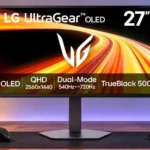
LG 27GX790B-B Feature Scores
Explore all 62 feature scores for LG 27GX790B-B, organized into pros and cons.
Scores by Feature
Summary
62 reviewed features-
Very positive 4.5-5.028 (45%)
-
Positive 3.5-4.417 (27%)
-
Neutral 2.5-3.411 (18%)
-
Negative 1.5-2.45 (8%)
-
Very negative below 1.51 (2%)
Pros
Sort
-
Fast-moving objects show remarkably little blur or trailing, helping target visibility and making rapid camera movement feel precise.
-
Serious esports players get exceptionally clear motion and responsive control, especially in lightweight shooters that can run at hundreds of frames per second.
-
Native 540Hz QHD feels extraordinarily fluid and crisp. The 720Hz option is less universally useful because it drops to 720p and demands extremely high frame rates.
-
Excellent OLED contrast keeps dark areas black while bright highlights pop, especially in atmospheric games.
-
Height, tilt, swivel, and portrait rotation make it easy to set a comfortable position.
-
The Tandem OLED reaches impressive HDR brightness for its class, although sustained brightness can fall and direct sunlight remains demanding.
-
The wide color gamut gives games vivid, rich color; color purity is a frequent highlight of the newer Tandem OLED panel.
-
A standout specialist for high-frame-rate PC gaming rather than a universally ideal monitor; image compromises and value depend heavily on how you play.
-
Rich OLED colors, superb contrast, and sharp native QHD images make games look excellent. Some testers dislike the matte finish and uneven gray-screen texture.
-
OLED produces exceptionally deep blacks, making night scenes and highlights more convincing.
-
Fast responses and negligible perceived delay help games feel connected and snappy, including when frame rates are below the monitor’s peak.
-
Near-instant OLED pixel transitions keep fast motion clear and avoid the smearing associated with slower panels.
-
A compact joystick and straightforward menus make settings easy to find and change.
-
Smooth, tear-free play is reported in real-world testing, though there are some cautions about flicker with variable refresh.
-
The extensive color menus and personalized picture mode allow meaningful adjustment when stock presets look too saturated.
-
The matte surface is effective against ordinary reflections, although direct window glare can still overpower it.
-
The minimalist silver-and-black design fits both gaming rooms and workspaces, with subdued rear lighting rather than excessive decoration.
-
The weighted, flat metal base remains stable while the screen moves and can hold small desk items.
-
Bright highlights and perfect blacks create striking HDR games; some evaluations note inaccurate overbrightening and the matte finish softening the visual pop.
-
Deep blacks, vivid colors, and bright HDR make cinematic games attractive, though glossy or higher-resolution alternatives may be more immersive for solo play.
-
Controls and setup are broadly intuitive, with convenient adjustment once the menu layout is familiar.
-
Slim bezels and restrained styling give the display an upscale front appearance, even though much of its housing is plastic.
-
Good QHD clarity and easy setup suit general work for some users, but OLED text artifacts are noticeable for others.
-
Genre presets and personalized adjustments make tuning easy; several modes look similar, and color fidelity varies between them.
-
A PS5 Pro worked well in hands-on play, with smooth motion and appealing OLED visuals.
-
DisplayPort 2.1 is a useful match for powerful PCs trying to get the most from the panel’s demanding refresh rates.
-
Very fast OLED response keeps trailing and smearing minimal in rapid action.
-
High-bandwidth HDMI ports support current gaming devices and offer flexibility alongside DisplayPort.
-
Audio presets through the headset jack sound pleasing, with choices for different listening needs.
-
The newer Tandem OLED architecture delivers unusually bright, vibrant imagery while retaining fast OLED response.
-
High-bandwidth ports, variable refresh, and spectacular motion make it well suited to fast gaming PCs that can push high frame rates.
-
It wakes or powers on promptly in hands-on use.
-
Tool-light assembly and straightforward stand attachment make initial setup simple.
-
Screen savers and OLED cleaning features offer useful precautions, but short tests cannot guarantee long-term protection from static-image wear.
-
Two HDMI inputs, DisplayPort, USB-C, and USB-A provide welcome flexibility, although some would like another HDMI or easier physical access.
-
Rear RGB is customizable and subdued enough not to dominate the desk.
-
The base occupies a moderate amount of desk space, and its screen can sit farther forward than expected.
-
The colorful QHD panel can handle everyday photo edits, though color-critical work calls for carefully chosen presets.
-
The lighter plastic chassis makes moving or mounting the monitor easier.
-
The compact, thin-bezel 27-inch form fits common desktop setups without demanding an oversized desk.
-
Headphone processing and sound presets are well liked in one hands-on assessment.
-
The built-in USB ports add convenience for peripherals alongside the display inputs.
-
The sRGB mode improves on older LG models, but standard gaming modes can appear oversaturated; calibration may be worthwhile.
-
Switching between refresh profiles worked smoothly in one test, but automatic switching between devices was less dependable.
-
Native 1440p delivers crisp graphics, but the optional 720p mode produces conspicuous softness.
Cons
Sort
-
Even expensive gaming systems often fall well short of 540–720 fps in modern games, restricting the benefit of the highest modes.
-
The USB-C port supplies only 5W, far too little to charge most laptops adequately.
-
HDR can render scenes brighter than intended, so the panel’s luminous highlights do not always translate into the most accurate presentation.
-
A two-year OLED warranty looks weak beside some competitors offering three years or more.
-
The matte coating cuts reflections but looks less crisp and punchy than glossy rivals to some viewers; preferences are sharply divided.
-
Native 1440p looks good at 27 inches, but enabling 720Hz reduces the image to a very soft 720p; detail-focused buyers may want 4K.
-
Peak luminance can reduce after sustained output, making short highlights more impressive than prolonged bright scenes.
-
An external adapter adds another object to manage on or beneath the desk.
-
Some testers miss an opening through the stand, although one found the included rear clip effective for bundling cables.
-
Switching between 540Hz QHD and 720Hz HD creates choice, but several testers found the softer 720p image too costly for the modest speed benefit.
-
Experiences vary from crisp, perfectly usable fonts to visible fringing on dark text over light backgrounds, especially during prolonged office work.
-
The flat metal stand adds substance, but the main chassis is ordinary plastic and not especially premium for the price.
-
Findings differ: one tester saw mostly even color and brightness, while another sample had conspicuous gray-screen texture.
-
The rear-facing connectors are handy for some setups but require turning the display around in others.
-
Flicker is a concern in variable-refresh use, though an OLED flicker mitigation control can help in some scenarios.
-
An optional smaller-screen competitive view is available, but its practical value is limited for players who prefer the full QHD image.
-
At a steep discount, its 540Hz OLED performance compares favorably with pricier rivals; at full price, many gamers can spend far less without giving up much.
Use Cases
Best for
Sort
-
Fast gaming can still look rich and high-contrast, combining bright HDR effects with responsive OLED motion.
-
Clean styling and an adjustable stand help the monitor work at a desk by day and in games by night, although text rendering impressions differ.
-
A dim room gives the deep OLED blacks room to shine without fighting strong reflections.
-
Rich color, strong contrast, and bright OLED imagery make streamed video attractive.
-
Full vertical rotation is genuinely useful when a tall screen layout is needed.
-
Some praise the matte coating and adequate brightness in a sunny study; others found direct glare overpowering its SDR output.
-
Its more accurate sRGB option makes light creation work possible, though overly vivid gaming modes are not ideal for precision color.
-
Strong image quality supports general video editing, but this remains primarily a specialist gaming display.
Conditional or not ideal for
Sort
-
Casual gamingThe panel looks good for ordinary play, but its costly extreme refresh rates are largely wasted without competitive goals and high frame rates.
-
Single-cable laptop dockingUSB-C can carry laptop video, but its 5W power delivery is too weak to serve as a useful charging dock.
-
Budget-conscious buyersFull retail pricing is hard to justify for a 1440p screen, while substantial discounts improve the appeal for buyers who specifically want extreme speed.
-
Desktop productivityWorkday suitability is mixed: one tester found sharp, clear text, while others noticed fringing or distracting artifacts on static documents.
-
Long-term ownershipProtective features exist, yet static desktop content and a relatively short warranty leave long-term OLED wear as considerations.
-
USB-C laptop dockingUSB-C video input works with a laptop, but the very low charging output limits its value as a true single-cable dock.