
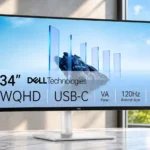
Dell S3425DW Feature Scores
Explore all 59 feature scores for Dell S3425DW, organized into pros and cons.
Scores by Feature
Summary
59 reviewed features-
Very positive 4.5-5.036 (61%)
-
Positive 3.5-4.411 (19%)
-
Neutral 2.5-3.49 (15%)
-
Negative 1.5-2.42 (3%)
-
Very negative below 1.51 (2%)
Pros
Sort
-
The wide 34-inch canvas earns praise for replacing cramped multiwindow desktop setups.
-
Reviewers largely recommend the S3425DW as a polished, approachable ultrawide for work, while acknowledging limitations in stand height, ports, and demanding gaming.
-
At 3440 × 1440, the display earns praise for sharp desktop text and comfortable native scaling without excessive zoom.
-
Up to 65W laptop charging is extremely practical for one-cable setups, although power-hungry systems may want more headroom.
-
The elegant white back, restrained styling, and uncluttered profile make this a particularly attractive fit for a modern desk.
-
Text stays clear across the screen, with multiple reviews praising crisp edges and legible interface fonts.
-
The integrated speakers are surprisingly full and loud for a productivity monitor, suitable for calls and videos without separate desktop audio.
-
Excellent sRGB behavior and positive real-world assessments make the monitor dependable for typical tasks. Professional color-critical work still demands more.
-
Despite the large screen, the base occupies relatively little desktop space.
-
Text and window controls remain legible when several apps share the 3440 × 1440 canvas, making detailed workflows comfortable.
-
A wide panel and practical USB-C connectivity make juggling spreadsheets, browsers, terminals, and creative windows straightforward.
-
At 120Hz, scrolling and window motion look notably smoother than 60Hz work monitors, though fast gaming remains a secondary use.
-
The 21:9 shape makes side-by-side productivity convenient and ultrawide-supported games immersive; standard video can leave empty side areas.
-
Brightness is generally sufficient for normal and well-lit rooms, exceeding modest official brightness expectations in one test.
-
The 1800R curve helps pull the far edges into view and adds immersion to work and entertainment, though curved lines can complicate geometric editing.
-
Standard VESA support makes an arm a strong option, especially for users frustrated by the included stand’s limited height.
-
Backlight bleed is generally minor and fairly uniform; dark scenes avoid the distracting bright edge patches common on lesser LCDs.
-
The monitor feels solid and well finished, with reviewers treating its construction as a distinct strength.
-
The curve is praised for pulling distant screen edges into a comfortable viewing field across long work sessions.
-
The simpler Dell 34 Plus naming is appreciated as more approachable than opaque model strings.
-
Everyday images look colorful, punchy, and crisp, with good contrast and clarity even though HDR and wide-gamut output have limits.
-
Dell Display Manager simplifies brightness, input, and window settings from the desktop; some color adjustments remain too limited.
-
The quiet white finish and substantial build give the screen a more premium character than a plain office monitor.
-
The matte coating significantly suppresses glare, including in sunlit or brightly illuminated workspaces.
-
Tool-free assembly is quick, with the stand clipping and twisting into position without complicated steps.
-
The 34-inch curved image, USB-C features, and smooth desktop operation are judged competitive for an affordable work-focused ultrawide.
-
Dell’s software offers flexible split layouts and app placement, making the ultrawide genuinely practical for complex, multi-window workflows.
-
The backlight and colors look reasonably even in regular viewing, with several testers praising the consistency.
-
Voices are clear and the output is more substantial than many monitor speakers, though dedicated speakers are still preferable for serious audio.
-
Convenient front-facing pop-out connections and a helpful USB-C hub are popular; the 5Gbps transfer ceiling is less compelling for high-speed storage.
-
The pop-out USB-A/USB-C ports and side-facing rear ports are much easier to reach than traditional downward connections, though one tester found the pop-out mechanism sticky.
-
The FPS preset adds useful perceived clarity and responsiveness during fast motion, although it is not a full gaming-panel upgrade.
-
Dell’s included display software is straightforward and meaningfully improves day-to-day control.
-
The base is solid and stable while remaining fairly compact on the desk.
-
The VA panel produces noticeably deeper, inkier blacks than a typical IPS display, giving dark scenes more weight.
-
Contrast is an image-quality highlight: dark blacks and relatively bright highlights coexist well for a modestly priced VA monitor.
-
One test found no troubling gradient reproduction issues, adding to the screen’s smooth image impression.
-
The HDMI 2.1 connection is a welcome inclusion for modern PCs and consoles.
-
A built-in power supply eliminates the inconvenience of a separate bulky power brick.
-
The white industrial design and one-cable USB-C connectivity work particularly well with a MacBook desk.
-
Modern PC connections and a 120Hz panel make casual play practical; gaming-first rivals offer faster motion.
-
There is more low-end weight than usual for built-in monitor audio, but deep bass remains limited.
-
Gaming blur results vary. Some testers report slight ghosting, while casual-game impressions find surprisingly little of the traditional VA black smear.
-
The curve helps off-angle viewing more than some expect, but sharing the panel from beside the primary user is less convenient than on wider-angle IPS alternatives.
-
Modern console connections are supported through HDMI 2.1, though the ultrawide format and motion handling create caveats.
-
The included USB-C cable is a welcome convenience during setup.
-
Games that support 21:9 can look expansive and immersive, while others display unused side space.
Cons
Sort
-
There is no conventional DisplayPort socket, a recurring complaint for desktop users with DisplayPort-centric graphics cards.
-
The stand tilts and raises, but several reviewers found the maximum height too low, and the lack of swivel limits flexibility. Lowering it can also feel stiff.
-
Casual games run well enough, but high-speed competitive players are encouraged to choose a faster, gaming-focused screen.
-
HDR is present, but the limited HDR image quality falls short of the brighter, higher-contrast effect expected from premium displays.
-
Colors are rich and convincing for web and general work, but measured wide-gamut coverage disappoints some testers and limits reference creative use.
-
Opinions split: the stand provides basic routing, but some reviewers complain of messy cables and limited organization behind the display.
-
Native ultrawide games and movies can fill the panel beautifully, while ordinary 16:9 content often leaves side bars.
-
The 65W USB-C outlet provides practical laptop charging, but its wattage is modest for high-demand systems.
-
Preset choices are available, but software controls for temperature and saturation feel less detailed than desired.
-
Views diverge: casual play feels fluid to some, while testing highlights blurry motion as a real weakness. Faster gaming-first monitors remain better choices.
-
Two HDMI sockets and versatile USB-C connections serve modern desks well, but the absence of full-size DisplayPort is a meaningful restriction.
-
Hobbyist photo editing can look vivid and consistent, though the screen curve distorts straight lines and wide-gamut accuracy is not pro-grade.
Use Cases
Best for
Sort
-
The 34-inch ultrawide handles several readable windows side by side and is an especially strong choice for office workflows and multitasking.
-
The USB-C connection brings laptop video, peripherals, and charging together, making a particularly clean desk arrangement.
-
One USB-C lead can provide the display signal and up to 65W power, allowing a tidy laptop workspace with minimal cable swapping.
-
A 120Hz image and gaming presets make occasional games enjoyable, but blurry motion and VA ghosting make it less convincing for serious play.
-
MacBook users benefit from convenient single-cable connectivity and a design that visually complements Apple gear.
-
The matte finish handles strong window light and studio lighting with little distracting glare.
-
Several windows fit on one seamless screen, which can replace the awkward break between paired monitors.
-
A clean single-cable workstation, useful audio, and multitasking make home-office use particularly comfortable.
-
For someone seeking a large USB-C ultrawide without a flagship price, it offers appealing everyday capability if performance compromises are acceptable.
-
The wide curve makes supported video engaging and the speakers help, but conventional 16:9 clips do not exploit the entire width.
-
The ultrawide gives convenient room for video work and adequate amateur color, but it is not a high-end grading screen.
-
The spacious screen can stand in for dual monitors while avoiding a bezel down the middle.
-
Multiple code, terminal, and browser windows remain readable at once without juggling separate displays.
-
A particularly good office display that can handle casual games and movies, but it cannot replace a dedicated premium gaming or creative monitor.
-
Basic creative tasks benefit from sharpness and appealing colors, but the screen is not intended for critical grading.
-
Minor backlight bleed avoids obvious glowing edge patches during darker films, though HDR is limited.
-
The built-in speakers are convenient for background music, though bass is not strong enough to replace proper speakers.
-
Compared with Dell’s older S3422DWG, the newer model adds practical USB-C and more accurate color, making it a worthwhile work-focused upgrade.
-
Integrated audio has enough voice presence and volume for routine video meetings.
Conditional or not ideal for
Sort
-
Color-critical workAccurate sRGB output is helpful, but restricted wide-gamut performance and curved geometry make the screen unsuitable as a precision reference monitor.
-
Shared-screen viewingThe limited swivel and relatively narrow VA viewing characteristics make two-person viewing less easy than on alternatives with wider angles and more flexible stands.
-
Compact workspace ergonomicsThe base is compact, but the stand is too low to comfortably fit a laptop underneath for some workstations.
-
Graphic designA pronounced curve bends apparent straight lines, making meticulous geometric illustration harder.