
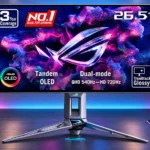
ASUS ROG Swift OLED PG27AQWP-W Feature Scores
Explore all 77 feature scores for ASUS ROG Swift OLED PG27AQWP-W, organized into pros and cons.
Scores by Feature
Summary
77 reviewed features-
Very positive 4.5-5.039 (51%)
-
Positive 3.5-4.418 (23%)
-
Neutral 2.5-3.413 (17%)
-
Negative 1.5-2.47 (9%)
Pros
Sort
-
The panel produces outstanding OLED blacks and retains more depth under ambient lighting than many competing panel and coating combinations.
-
Fast-moving targets and fine details remain remarkably legible, especially at 540Hz. The 720Hz setting raises clarity further for players willing to give up sharpness.
-
The newer Tandem OLED panel is among the brightest high-refresh OLEDs tested, in both SDR and HDR. Some modes sacrifice peak output for steadier or more accurate brightness.
-
Elite competitive players get ultra-clear motion and extremely low latency, especially when they can exceed 300fps. The 720Hz mode is an optional niche tradeoff.
-
Per-pixel lighting makes bright and dark objects coexist without halos, lending games a dramatic sense of depth.
-
Native 1440p at 540Hz is exceptionally smooth for high-frame-rate games. The optional 720Hz mode adds smaller improvements and cuts resolution to 720p.
-
Near-instant OLED pixel transitions provide clean, responsive motion across refresh rates with little overshoot.
-
TrueBlack Glossy removes coating grain and gives games a crisp, vivid look. Its exceptional clarity is the main reason to prefer this screen finish over matte alternatives.
-
The wide gamut gives games vivid colors and substantially improves on older WOLED generations. Native SDR colors can oversaturate without an appropriate gamut clamp.
-
Silver styling, cutouts, translucent rear housing and blue lighting stand out from typical gaming screens, attracting enthusiastic praise.
-
The unique finish and high-end presentation feel special, with a minor caveat about the plastic rear housing.
-
High-bandwidth DisplayPort is useful for high-refresh PC setups, and older DP 1.4 graphics cards can still drive the full mode with DSC.
-
An ambitious OLED gaming monitor that earns strong praise for pairing exceptional speed with a rich image. Its high price and specialist refresh rates limit its appeal.
-
Tandem OLED delivers impressive HDR contrast and highlight brightness, often ahead of older OLED models. The highest-brightness configurations can sacrifice accurate tone tracking.
-
Near-instant transitions leave very little ghosting, trailing or overshoot even at extreme refresh rates.
-
Input lag works especially well in supported gaming or desktop scenarios, helping the monitor feel polished and capable.
-
OLED Care settings and the responsive proximity sensor help reduce static-image exposure. They are useful precautions rather than guarantees against burn-in.
-
Precision color and gamut adjustments can yield very accurate sRGB performance.
-
The Neo Proximity Sensor is praised for blanking the screen when you leave and restoring the image promptly when you return, reducing idle static-image exposure.
-
There is a generous range of controls for esports play, picture adjustment and screen care.
-
Brightness and additional image settings remain adjustable in HDR when the appropriate option is enabled, allowing useful control over the effect.
-
Fourth-generation Tandem WOLED improves brightness, gamut and ambient-black performance over older WOLED designs while retaining extremely fast response times.
-
HDMI supports downscaled 4K/120Hz and key console gaming features; ELMB at 120Hz is a bonus. Lack of speakers and Dolby Vision may require compromises.
-
The joystick-driven menu is fast and extensive, though its styling is ordinary and a few settings require learning their interactions.
-
Height, tilt, swivel and pivot give flexible viewing positions, though some reviewers would welcome more height travel.
-
OLED pixel-level illumination avoids the halos and backlight bleed that can affect locally dimmed LCDs.
-
The Tandem OLED panel brings vivid colors, strong brightness, and inky blacks that make games look striking. Even at 1440p, the overall picture impresses.
-
The monitor offers exceptional 1440p performance, wide PC sync support and usable full-speed connectivity even with some older graphics cards.
-
Three-year coverage including burn-in offers peace of mind for such an expensive OLED display; regional terms should still be checked.
-
The native 1440p image looks crisp in games, especially through the glossy coating. It cannot match 4K pixel density for small text.
-
OLED viewing remains wide with little loss of image quality at ordinary off-axis positions, though one test noted a green tint at more extreme angles.
-
Small highlights can look unusually bright and impactful, although brighter settings may exaggerate their luminance or lose some intended tonal balance.
-
VRR support works across a broad refresh range, with consistently fast OLED response; its main caveat is possible flicker during frame-rate swings.
-
Colors can look highly accurate in calibrated or sRGB modes, but default wide-gamut SDR settings can oversaturate. Fine tuning helps with serious color work.
-
Vivid OLED color, contrast and HDR make cinematic games attractive, but players staying at lower frame rates may get similar picture quality from cheaper OLED monitors.
-
The internal power supply avoids an extra desk or floor power brick and simplifies cable clutter.
-
ASUS DisplayWidget gives convenient control of monitor options from the computer and avoids repeated trips through the on-screen menu.
-
The substantial stand keeps the display stable with minimal wobble.
-
The uniform-brightness setting keeps the image steadier when content changes, at the cost of limiting maximum output.
-
Smaller simulated screen areas and 4:3 or square ratios offer practical flexibility for esports and retro titles.
-
The 720Hz mode is conveniently accessible from a dedicated control and can return to native operation without complicated setup, though some pixel-mapping configurations need attention.
-
Several HDR presets offer different compromises between output and accuracy; Console HDR receives particular praise for balancing them.
-
The sturdy stand feels premium, although the transparent rear shell flexes more than conventional ROG designs.
-
A simulated 24.5-inch screen helps players who prefer a compact competitive field of view.
-
Dynamic shadow boost can raise dark-area visibility without brightening the entire image as aggressively as a simple fixed boost.
-
Device compatibility works especially well in supported gaming or desktop scenarios, helping the monitor feel polished and capable.
-
Local dimming performance works especially well in supported gaming or desktop scenarios, helping the monitor feel polished and capable.
-
The stand assembles through a straightforward slot-and-secure process.
-
Greyscale tracking is acceptable overall but varies with preset and factory settings.
-
Electricity use compares reasonably with other extreme-refresh OLEDs, though 280Hz Tandem models use less.
-
AI picture tools are available as helpful extras for players who like assistance adjusting game visuals.
-
A large cutout in the stand provides a simple path for routing cables behind the monitor.
-
Firmware updateability is useful in some scenarios, but there are compromises to consider depending on how the display is used.
-
The two HDMI 2.1 inputs provide high-refresh and downscaled-4K console flexibility.
-
Reliability over time is useful in some scenarios, but there are compromises to consider depending on how the display is used.
-
The wide color gamut helps with images, although Adobe RGB specialists must profile the display rather than rely on a built-in mode.
-
Near-black shades can be crushed in several gaming and HDR presets, even though other testing found dark-scene detail pleasing. Adjustments improve visibility but can alter the whole image.
Cons
Sort
-
The glossy finish preserves clear images but can mirror windows and lamps directly facing the screen. Placement matters more than with matte monitors.
-
Very high frame rates take exceptional hardware, so an ordinary PC may not exploit the advertised refresh.
-
Dolby Vision is missing, even though HDR10 works over supported console inputs.
-
There is no built-in KVM switch, limiting convenient sharing between two connected computers.
-
White uniformity is generally fine, but dark-gray backgrounds can show vertical banding or faint dirty-screen texture.
-
Switching to 720Hz is convenient and appealing for niche esports scenarios, but the 720p image is soft, with a larger loss of detail than the speed improvement can usually justify.
-
The 720p boosted mode looks soft, while some pixel-mapping choices behave inconsistently with Windows timing.
-
Dark scenes can flicker when frame rates swing. The anti-flicker option reduces the problem but does not completely remove it and may limit the top refresh rate.
-
Full-bandwidth DisplayPort and two HDMI 2.1 inputs are strong gaming choices, but the missing USB-C and KVM reduce its appeal for laptop and dual-computer users.
-
The tripod-style feet make a design statement but occupy more room than a compact monitor base.
-
There are no built-in speakers, so console and other external-device users need headphones or separate audio equipment.
-
Default HDR modes can track content closely, but turning brightness up can overbrighten highlights, while other modes roll off or darken details.
-
Uniform Brightness mode can stop distracting window-size-related luminance changes, but maximum brightness or certain features can reintroduce noticeable shifts.
-
Around 110 pixels per inch is sensible for 27-inch gaming, though text and fine desktop details look less crisp than on 4K displays.
-
A low-blue-light menu is provided, but those modes cannot be used alongside every brightness setting.
-
Black-frame insertion improves motion clarity at 120Hz or 270Hz, but requires fixed refresh, disables VRR and HDR, and can add inconvenience or latency.
-
The updated subpixel arrangement makes text clearer than on older WOLEDs, but small fonts can still look soft or show colored edges compared with LCDs.
-
ROG lighting is configurable and visually distinctive, although some consider the projected desk logo unnecessary.
-
The cutting-edge screen earns praise, but several tests suggest 280Hz or 500Hz OLED alternatives can provide much of the experience for less.
-
Native 1440p looks good for 27-inch gaming and makes extreme frame rates more achievable than 4K. The 720p boost mode is much blurrier, and 4K remains sharper for fine text.
Use Cases
Best for
Sort
-
Fast response, deep blacks and strong highlight impact make HDR games look excellent, especially when using a well-chosen picture mode.
-
The near-black OLED image and clear glossy surface are particularly rewarding in darker rooms where reflections are easier to control.
-
The combination of record-setting speed and distinctive Tandem OLED tech makes the screen a compelling showpiece for premium hardware fans.
-
Everyday games look fantastic, although paying for a 540Hz panel makes less sense if you do not play high-frame-rate competitive titles.
-
Strong SDR brightness and deep blacks help in rooms with ambient light, but direct reflections from windows or lamps can still be distracting.
-
OLED contrast and broad color give video a rich, immersive look, with dynamic content less exposed to static-image retention risks.
-
Racing games play smoothly at 1440p even without approaching 540fps, with rich OLED visuals.
-
The illuminated ROG elements can be switched off, creating a cleaner, less distracting desk appearance.
-
Wide color coverage helps occasional video editing, but a dedicated professional screen may be a better match for stringent color requirements.
Conditional or not ideal for
Sort
-
Budget-conscious buyersIts flagship price is hard to justify when substantially cheaper OLEDs deliver similarly rich images at lower refresh rates.
-
Photosensitive playersShort OLED pulses can cause eye strain for a small group of sensitive viewers, while variable-refresh flicker remains possible in dark scenes.
-
Long-term ownershipA three-year burn-in warranty and protective features offer reassurance, but prolonged static desktop content is still a concern for OLED longevity.
-
Desktop productivitySharper text and higher SDR brightness make everyday desktop tasks manageable, but OLED burn-in risk and absent docking features make it less ideal for full-time office work.
-
Mixed work-and-play setupsThe image works well for gaming and some desktop tasks, but static-work burn-in risk and limited docking connectivity make intensive office use less attractive.
-
Color-critical workGood gamut and sRGB accuracy make creative tasks possible, but more demanding work may need calibration and the screen lacks a dedicated Adobe RGB mode.