Best for USB hub functionality
Dell U2725QE
5.0 attribute score
Highest scored product for this attribute based on supporting review evidence.

Highest scored product for this attribute based on supporting review evidence.
Balances the attribute score, supporting reviews, and overall product strength.
Has the broadest review evidence for this attribute.
Strongest overall product among items with scored evidence for this attribute.

Overall: 4.2/5
The unusually large hub can replace separate USB expansion hardware and provide quick-access front ports. Simultaneous peripheral use is generally excellent, subject to bandwidth limits.
Pros: port selection, USB hub functionality
Cons: competitive gaming suitability, motion clarity

Overall: 4.4/5
The integrated hub supplies more useful USB connections than typical work monitors, reducing the need for separate accessories.
Pros: overall picture quality, color accuracy
Cons: value for money, built-in speakers

Overall: 4.3/5
The peripheral hub adds helpful connections beyond the display inputs. Its convenient companion ports suit a desk with several wired accessories.
Pros: overall satisfaction, Text fringing
Cons: brightness, Edge dimming behavior

Overall: 4.3/5
The built-in Thunderbolt and USB hub is one of the monitor's greatest strengths, often replacing a separate dock. High-speed rear ports, front pop-out connections, charging, Ethernet, and laptop power make...
Pros: productivity versatility, overall satisfaction
Cons: value for money, response time

Overall: 4.2/5
Numerous fast USB connections handle peripherals, drives, and charging in one place instead of needing a separate hub.
Pros: port selection, overall satisfaction
Cons: value for money, competitive gaming suitability

Overall: 4.0/5
The integrated USB/Thunderbolt hub is one of the strongest reasons to buy this monitor. Owners repeatedly praise being able to keep peripherals connected through the display and reduce dependence on...
Pros: overall satisfaction, productivity versatility
Cons: value for money, reliability over time
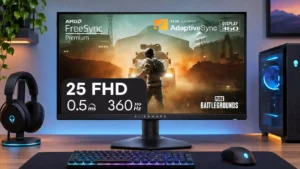
Overall: 3.9/5
Four USB-A ports add useful peripheral connections, and some users appreciate that charging power remains available without the upstream data cable.
Pros: competitive gaming suitability, stand adjustability
Cons: color gamut, contrast

Overall: 4.1/5
The USB hub is one of its best features. Ports on the back and a retractable front-facing pair make it easy to connect laptops and temporary accessories.
Pros: USB hub functionality, USB-C power delivery
Cons: speaker quality

Overall: 4.2/5
The practical hub and its retractable ports are major reasons to choose this model over the port-light S2725QS. It does not provide KVM switching.
Pros: value for money, Resolution
Cons: port selection, competitive gaming suitability

Overall: 4.2/5
A useful downstream USB-A and USB-C arrangement keeps mouse and keyboard peripherals handy, though it does not turn the monitor into a USB-C laptop dock.
Pros: competitive gaming suitability, color gamut
Cons: brightness, HDMI 2.1 support

Overall: 4.1/5
The two USB-A ports and USB-B upstream connection add useful peripheral passthrough, particularly for busy console setups.
Pros: value for money, overall satisfaction
Cons: HDR performance, Headphone output quality

Overall: 4.2/5
Convenient front-facing pop-out connections and a helpful USB-C hub are popular; the 5Gbps transfer ceiling is less compelling for high-speed storage.
Pros: overall satisfaction, screen size
Cons: stand adjustability, Photo editing

Overall: 4.4/5
The small hub is handy for peripherals and light charging, but two downstream ports and one upstream connection are basic for the class.
Pros: brightness, value for money
Cons: port selection, built-in speakers

Overall: 3.7/5
Two easy-to-reach USB-A ports provide handy peripheral passthrough when connected upstream to the PC.
Pros: ultrawide gaming experience, black levels
Cons: HDR performance, viewing angles

Overall: 4.0/5
Two USB-A ports handle basic accessories or device charging; their usefulness is undercut by varying opinions about placement.
Pros: overall satisfaction, refresh rate
Cons: HDR performance, HDMI 2.1 support

Overall: 3.9/5
Several USB-A ports plus a downstream USB-C socket make accessory connections practical, but the hub is not a substitute for full USB-C display docking.
Pros: Resolution, refresh rate
Cons: HDR performance, contrast

Overall: 4.2/5
The small USB-C hub is handy for accessories and charging, but it is not a replacement for a full docking station.
Pros: overall picture quality, overall satisfaction
Cons: port selection, brightness

Overall: 3.6/5
Several USB-A ports plus a downstream USB-C port are handy for peripherals, but the hub cannot replace a full docking solution.
Pros: overall satisfaction, brightness
Cons: Dolby Vision support, VRR flicker

Overall: 4.3/5
USB hub functionality was mixed to weak: convenient ports helped, but 15W USB-C, no USB-C display input, and no KVM were recurring limits.
Pros: value for money, sharpness
Cons: brightness, USB hub functionality

Overall: 4.2/5
The USB-A/USB-C hub is convenient for a couple of peripherals but too limited for a fully connected desk.
Pros: refresh rate, HDR performance
Cons: reflection handling, Text fringing

Overall: 3.8/5
There is no USB hub or peripheral passthrough, a notable convenience sacrifice for anyone hoping to consolidate desk connections.
Pros: value for money, panel type
Cons: brightness, port selection

Overall: 3.8/5
No integrated hub means keyboard, mouse and storage accessories must connect to a PC or a separate dock.
Pros: value for money, Resolution
Cons: port selection, HDR performance

Overall: 3.7/5
The missing USB hub is a widely criticized omission for a productivity monitor. It cannot take over USB peripheral connections or laptop docking.
Pros: value for money, Resolution
Cons: stand adjustability, viewing angles