Best for USB hub functionality
Asus ROG Swift 34 QD-OLED PG34WCDN
5.0 attribute score
Highest scored product for this attribute based on supporting review evidence.

Highest scored product for this attribute based on supporting review evidence.
Balances the attribute score, supporting reviews, and overall product strength.
Has the broadest review evidence for this attribute.
Strongest overall product among items with scored evidence for this attribute.

Overall: 4.1/5
Three USB-A downstream ports help connect desktop peripherals, and their utility is enhanced by the KVM system.
Pros: Pixel density, Resolution
Cons: GPU demands, HDR performance

Overall: 4.5/5
A cluster of USB-A ports plus USB-C and KVM support adds practical peripheral flexibility, with more ports than some rivals.
Pros: color gamut, contrast
Cons: value for money, Resolution
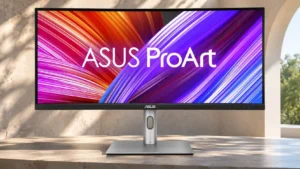
Overall: 3.9/5
The built-in USB hub makes the monitor a useful anchor for peripherals alongside its laptop video connection.
Pros: color accuracy, value for money
Cons: color gamut, black levels

Overall: 4.3/5
The built-in USB-A and USB-C ports make keyboard, storage, and accessory hookups convenient. Heavy simultaneous transfers can saturate the host connection.
Pros: USB-C power delivery, port selection
Cons: HDR performance, refresh rate

Overall: 4.4/5
The built-in USB hub keeps keyboards and mice connected to the display and cuts down on cable runs to a desktop PC.
Pros: sharpness, overall satisfaction
Cons: value for money, VRR flicker

Overall: 4.2/5
The extra USB ports give peripherals a handy home, and the KVM improves their usefulness across connected computers.
Pros: overall satisfaction, black levels
Cons: reflection handling, Color brightness

Overall: 4.4/5
Three USB-A ports and the upstream connections add useful peripheral access, especially alongside the KVM for a two-computer desk.
Pros: color gamut, overall satisfaction
Cons: reflection handling, VRR flicker

Overall: 4.3/5
The USB hub conveniently accommodates peripheral input devices and supports a cleaner multi-device desk setup.
Pros: black levels, sharpness
Cons: value for money, brightness

Overall: 4.1/5
The built-in hub is useful for low-speed peripherals and a second computer, but it cannot replace a faster Thunderbolt dock for storage-heavy workflows.
Pros: color accuracy, overall picture quality
Cons: HDR performance, refresh rate

Overall: 4.1/5
Integrated peripheral ports make the monitor a practical desk hub, although power users may find the usable USB count insufficient.
Pros: value for money, Resolution
Cons: HDR performance, refresh rate

Overall: 4.4/5
The pair of USB-A downstream sockets helps connect basic peripherals, but does not substitute for USB-C docking or a KVM.
Pros: overall satisfaction, response time
Cons: reflection handling, VRR flicker

Overall: 3.9/5
The three USB-A connections are useful for accessories, even though the monitor offers no USB-C docking.
Pros: motion clarity, Backlight strobing
Cons: contrast, HDR performance

Overall: 4.2/5
The USB-A connections are useful for peripherals and KVM workflows, but one tester notes that the hub cannot replace every direct PC or console connection.
Pros: overall satisfaction, black levels
Cons: value for money, stand adjustability

Overall: 3.8/5
There are no downstream USB-A ports, making the monitor disappointing as a peripheral hub or simplified docking station.
Pros: value for money, Resolution
Cons: HDR performance, port selection