Best for USB hub functionality
LG 27GX704A-B
5.0 attribute score
Highest scored product for this attribute based on supporting review evidence.

Highest scored product for this attribute based on supporting review evidence.
Balances the attribute score, supporting reviews, and overall product strength.
Has the broadest review evidence for this attribute.
Strongest overall product among items with scored evidence for this attribute.

Overall: 4.1/5
Two USB-A ports are handy for wireless dongles and other PC peripherals.
Pros: overall satisfaction, value for money
Cons: reflection handling, screen uniformity
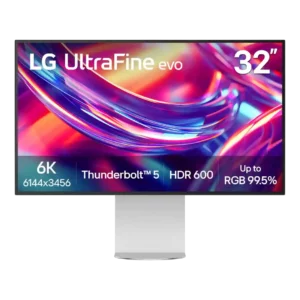
Overall: 3.9/5
The built-in USB-C and Thunderbolt hub can replace part of a desktop dock, supporting accessories and daisy-chained devices. Most reviewers find it useful, though one reported intermittent keyboard lag and...
Pros: port selection, overall satisfaction
Cons: value for money, cable management

Overall: 3.9/5
The built-in USB-A ports provide convenient places for simple peripherals and receiver dongles.
Pros: brightness, color gamut
Cons: AI scene optimization, value for money

Overall: 4.1/5
The built-in USB ports add convenience for peripherals alongside the display inputs.
Pros: competitive gaming suitability, refresh rate
Cons: Dual-mode versatility, GPU demands
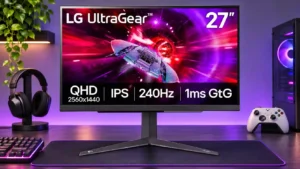
Overall: 4.2/5
Two USB-A downstream ports serve simple peripherals, but the upstream connection is USB-B and there is no convenient USB-C docking solution.
Pros: refresh rate, overall satisfaction
Cons: HDR performance, contrast

Overall: 4.0/5
Two USB-A ports are handy for a mouse and keyboard, but the limited hub and missing USB-C do not replace a fuller workstation dock.
Pros: refresh rate, competitive gaming suitability
Cons: value for money, brightness

Overall: 4.1/5
The small USB-A hub adds convenience, although routing its upstream signal through USB-C may complicate some desktop/laptop combinations.
Pros: Resolution, overall satisfaction
Cons: value for money, Image scaling

Overall: 4.1/5
The two USB-A downstream ports can handle basic peripherals, but their data path relies on the USB-C connection. The arrangement is less convenient than a fuller desktop hub.
Pros: Resolution, overall satisfaction
Cons: value for money, GPU demands

Overall: 4.0/5
Two downstream USB-A ports are useful for basic accessories but form a limited hub. More demanding multi-device desks benefit from a proper docking station.
Pros: Resolution, Dual-mode versatility
Cons: value for money, GPU demands

Overall: 3.6/5
The two downstream USB-A connections are useful once the upstream cable reaches a PC. They cannot function or charge devices independently from the monitor.
Pros: refresh rate, Dual-mode versatility
Cons: motion clarity, black levels
Overall: 3.3/5
There is no USB hub, so keyboard, mouse, and other peripherals need connections elsewhere. Rivals offer more convenience here.
Pros: adaptive sync performance, response time
Cons: HDR performance, console gaming compatibility

Overall: 3.6/5
The absence of a USB hub is a repeated drawback, especially beside alternatives that offer easy peripheral connections.
Pros: refresh rate, value for money
Cons: HDR performance, contrast