Best for USB hub functionality
Samsung Odyssey OLED G81SF S27FG810S
4.5 attribute score
Highest scored product for this attribute based on supporting review evidence.

Highest scored product for this attribute based on supporting review evidence.
Balances the attribute score, supporting reviews, and overall product strength.
Has the broadest review evidence for this attribute.
Strongest overall product among items with scored evidence for this attribute.

Overall: 4.2/5
The USB-A connections provide practical peripheral access, including useful powered-port scenarios. They are welcome but do not replace a laptop dock.
Pros: reflection handling, color gamut
Cons: value for money, brightness

Overall: 4.1/5
The two USB-A ports can serve connected peripherals, and compatible USB-C devices can use the hub through a single cable. Data bandwidth may trade off against maximum video mode.
Pros: PC gaming compatibility, reflection handling
Cons: color accuracy, VRR flicker

Overall: 3.7/5
A USB upstream connection activates additional ports and the tracking hardware. It is a practical convenience, even if a dedicated USB-C laptop connection is absent.
Pros: glasses-free 3D quality, AI 2D-to-3D conversion
Cons: 3D compatible game library, value for money

Overall: 4.3/5
The two-port USB hub is useful for peripherals and hard-to-reach PCs, but it is a basic hub rather than a high-end docking solution.
Pros: overall satisfaction, competitive gaming suitability
Cons: value for money, screen size

Overall: 3.1/5
A small built-in USB hub adds peripheral convenience, though the USB-B upstream connection is less versatile than USB-C docking.
Pros: PC gaming compatibility, overall picture quality
Cons: overall satisfaction, Smart TV platform

Overall: 3.5/5
A couple of USB-A data ports offer basic peripheral connectivity, but the hub feels limited for a premium productivity-capable monitor.
Pros: Resolution, sharpness
Cons: value for money, HDR performance
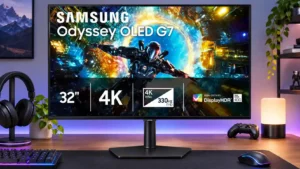
Overall: 3.8/5
Missing USB hub connectivity is a recurring complaint given the price and what competing OLED monitors offer.
Pros: overall satisfaction, contrast
Cons: value for money, port selection

Overall: 3.6/5
There is no practical USB hub for connecting a keyboard, mouse or other peripherals directly to the monitor.
Pros: stand adjustability, competitive gaming suitability
Cons: value for money, port selection