
Side buttons were one of the most consistent positives, with reviewers calling them easier to reach, premium, and among Razer's best.
Pros: value for money, grip texture
Cons: weight, charging convenience

Side buttons were one of the most consistent positives, with reviewers calling them easier to reach, premium, and among Razer's best.
Pros: value for money, grip texture
Cons: weight, charging convenience

Side button quality was mostly praised for placement, tactile feel, and low accidental-press risk, though one reviewer struggled with reach.
Pros: value for money, weight
Cons: fingertip grip comfort, profile switching

Side button quality is generally praised as crisp, tactile, and premium, with one negative review finding them harsh and undampened.
Pros: left and right click quality, build quality
Cons: macro support, palm grip comfort

Side buttons were usually praised for access, low travel, and tactility, with a few reviewers finding them softer or simply adequate.
Pros: value for money, battery life
Cons: weight, balance and weight distribution

Side button quality is mixed-positive: placement is often praised, but reviewers also complain about low-key, recessed, flush, or slippery buttons.
Pros: weight, battery life
Cons: value for money, profile switching

Side button quality was mixed, with some reviewers liking reach and tactility while others found the buttons small or mushy.
Pros: weight, grip texture
Cons: software usability, profile switching
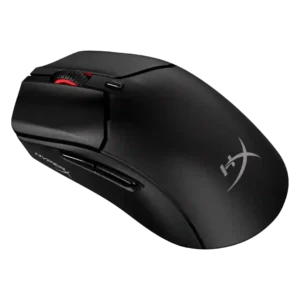
Side button quality was one of the more divisive areas, with some praising improved firmness and others criticizing shallow travel, looseness, or heavy post-travel.
Pros: weight, value for money
Cons: side button quality, RGB features
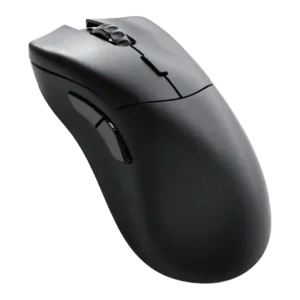
Side button quality was highly mixed, with some reviewers praising access and solidity while others found the placement awkward or too close.
Pros: value for money, glide smoothness
Cons: battery life, polling rate

Side button quality was mixed, with praise for placement and speed but criticism of free play, hollowness, or loudness in some reviews.
Pros: value for money, shape comfort
Cons: onboard memory, side button quality

Side-button feedback was mixed: reviewers liked the modularity and access, but some found placement crowded, slick, or awkward.
Pros: weight, shape comfort
Cons: battery life, side button quality

Side button quality is the most divisive control issue: reviewers like the concept, but many complain that some buttons are hard to reach, unintuitive, or hit-or-miss.
Pros: tilt gesture controls, MMO gaming suitability
Cons: battery life, software usability

Side button quality was the most contested control area, ranging from well-placed and improved to repeatedly described as mushy.
Pros: switch feel, polling rate
Cons: value for money, side button quality

Side buttons were a repeated weakness, criticized for being tiny, awkward, too far apart, or easy to hit accidentally.
Pros: glide smoothness, scroll wheel quality
Cons: analog joystick usability, shape comfort