Best for side button quality
ASUS ROG Harpe II Ace
4.6 attribute score
Highest scored product for this attribute based on supporting review evidence.

Highest scored product for this attribute based on supporting review evidence.
Balances the attribute score, supporting reviews, and overall product strength.
Has the broadest review evidence for this attribute.
Strongest overall product among items with scored evidence for this attribute.

Side buttons were broadly praised for placement, crispness, accessibility, and reduced accidental presses.
Pros: glide smoothness, weight
Cons: handedness options

Side button quality was praised for tactile feedback, placement, and responsiveness, with only limited caveats around reach.
Pros: battery life, software usability
Cons: click noise, fingertip grip comfort

Side button quality was generally praised, with reviewers noting satisfying side clicks, easy thumb access, and good in-game feel.
Pros: shape comfort, value for money
Cons: handedness options

Side buttons are mostly liked for clear actuation and placement, but one reviewer found them mushier than the main clicks.
Pros: Accuracy and tracking precision, shape comfort
Cons: long-session comfort

Side button quality was context-dependent, with praise for tactile feedback and convenient placement but a left-hand usability complaint.
Pros: button responsiveness, shape comfort

Side button quality was mixed: several reviewers praised crisp placement, while others found them small, high, or stiff.
Pros: value for money, sensor performance
Cons: software usability, grip texture

Side button quality was mixed, with some reviewers liking reach and tactility while others found the buttons small or mushy.
Pros: weight, grip texture
Cons: software usability, profile switching
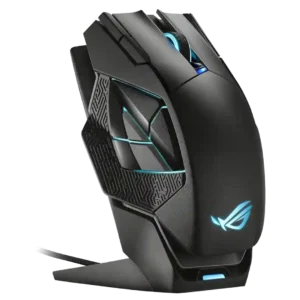
Side button quality was the most repeated functional concern, with reviewers calling the cluster awkward, hard to discern, spongy, or mushy.
Pros: charging convenience, RGB features
Cons: side button quality, weight

Side buttons were a repeated weakness, criticized for being tiny, awkward, too far apart, or easy to hit accidentally.
Pros: glide smoothness, scroll wheel quality
Cons: analog joystick usability, shape comfort