
Side button quality was widely praised for placement, spacing, access, and responsiveness, with a few reviews noting mushiness or preference caveats.
Pros: value for money, weight
Cons: Bluetooth support, cable flexibility

Side button quality was widely praised for placement, spacing, access, and responsiveness, with a few reviews noting mushiness or preference caveats.
Pros: value for money, weight
Cons: Bluetooth support, cable flexibility

Side button quality was usually praised for reachable placement and easy actuation, although one reviewer warned their position can invite accidental presses.
Pros: value for money, button customization
Cons: fingertip grip comfort, portability

Side buttons were generally a strength, often called well placed, firm, separated, and easy to identify, though one review found tactility only decent.
Pros: build quality, software usability
Cons: value for money, polling rate
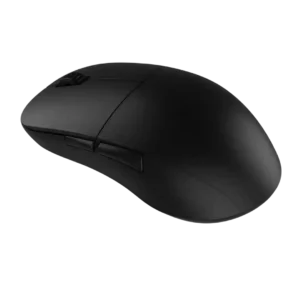
Side button quality was one of the most consistent strengths, with reviewers praising placement, tactility, crispness, and low travel.
Pros: value for money, glide smoothness
Cons: fingertip grip comfort, surface compatibility

Side buttons were usually praised for placement and reachability, although a few reviewers found some Easy-Shift combinations awkward or dependent on hand size.
Pros: battery life, software usability
Cons: weight, FPS gaming suitability

Side buttons were generally praised for placement, tactility, and accessibility without many accidental presses.
Pros: scroll wheel quality, battery life
Cons: value for money, weight

Side button quality was generally praised, with reviewers noting satisfying side clicks, easy thumb access, and good in-game feel.
Pros: shape comfort, value for money
Cons: handedness options

Side buttons were usually easy to reach and press, but one reviewer found them a little mushier than the rest of the mouse.
Pros: weight, battery life
Cons: polling rate, RGB features

Side button opinions were mixed-to-positive: one reviewer found them spongy, while others praised their placement and accessibility.
Pros: value for money, ergonomic design
Cons: RGB features, portability
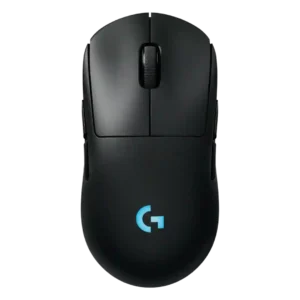
Side button quality is mostly strong thanks to low wobble and good feel, with one reviewer noting more travel than the Superlight 2.
Pros: battery life, handedness options
Cons: value for money, polling rate

Side button quality was mixed: several reviewers found them responsive and easy to hit, while others called them merely OK, mushy, or less crisp.
Pros: value for money, weight
Cons: premium feel, polling rate
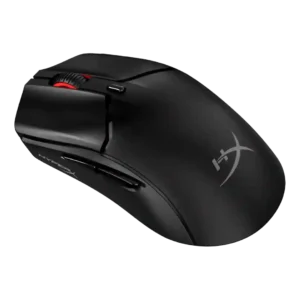
Side buttons were generally usable and well placed, with disagreement over sponginess, wiggle, and post-travel.
Pros: side button quality, scroll wheel quality
Cons: weight, FPS gaming suitability

Side buttons are mostly liked for clear actuation and placement, but one reviewer found them mushier than the main clicks.
Pros: Accuracy and tracking precision, shape comfort
Cons: long-session comfort
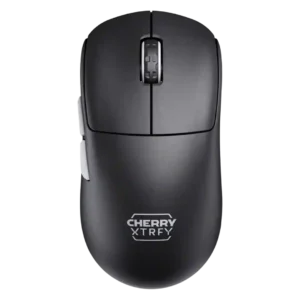
Side buttons received positive notes for feedback and positioning, but some criticism appeared around travel and feel.
Pros: build quality, shape comfort
Cons: value for money, charging convenience
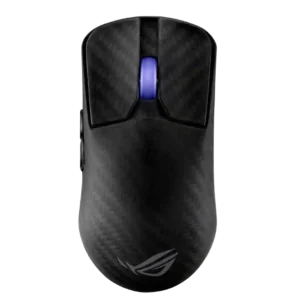
Side button quality was highly split, with praise for tactility and implementation but criticism of size, force, and forward placement.
Pros: sensor performance, build quality
Cons: value for money, battery life
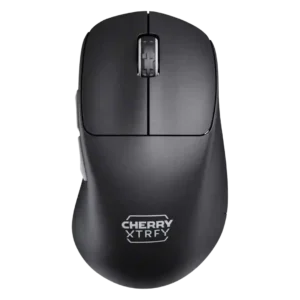
Side button quality split reviewers: some complained about reach, mushiness, or pre-travel, while others praised the thumb buttons as dependable or exceptional.
Pros: build quality, weight
Cons: value for money, charging convenience

Side button quality was mixed: several reviewers praised crisp placement, while others found them small, high, or stiff.
Pros: value for money, sensor performance
Cons: software usability, grip texture

Side button quality was the most divided area: some praised easy swapping and placement, while many criticized looseness, low profiles, and fiddly use.
Pros: battery life, glide smoothness
Cons: side button quality, value for money
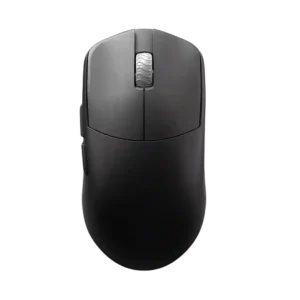
Side button quality is the clearest split: some reviewers found them crisp and accessible, while others complained of stiffness, mushiness, or post-click travel.
Pros: glide smoothness, build quality
Cons: side button quality, cable flexibility

Side buttons were the most divisive control: some found them easy and great in game, while many criticized mushiness, high placement, or extra travel.
Pros: weight, shape comfort
Cons: side button quality, value for money