Best for 2.4GHz connectivity
MSI Versa 300 Wireless 8K
5.0 attribute score
Highest scored product for this attribute based on supporting review evidence.

Highest scored product for this attribute based on supporting review evidence.
Balances the attribute score, supporting reviews, and overall product strength.
Has the broadest review evidence for this attribute.
Strongest overall product among items with scored evidence for this attribute.

The 2.4GHz link is consistently described as fast and dependable, including at high polling rates. Several testers said it behaved much like a wired connection.
Pros: software usability, sensor performance
Cons: RGB features, scroll wheel quality
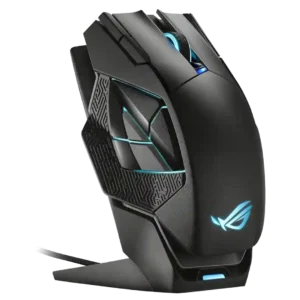
Reviewers praised the 2.4GHz wireless path when tied to the dock, with multiple tests reporting flawless signal and no latency problems.
Pros: charging convenience, RGB features
Cons: side button quality, weight

Reviewers found the 2.4GHz HyperSpeed connection essentially wired-like, with strong responsiveness and no meaningful connection complaints.
Pros: button customization, scroll wheel quality
Cons: weight, value for money

Reviewers who evaluated 2.4GHz use treated it as the main gaming mode and reported it was reliable or issue-free.
Pros: button customization, MMO gaming suitability
Cons: FPS gaming suitability

2.4GHz connectivity was praised as reliable and ideal for high-speed gaming.
Pros: weight, value for money
Cons: click noise, AI Prompt Master

Reviewers who discussed the 2.4GHz link found it responsive, with solid signal behavior and wired-like performance when using the dongle.
Pros: value for money, weight
Cons: Bluetooth support, cable flexibility

The 2.4GHz connection was praised directly as fast and reliable in competitive use.
Pros: build quality, shape comfort
Cons: value for money, charging convenience

The 2.4GHz connection was praised through an instant, fast connection experience with the included dongle.
Pros: switch feel, polling rate
Cons: value for money, side button quality

The 2.4GHz connection was praised for higher performance, lower latency, and a much higher polling rate than Bluetooth.
Pros: value for money, button customization
Cons: fingertip grip comfort, portability

2.4GHz connectivity was rated highly where discussed, with reviewers describing the Lightspeed connection as solid, fast, and wired-like.
Pros: shape comfort, programmable buttons
Cons: value for money, side button quality

2.4GHz connectivity was praised as the preferred low-latency, high-performance wireless mode for gaming.
Pros: battery life, software usability
Cons: weight, FPS gaming suitability

Reviewers liked the low-latency 2.4GHz mode and receiver setup, especially when it reduced aim-related latency or supported a shared ROG receiver.
Pros: weight, grip texture
Cons: software usability, profile switching

2.4GHz connectivity was praised for stable, speedy Lightspeed/2.4GHz operation and high polling without a bulky receiver.
Pros: weight, shape comfort
Cons: side button quality, value for money

The 2.4GHz connection was praised in one review as both fast and reliable.
Pros: build quality, weight
Cons: value for money, charging convenience

Reviewers praised LIGHTSPEED/2.4GHz as fast, snappy, and seamless, with several recommending the dongle for gaming over Bluetooth.
Pros: shape comfort, battery life
Cons: value for money, DPI range

Dongle-based wireless connectivity was praised for helpful indicators, strong signal, and improved convenience over older dongles.
Pros: value for money, weight
Cons: click noise, RGB features

2.4GHz connectivity received strong marks for gaming preference, lag-free behavior, and wireless 8K support without extra add-ons.
Pros: glide smoothness, weight
Cons: handedness options

2.4GHz connectivity is praised for stable SpeedNova/Omni performance, a strong signal, and responsive operation.
Pros: Accuracy and tracking precision, shape comfort
Cons: long-session comfort

2.4GHz connectivity was praised as fast, reliable, and stable for gaming.
Pros: value for money, shape comfort
Cons: scroll wheel quality, left and right click quality

2.4GHz connectivity was praised for responsiveness and low-latency precision, especially through HyperSpeed mode.
Pros: ergonomic design, scroll wheel quality
Cons: AI Prompt Master, click noise
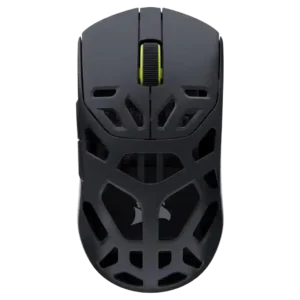
The 2.4GHz connection was praised for low latency and rapid movement/click response in gaming use.
Pros: shape comfort, sensor performance
Cons: value for money, side button quality

2.4GHz connectivity was highly rated for easy setup, fast connection, stable polling, and near-wired latency.
Pros: MMO gaming suitability, 2.4GHz connectivity
Cons: charging convenience, value for money
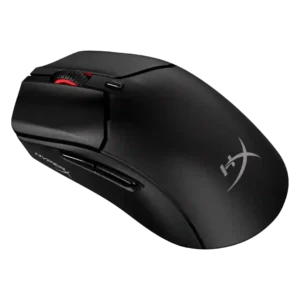
2.4GHz connectivity was praised for easy pairing, reliable dongle use, and convenient switching alongside Bluetooth.
Pros: weight, value for money
Cons: side button quality, RGB features
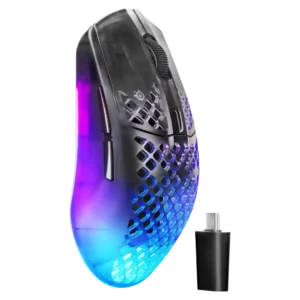
2.4GHz connectivity was praised for enabling the best polling experience and for reliable dongle placement close to the mouse.
Pros: software usability, polling rate
Cons: palm grip comfort, fingertip grip comfort

Reviewers liked the included HyperSpeed or 2.4GHz path for low-latency wireless use, with multi-device dongle convenience also mentioned.
Pros: scroll wheel quality, battery life
Cons: value for money, weight

2.4GHz Slipstream is a strength, with reviewers praising its solid, low-latency connection and high polling capability.
Pros: tilt gesture controls, MMO gaming suitability
Cons: battery life, software usability

2.4GHz connectivity was praised for easy setup, low-latency use, and stronger gaming-oriented signal behavior.
Pros: weight, battery life
Cons: polling rate, RGB features

2.4GHz connectivity was praised for easy setup, SpeedNova precision, reliable performance, and top-notch wireless behavior.
Pros: shape comfort, value for money
Cons: handedness options

2.4GHz connectivity was praised for reliable operation, easy switching, useful receiver placement, and strong overall connectivity.
Pros: weight, battery life
Cons: value for money

Reviewers who evaluated wireless setup praised the 2.4GHz path as the right performance-first choice, with stable low-latency behavior and easy receiver use.
Pros: left and right click quality, build quality
Cons: macro support, palm grip comfort
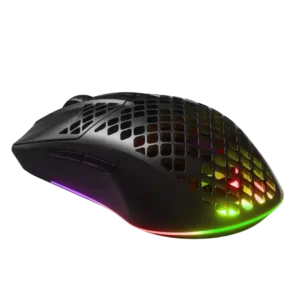
2.4GHz connectivity was valued for accuracy and seamless gaming use, though some reviews reported reliability issues elsewhere.
Pros: value for money, battery life
Cons: glide smoothness, side button quality

2.4GHz connectivity evidence was positive where reviewers tested the receiver or dongle, especially for low-lag or stutter-free use.
Pros: RGB features, battery life
Cons: value for money, scroll wheel quality

Reviewers discussed the 2.4GHz receiver mainly as part of the broader wireless setup, with praise for low-latency use when paired with the booster.
Pros: value for money, sensor performance
Cons: software usability, grip texture
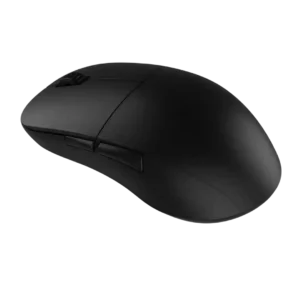
The dongle-based wireless connection drew positive feedback for avoiding connection drops, though the evidence is about stable 2.4GHz use rather than broader wireless flexibility.
Pros: value for money, glide smoothness
Cons: fingertip grip comfort, surface compatibility
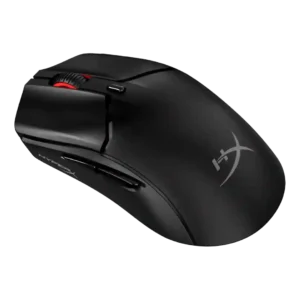
The 2.4GHz connection received direct praise as the best-feeling mode in one review.
Pros: side button quality, scroll wheel quality
Cons: weight, FPS gaming suitability

The 2.4GHz dongle connection is described as fast and stable, with no lag or drop-outs in the cited review.
Pros: switch feel, click latency
Cons: value for money, glide smoothness
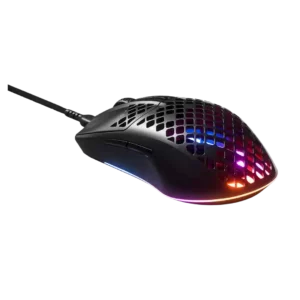
2.4GHz connectivity contributed positively to avoiding cable dependence in the wireless model.
Pros: glide smoothness, RGB features
Cons: build quality, cable flexibility

2.4GHz connectivity was viewed as the preferred gaming mode thanks to fast, low-latency HyperSpeed use and dongle placement options.
Pros: value for money, battery life
Cons: weight, balance and weight distribution
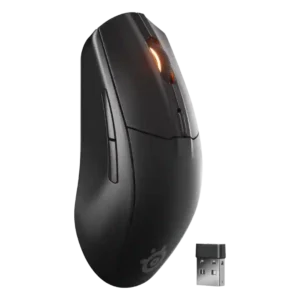
Reviewers generally found the 2.4GHz mode reliable, low-latency, and best for gaming, with occasional notes that dongle placement or switches could affect ease.
Pros: battery life, value for money
Cons: weight, RGB features

2.4GHz connectivity was praised for gaming latency, stability, and being a major selling point.
Pros: battery life, software usability
Cons: click noise, fingertip grip comfort
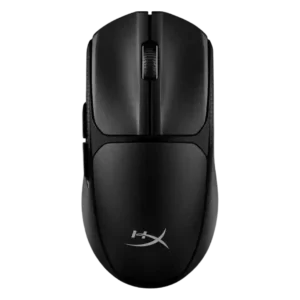
2.4GHz connectivity was praised for smooth, stable, responsive gaming performance and no noticeable lag in testing.
Pros: switch feel, weight
Cons: RGB features, handedness options

2.4GHz connectivity was praised for speed, responsiveness, and practical wireless switching.
Pros: battery life, glide smoothness
Cons: side button quality, value for money

2.4GHz connectivity was praised as a fast, stable wireless option.
Pros: battery life, weight
Cons: click noise, left and right click quality

2.4GHz connectivity was positively supported by performance on Windows and a reviewer preference for 2.4 GHz.
Pros: charging convenience, software usability
Cons: RGB features, value for money
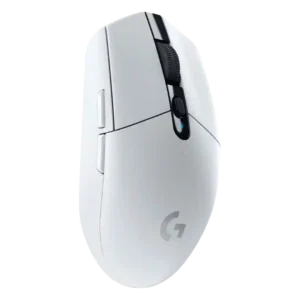
Reviewers found the 2.4GHz Lightspeed dongle dependable over normal use distances, with strong gaming performance despite one note about the crowded band.
Pros: value for money, weight
Cons: charging convenience, palm grip comfort

2.4 GHz connectivity was praised as stable, solid, and more reliable for gaming use.
Pros: weight, shape comfort
Cons: battery life, side button quality

2.4GHz connectivity is usually praised for fast, stable, low-latency use, though one review had setup trouble.
Pros: weight, battery life
Cons: value for money, profile switching

Reviewers generally found the 2.4GHz dongle responsive and gaming-ready, though several disliked the USB-C dongle/adapter arrangement.
Pros: battery life, weight
Cons: side button quality, value for money

2.4GHz connectivity was generally viewed as the best gaming connection, though USB-C dongle ergonomics drew some caveats.
Pros: side button quality, MMO gaming suitability
Cons: value for money, claw grip comfort

2.4GHz connectivity was scored from the review that tied the dongle setup to better reception and reliability.
Pros: button responsiveness, shape comfort