
The 2.4GHz connection was praised through an instant, fast connection experience with the included dongle.
Pros: switch feel, polling rate
Cons: value for money, side button quality

The 2.4GHz connection was praised through an instant, fast connection experience with the included dongle.
Pros: switch feel, polling rate
Cons: value for money, side button quality

Reviewers liked the low-latency 2.4GHz mode and receiver setup, especially when it reduced aim-related latency or supported a shared ROG receiver.
Pros: weight, grip texture
Cons: software usability, profile switching
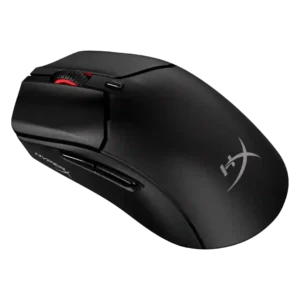
2.4GHz connectivity was praised for easy pairing, reliable dongle use, and convenient switching alongside Bluetooth.
Pros: weight, value for money
Cons: side button quality, RGB features

2.4GHz Slipstream is a strength, with reviewers praising its solid, low-latency connection and high polling capability.
Pros: tilt gesture controls, MMO gaming suitability
Cons: battery life, software usability

Reviewers who evaluated wireless setup praised the 2.4GHz path as the right performance-first choice, with stable low-latency behavior and easy receiver use.
Pros: left and right click quality, build quality
Cons: macro support, palm grip comfort

2.4GHz connectivity was viewed as the preferred gaming mode thanks to fast, low-latency HyperSpeed use and dongle placement options.
Pros: value for money, battery life
Cons: weight, balance and weight distribution

2.4 GHz connectivity was praised as stable, solid, and more reliable for gaming use.
Pros: weight, shape comfort
Cons: battery life, side button quality

2.4GHz connectivity is usually praised for fast, stable, low-latency use, though one review had setup trouble.
Pros: weight, battery life
Cons: value for money, profile switching

2.4GHz connectivity was seen as simple and effective, with limited but positive opinionated evidence.
Pros: value for money, grip texture
Cons: weight, charging convenience

2.4GHz connectivity was regarded as versatile and generally usable, though one reviewer found its polling-rate drop only adequate for slower games.
Pros: glide smoothness, scroll wheel quality
Cons: analog joystick usability, shape comfort
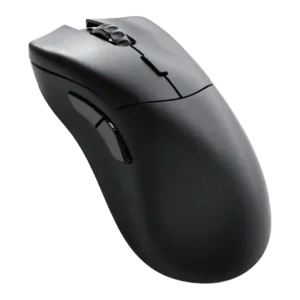
One reviewer reported a real 2.4GHz adapter drawback, saying it could strain connected devices, so evidence for the wireless dongle was negative rather than broadly tested.
Pros: value for money, glide smoothness
Cons: battery life, polling rate