Best for polling rate
Razer Huntsman V3 TKL
5.0 attribute score
Highest scored product for this attribute based on supporting review evidence.

Highest scored product for this attribute based on supporting review evidence.
Balances the attribute score, supporting reviews, and overall product strength.
Has the broadest review evidence for this attribute.
Strongest overall product among items with scored evidence for this attribute.
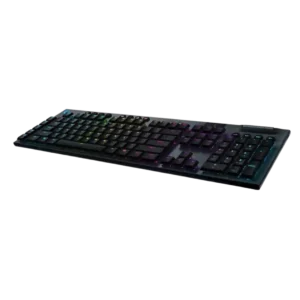
Polling-rate evidence is positive, with 1ms/1,000Hz behavior tied directly to imperceptible lag and fast wireless performance.
Pros: battery life, wireless performance
Cons: value for money, wrist rest quality
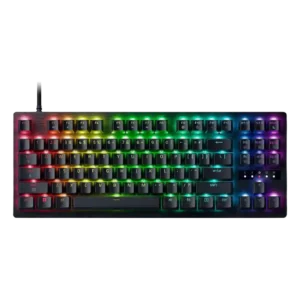
The 8KHz polling rate is repeatedly framed as a serious speed upgrade, especially for competitive play where tiny input delays matter.
Pros: value for money, typing feel
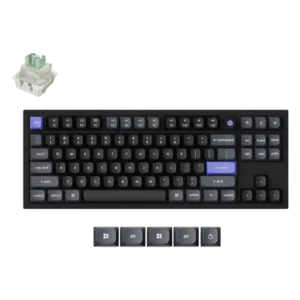
The 8K polling implementation was a standout point across the direct Q3 HE reviews.
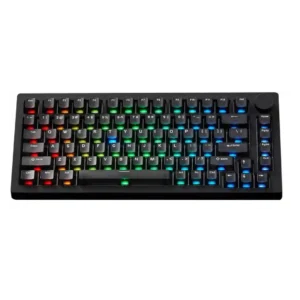
Polling-rate evidence is positive, especially for TMR and HE models with 8K claims or tests; the VIA model's lower rates are still described as acceptable.
Pros: build quality, customization options
Cons: reliability

Polling-rate evidence is limited but positive, with one reviewer calling the high-rate 2.4GHz mode suitable for gaming.
Pros: portability, value for money
Cons: software quality, key spacing

Polling-rate evidence was positive where reviewers tied 1000Hz or 2.4GHz use to strong responsiveness.
Pros: build quality, keycap quality
Cons: switch options, portability

The 8,000Hz polling rate was praised for competitive performance, though some reviewers said many players will not notice the benefit.
Pros: software quality, build quality
Cons: value for money, connectivity

The high polling rate was treated as a competitive advantage, though one reviewer framed its benefit as most relevant to pros.
Pros: switch feel, customization options
Cons: value for money, wireless performance

8,000Hz polling was usually treated as fast and performance-oriented, though one reviewer said it made no practical difference in use.
Pros: typing feel, build quality
Cons: value for money, wireless performance

Polling rate was tied to good responsiveness, with reviewers praising the 1000 Hz behavior for gaming and wireless-like-wired feel.
Pros: typing feel, design aesthetics

The polling rate drew praise where discussed, with one reviewer calling the 1000Hz rate impressive and another tying it to minimal latency.
Pros: RGB customization, keycap quality
Cons: frame rigidity, switch options
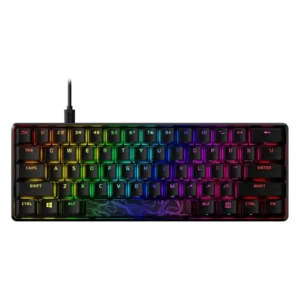
Polling rate evidence is positive but limited, with reviewers calling the 1000 Hz-class polling or scan behavior suitable for gaming.
Pros: build quality, value for money
Cons: software quality, stabilizer quality

Polling-rate evidence is limited to one review, but it links the 1000Hz behavior to more responsive-feeling inputs for competitive play.
Pros: switch feel, typing feel
Cons: software quality, key spacing
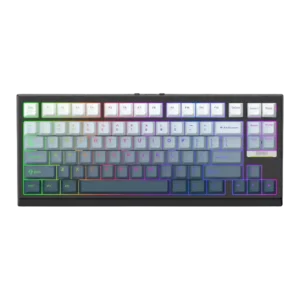
The polling rate was treated as part of the keyboard's precision-and-speed appeal for users who care about Hall Effect performance.
Pros: gaming performance, key responsiveness
Cons: compatibility
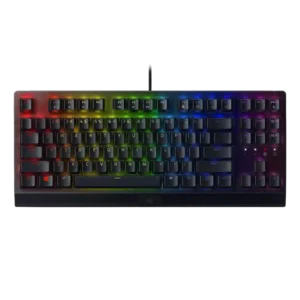
Polling rate received limited but positive support, with the reviewer tying the fast thousand-hertz rate to responsive keypress behavior.
Pros: RGB lighting quality, value for money
Cons: wrist rest quality, noise level

The 8,000Hz polling rate is repeatedly treated as a premium gaming feature, especially for competitive play. Several reviewers note that most people may not feel the difference, but it supports...
Pros: macro customization, switch feel
Cons: software quality, value for money

The 1,000Hz wired and 2.4GHz polling rate is viewed as fully adequate for mainstream gaming, even if it trails 8K esports-focused boards.
Pros: overall satisfaction, build quality
Cons: portability, reliability
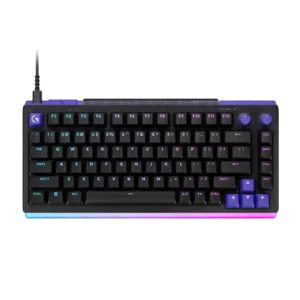
The true 8,000Hz report rate is a legitimate competitive specification and pairs well with the TMR switches. Reviewers repeatedly note that most non-elite players will struggle to notice the difference...
Pros: overall satisfaction, design aesthetics
Cons: value for money, wrist rest quality

Polling rate was considered adequate to good for most users at 1,000Hz, but not class-leading for top competitive gaming.
Pros: value for money, design aesthetics
Cons: cable quality, ergonomics
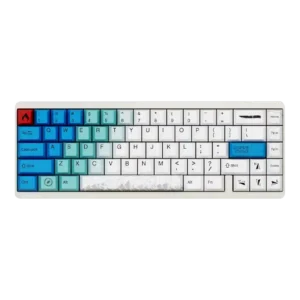
High polling support was viewed positively, with reviewers calling it fast or smooth for competitive-style play.
Pros: design aesthetics, build quality
Cons: software quality, customization options
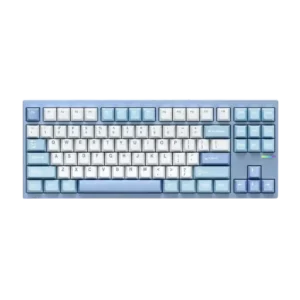
Reviewers treated the 1,000 Hz polling behavior as a strength, linking it to responsive inputs and low-latency use.
Pros: customization options, build quality
Cons: connectivity

Polling rate was considered sufficient for high-end wireless use, though later reviewers framed it as no longer cutting edge for elite competitive players.
Pros: switch feel, typing feel
Cons: software quality, volume control
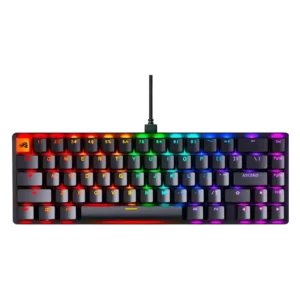
Polling-rate adjustment was treated as a useful performance-tuning feature, though most praise came as part of the broader software/performance controls.
Pros: switch feel, value for money
Cons: key spacing, actuation consistency

Most reviewers found the 1,000Hz polling rate sufficient or excellent for this class, even if it lacks higher-end AXON-style rates.
Pros: value for money, typing feel
Cons: wrist rest quality, media controls

Most reviewers treated the 8,000Hz polling as effective or accurate, though one called the practical benefit a marketing gimmick.
Pros: design aesthetics, build quality

A wired 1,000Hz mode was praised as a useful fallback when battery or wireless gaming performance mattered.
Pros: portability, build quality
Cons: value for money, ergonomics
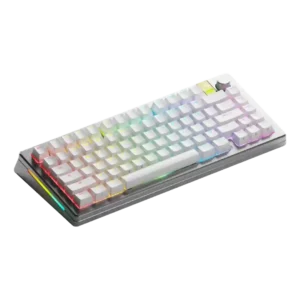
Polling-rate support impressed several reviewers at 8,000Hz, though one reviewer dismissed rates beyond 1,000Hz as marketing.
Pros: customization options, gaming performance
Cons: value for money, software quality

The 1000Hz wired and 2.4GHz polling was treated as good enough for casual or some gaming, not as a competitive-gaming strength.
Pros: battery life, portability
Cons: volume control, switch options

Polling rate evidence was positive for responsiveness in some reviews, but others said 8,000Hz was unnoticeable or not worth the resource tradeoff.
Pros: customization options, gaming performance
Cons: value for money, noise level
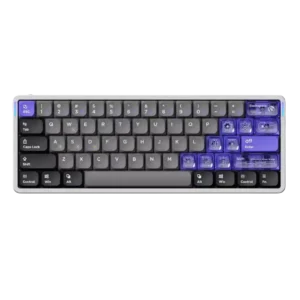
Polling rate was viewed as a strong spec, though reviewers also cautioned that 8K may be imperceptible or cause jitter for some setups.
Pros: software quality, switch feel
Cons: connectivity, layout options

Reviewers found the 1KHz polling rate good enough for most users, but several noted it trails higher-polling competitive boards.
Pros: gaming performance, switch feel
Cons: value for money, extra gaming features

8,000Hz works over wired and 2.4GHz connections and supports very low latency. Several reviewers called the practical gain over 1,000Hz small while noting added battery and system cost.
Pros: overall satisfaction, macro customization
Cons: value for money, software quality

The 8,000Hz mode works over wired and 2.4GHz connections, but most testers could not feel a meaningful difference from 1,000Hz. It is more future-proofing than a daily-use breakthrough.
Pros: build quality, overall satisfaction
Cons: portability, ergonomics

The 8,000Hz polling rate is recognized as high-end, but reviewers are split on practical benefit because some found the returns negligible.
Pros: typing feel, gaming performance
Cons: software quality, value for money

The 1,000Hz polling rate is generally adequate and responsive, but one review penalized it for lacking 8,000Hz support.
Pros: value for money, software quality
Cons: switch options, ergonomics

Polling-rate evidence was mixed: one review praised the steady 1,000 Hz implementation, while others treated missing adjustable polling as a competitive-feature gap.
Pros: switch feel, battery life
Cons: volume control, media controls

The 1,000Hz polling rate was considered sufficient for most users, though reviewers noted faster 8,000Hz competitors exist.
Pros: value for money, build quality
Cons: switch options, hot-swappable switches
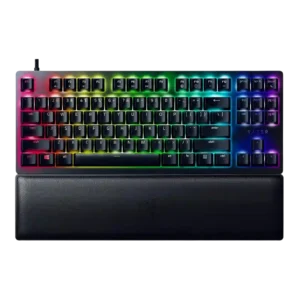
The 8,000Hz polling rate impressed as a technical spec, but reviewer consensus was mixed because its real-world benefit is hard to notice.
Pros: wrist rest quality, polling rate
Cons: value for money, media controls

Most reviewers found the 1,000Hz polling rate adequate, but several treated the paid 8,000Hz booster requirement as a caveat.
Pros: typing feel, design aesthetics
Cons: value for money, materials quality

Polling-rate feedback was mixed but acceptable: 1,000Hz was considered fine or not a major issue, while reviewers noted the absence of 8,000Hz.
Pros: customization options, design aesthetics
Cons: switch options, key spacing

Polling rate was treated as adequate rather than elite: reviewers said 1,000Hz is fine for most gamers but noted rivals with higher polling rates.
Pros: size and form factor, typing feel
Cons: switch options, portability

Reviewers considered the 1000 Hz polling rate usable and solid, while noting it trails newer 8000 Hz rivals.
Pros: value for money, rapid trigger support
Cons: media controls, stabilizer quality

Polling-rate impressions were mixed: one reviewer found it quick and useful, while another criticized 1,000Hz against cheaper 8,000Hz competitors.
Pros: build quality, switch feel
Cons: switch options

The 1,000Hz polling rate was usually considered fine for casual or average gamers, but reviewers noted it trails high-end competitive boards.
Pros: software quality, switch feel
Cons: legend visibility, extra gaming features

Polling rate is considered adequate or standard at 1,000 Hz, supporting mainstream gaming but not a headline feature.
Pros: noise level, RGB lighting quality
Cons: rapid trigger support, extra gaming features
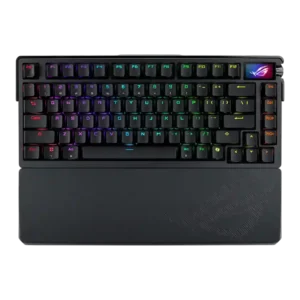
Polling rate was mixed: reviewers appreciated 8,000Hz as premium or useful for competitive users, but several said they could not feel a meaningful difference.
Pros: build quality, customization options
Cons: value for money, rapid trigger support

The 4,000Hz polling rate is seen as technically impressive and future-facing, yet many reviewers say the practical difference from 1,000Hz is subtle or hard to notice.
Pros: extra gaming features, wrist rest quality
Cons: value for money, software quality

Polling rate impressed some reviewers with speed or snappiness, while others considered 8,000Hz niche or hard to notice on a keyboard.
Pros: value for money, wrist rest quality
Cons: software quality, ergonomics

Polling-rate feedback split by version: several reviewers criticized or downplayed 1,000Hz models, while 8K reviewers praised the headline reporting speed but sometimes questioned its practical impact.
Pros: customization options, typing feel
Cons: value for money, wrist rest quality

The 1,000Hz polling rate was considered fine or a reasonable tradeoff, but reviewers noted it does not compete with faster 8,000Hz gaming boards.
Pros: sound dampening, switch feel
Cons: reliability, rapid trigger support