Best for desk space efficiency
Wooting 60HE+
5.0 attribute score
Highest scored product for this attribute based on supporting review evidence.

Highest scored product for this attribute based on supporting review evidence.
Balances the attribute score, supporting reviews, and overall product strength.
Has the broadest review evidence for this attribute.
Strongest overall product among items with scored evidence for this attribute.

The tiny footprint is a consistent win, freeing substantial room for large mouse movements and oversized mousepads. Competitive gamers especially appreciate how little desk space it consumes.
Pros: overall satisfaction, customization options
Cons: value for money, switch options

The compact layout frees meaningful mouse space while retaining a full function row, arrows, and a small navigation cluster.
Pros: build quality, overall satisfaction
Cons: portability, ergonomics

The compact footprint frees meaningful desk space for other devices and accessories. Reviewers specifically like having more room for tablets, macro pads, trackballs, or simply a cleaner setup.
Pros: switch feel, typing feel
Cons: value for money, layout options
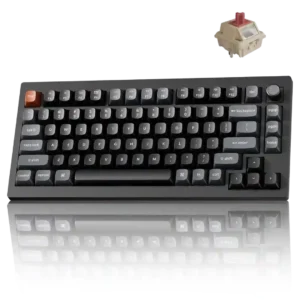
The 75% footprint keeps arrows and a function row while removing the numpad, leaving noticeably more room on compact desks.
Pros: gaming performance, overall satisfaction
Cons: polling rate, frame rigidity

Desk space efficiency was praised because the 75% layout leaves more mouse room while keeping practical keys.
Pros: value for money, build quality
Cons: switch options, hot-swappable switches

Desk space efficiency was praised because the detachable or left-mounted numpad frees mouse space without giving up full-size functionality.
Pros: sound dampening, switch feel
Cons: reliability, rapid trigger support
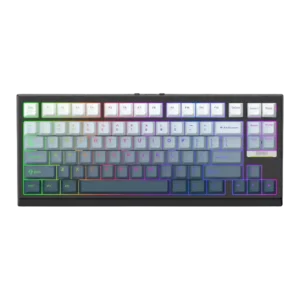
Desk space efficiency was a clear strength, with reviewers valuing the compact footprint for laptop overlay use and mouse-space comfort.
Pros: gaming performance, key responsiveness
Cons: compatibility

The 65% layout frees substantial mouse room while retaining arrow keys and a control knob.
Pros: overall satisfaction, build quality
Cons: portability, reliability
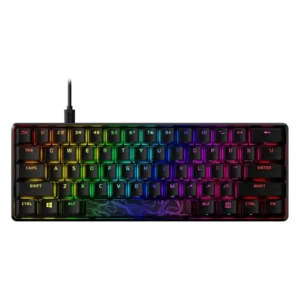
Desk space efficiency is strongly supported, especially for TKL, 60%, and 65% variants that leave more mouse room.
Pros: build quality, value for money
Cons: software quality, stabilizer quality
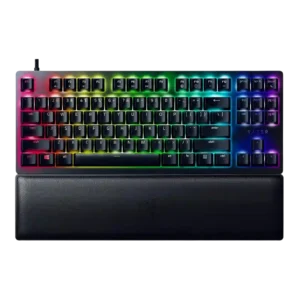
Desk space efficiency was a clear TKL advantage, giving reviewers more mouse room and a more centered typing position.
Pros: wrist rest quality, polling rate
Cons: value for money, media controls

Desk space efficiency was a clear strength, with reviewers valuing the smaller footprint for extra mouse room and cleaner setups.
Pros: gaming performance, switch feel
Cons: value for money, extra gaming features

Reviewers liked the desk-space savings, especially for gaming, while still retaining enough functionality.
Pros: sound dampening, value for money
Cons: ergonomics, polling rate

Desk space efficiency was praised by one reviewer who liked the Mac Magic Keyboard-like footprint for a compact workspace.
Pros: build quality, switch feel
Cons: switch options
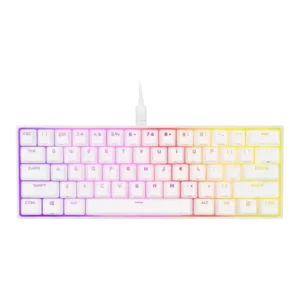
Desk space efficiency was one of the clearest strengths, especially for mouse movement and compact setups.
Pros: switch feel, size and form factor
Cons: polling rate, value for money
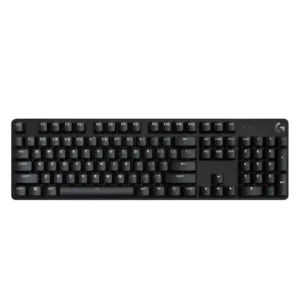
Desk space efficiency is a strength, especially for TKL users and reviewers who praised the extra mouse room or no-waste footprint.
Pros: design aesthetics, keycap quality
Cons: value for money, software quality

The 75% footprint was repeatedly praised for freeing mouse space while keeping important keys accessible.
Pros: typing feel, build quality
Cons: value for money, wireless performance
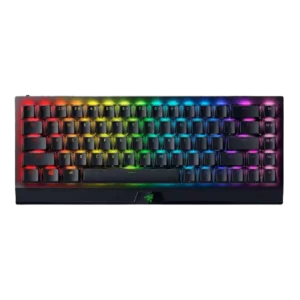
Desk space efficiency was highly praised, with reviewers valuing the extra mouse room, reduced footprint, and less clutter.
Pros: size and form factor, switch feel
Cons: value for money, battery life

Reviewers generally liked the desk-space tradeoff, saying the 96% layout preserved functionality while freeing room for mouse movement.
Pros: customization options, design aesthetics
Cons: switch options, key spacing

The compact design is praised for saving desk space and leaving more room for mouse movement or small-desk setups.
Pros: portability, value for money
Cons: software quality, key spacing
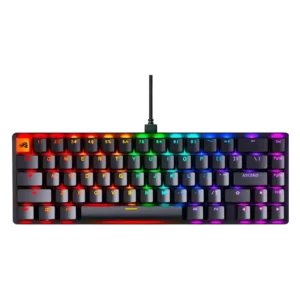
Desk space efficiency was a clear strength for the compact 96% and 65% layouts, especially for users who need mouse room.
Pros: switch feel, value for money
Cons: key spacing, actuation consistency

Reviewers consistently said the 75% layout frees up desk and mouse space while preserving useful keys.
Pros: software quality, switch feel
Cons: legend visibility, extra gaming features

Desk space efficiency was viewed positively because the compact full-size layout saves width and gives more mouse-side room.
Pros: size and form factor, typing feel
Cons: switch options, portability

The 75% layout was praised for saving desk space while retaining essentials, though some users missed larger layouts.
Pros: value for money, design aesthetics
Cons: cable quality, ergonomics

The 75% layout was praised for saving desk space and giving the mouse hand more room without becoming as restrictive as smaller compact layouts.
Pros: switch feel, typing feel
Cons: software quality, volume control

The 99% layout keeps a numpad and function row while using less horizontal space than a conventional full-size board. It frees meaningful mouse room without abandoning productivity keys.
Pros: overall satisfaction, macro customization
Cons: value for money, software quality

Reviewers liked how the compact 75% layout preserved useful controls while saving space and staying productivity-friendly.
Pros: portability, build quality
Cons: value for money, ergonomics

Desk space efficiency was praised because the keyboard stayed compact without feeling cramped and saved space versus larger layouts.
Pros: typing feel, design aesthetics
Cons: value for money, materials quality

The 75% layout was praised for balancing compactness with usability and fitting smaller desks while keeping essential controls.
Pros: value for money, software quality
Cons: switch options, ergonomics
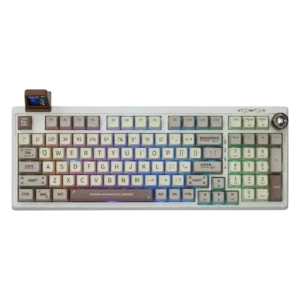
Desk space efficiency is a strong point for users who want numpad functionality without a sprawling full-size footprint.
Pros: value for money, typing feel
Cons: software quality, reliability

Desk space efficiency was a strength for compact models and TKL layouts, especially for mouse room and cramped desks.
Pros: customization options, typing feel
Cons: value for money, wrist rest quality
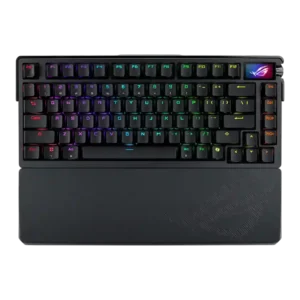
Desk space efficiency was supported by the 75% layout balancing compactness with practical functionality.
Pros: build quality, customization options
Cons: value for money, rapid trigger support

Desk space efficiency was positive where discussed, with the smaller profile taking up less space.
Pros: switch feel, customization options
Cons: value for money, wireless performance
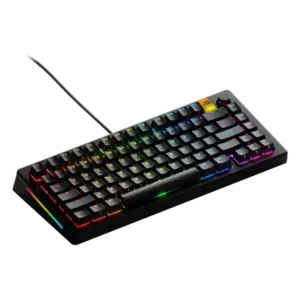
Desk space efficiency was supported by praise for the compact yet functional 75% layout.
Pros: customization options, software quality
Cons: value for money, materials quality
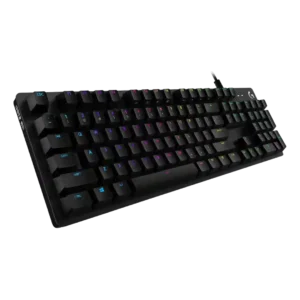
Desk space efficiency is praised for a full-size board because one reviewer found little wasted space on the keyboard deck.
Pros: value for money, design aesthetics
Cons: passthrough features, noise level
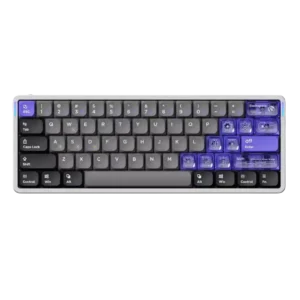
Desk space efficiency was praised for freeing mouse space in gaming setups.
Pros: software quality, switch feel
Cons: connectivity, layout options
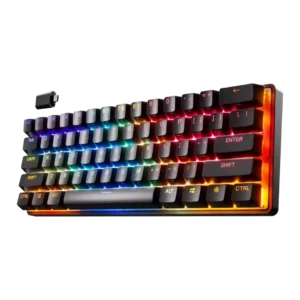
Desk space efficiency was consistently positive, with reviewers praising the compact layout for reclaiming desk space and enabling larger mouse movements.
Pros: gaming performance, key responsiveness
Cons: value for money, extra gaming features
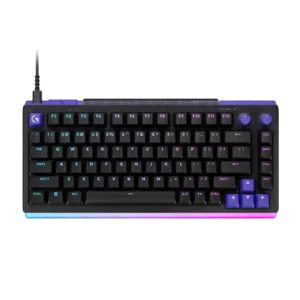
Both layouts use space well, especially the 75% model for wide mouse movement and the 96/98% model for retaining a numpad without full-size width.
Pros: overall satisfaction, design aesthetics
Cons: value for money, wrist rest quality
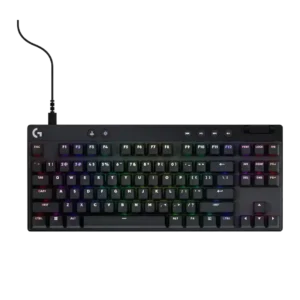
Compact TKL and 60% layouts are repeatedly praised for freeing mouse space and maximizing smaller desks.
Pros: build quality, software quality
Cons: value for money, hot-swappable switches

Reviewers consistently liked the compact layout for freeing desk space and giving more room for mouse movement.
Pros: software quality, build quality
Cons: value for money, connectivity
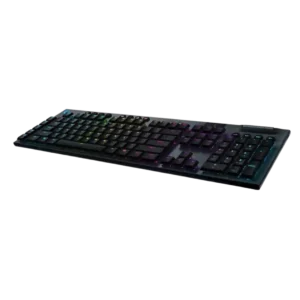
Tenkeyless coverage highlights major mouse-space gains, while the full-size model is seen as less desk-friendly because of its length.
Pros: battery life, wireless performance
Cons: value for money, wrist rest quality

The TKL layout was treated as a useful space saver for mouse movement and cleaner desks, especially for users who do not need a numpad.
Pros: switch feel, battery life
Cons: volume control, media controls

Desk-space efficiency was positive because the compact 75% layout kept useful keys without becoming too wide.
Pros: battery life, portability
Cons: volume control, switch options

The TKL layout was praised for saving desk space and leaving more mouse room while preserving most major controls.
Pros: build quality, gaming performance
Cons: typing feel, typing comfort

Desk space efficiency was mostly praised because the keyboard keeps a numpad while saving space, though one reviewer felt the tradeoff in navigation.
Pros: RGB customization, keycap quality
Cons: frame rigidity, switch options

Desk space efficiency is strongest on the 75% model, which reviewers say saves space while retaining important keys and improving wrist placement.
Pros: typing feel, gaming performance
Cons: software quality, value for money

Desk space efficiency is usually praised for giving more mouse room, but a minority say the 96% layout does not free up enough meaningful space.
Pros: switch feel, typing feel
Cons: software quality, key spacing

One reviewer found the 75% layout not too sparse while still keeping most needed keys outside the numpad.
Pros: design aesthetics, build quality
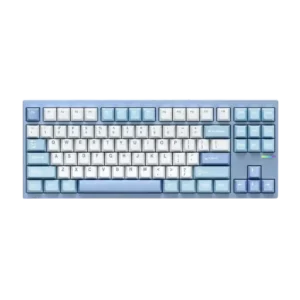
Desk space efficiency was positive in one review, which liked that TKL saves space while leaving room for an optional macro pad.
Pros: customization options, build quality
Cons: connectivity
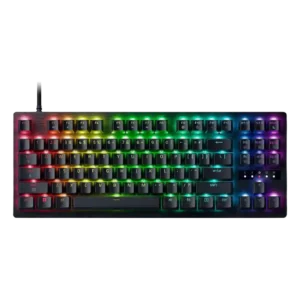
The compact TKL body is treated as easy to fit on a setup while still feeling solid, making it friendlier for tighter desks than a full-size board.
Pros: value for money, typing feel

The ultra-thin body helped desk fit, but the full-size layout still took noticeable room for some reviewers.
Pros: battery life, switch feel
Cons: value for money, ease of switch replacement