
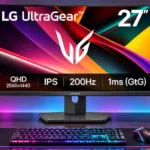
LG 27G610A-B Feature Scores
Explore all 58 feature scores for LG 27G610A-B, organized into pros and cons.
Scores by Feature
Summary
58 reviewed features-
Very positive 4.5-5.013 (22%)
-
Positive 3.5-4.415 (26%)
-
Neutral 2.5-3.415 (26%)
-
Negative 1.5-2.415 (26%)
Pros
Sort
-
The 200Hz refresh rate is the standout strength, producing a smooth, responsive sensation with a sufficiently fast PC. Some similarly priced alternatives trade a little speed for other advantages.
-
Multiple reviews applaud the amount of gaming speed and QHD clarity available at discount prices. The value is strongest when the LG is meaningfully cheaper than more fully featured rivals.
-
QHD on a 27-inch screen brings noticeably more detail than 1080p while remaining less demanding than 4K, a compromise widely praised for gaming and work.
-
FreeSync Premium and G-SYNC-compatible operation are described as keeping PC gameplay smoother and reducing tearing, although PS5 variable-refresh support is a separate limitation.
-
Height, tilt, swivel, and pivot are generously included for a budget monitor. A few users found the height mechanism rough or the positioning less secure than expected.
-
The 200Hz refresh rate, low input lag, and quick response give fast PC games a responsive feel, even if overshoot at lower refresh rates prevents flawless motion clarity.
-
Most descriptions consider the pixels quick enough for responsive play, though actual clarity depends on settings and can suffer from overshoot as frame rates fall.
-
The QHD image improves fine detail, text edges, and game clarity compared with a same-size 1080p screen.
-
PC gaming controls feel immediate, with low processing lag standing out as a major speed advantage.
-
The overall sentiment is favorable for reasonably priced 1440p gaming and mixed use. Most reservations center on HDR, connectivity, lower-rate ghosting, or stand construction.
-
As a budget PC gaming screen, it combines rapid refresh, low lag, and QHD detail effectively. It is less impressive in slower games and HDR-heavy titles.
-
Its matte finish reduces distracting reflections, and it handles bright-room glare better than an older LG model in comparative testing.
-
The IPS panel keeps colors and images usable off-axis, a routinely praised strength for desktop viewing.
-
Standard arm mounting provides a practical escape from the shaky stock stand, though one owner needed to source appropriate screws separately.
-
Near-full sRGB coverage is praised for lively everyday games and content, but it is not positioned as a wide-gamut professional display.
-
The understated all-black design and discreet logo appeal to people who prefer less flashy gaming equipment.
-
Most assessments consider the brightness sufficient for normal daytime use; one Mac owner needed to raise it manually. It still cannot make HDR highlights look truly premium.
-
Reviewers like the sharp, colorful QHD image in normal use, but poorer native contrast and divergent color-accuracy impressions mean it is not an all-around picture-quality leader.
-
A review compilation reports no dead pixels across months of use, which is reassuring but not a guarantee for every unit.
-
The IPS panel supports good viewing angles and appealing standard colors, but its inherently modest contrast remains a limitation.
-
Black Stabilizer, Dynamic Action Sync, and gaming overlays provide useful controls, although the overall hardware feature set remains basic.
-
A summary of user experiences reports stable performance without dead pixels over several months, though it does not establish very long-term durability.
-
The narrow top and side bezels, paired with a subdued lower logo, give the monitor a clean look.
-
Several reviewers like the 27-inch and 1440p combination, although one owner had to rearrange a crowded desk to fit it beside an iMac.
-
Black Stabilizer is presented as a helpful way to improve visibility in dark gaming scenes, adding a practical competitive-game control.
-
The monitor provides plenty of options for customizing the image and gaming experience without requiring complicated setup for basic adjustments.
-
The accessible gaming-mode menu makes selecting and adjusting picture presets straightforward.
-
One owner who edits photos appreciates the vibrant picture and overall upgrade, but this is not a substitute for proven professional color accuracy.
Cons
Sort
-
The absence of a USB hub is a repeated drawback, especially beside alternatives that offer easy peripheral connections.
-
DisplayHDR 400 provides at most modest enhancement; measured and qualitative assessments repeatedly describe washed-out colors, weak blacks, and limited HDR impact.
-
The IPS panel’s modest native contrast makes darker scenes look flat compared with VA or OLED screens. Basic HDR support cannot fully overcome that limitation.
-
Games running around 60 fps are more vulnerable to inverse ghosting and overshoot than games near the display’s maximum refresh rate. That makes capped or slower games a weak point.
-
Tuning works best nearer 200Hz; inverse ghosting and overshoot at lower refresh rates make the monitor less consistently clear than some competitors.
-
The stock stand can wobble even when typing or lightly bumping the desk; another owner found its adjustment mechanism springy.
-
There are no built-in speakers, so desktop audio needs separate speakers, headphones, or another sound source.
-
There is no local dimming to deepen blacks or give bright HDR highlights much more impact, leaving darker scenes with modest contrast.
-
One arm-mounted owner found the power lead too short for tidy routing and had to rethink how to hide the wires.
-
Dark scenes can have gray-looking blacks rather than the depth associated with higher-contrast panels.
-
A short power cable can make an arm-mounted setup harder to route neatly, especially alongside other displays.
-
The absence of HDMI 2.1 is a meaningful limitation for users seeking broader modern-console features and higher-bandwidth connections.
-
A purchaser disliked receiving the monitor in its retail packaging instead of a protective outer box, raising concerns about the delivery presentation.
-
The plastic stand looks and feels less substantial than the monitor’s otherwise competitive gaming specifications suggest.
-
The monitor can handle console play, but comparative testing flags missing PS5 VRR support, making its console functionality less complete than certain alternatives.
-
The monitor’s black plastic body is functional, but the stand feels cheap to some users and does not convey the quality of the screen itself.
-
Dual HDMI and a DisplayPort cover basic connections; missing USB ports, USB-C, and HDMI 2.1 limit convenience and versatility.
-
One owner found arranging this 27-inch monitor beside an iMac awkward and needed to reposition the monitor arm and other equipment.
-
The separate power adapter takes up more outlet or power-strip space than an integrated supply, a minor annoyance for one owner.
-
One owner dislikes the external power brick and would prefer a standard power cable connecting directly to an integrated supply.
-
Basic installation is manageable, but one VESA arm setup required hunting for mounting screws and extra adjustments.
-
PC variable refresh is supported, but a comparison notes that PS5 VRR works on a competing monitor and not on this LG.
-
Modern consoles can play at QHD and high refresh, but the lack of HDMI 2.1 and PS5 VRR support prevents some of the flexibility found on competitors.
-
The panel can display 200Hz at 1440p, but maintaining that frame rate calls for a capable gaming PC. Slower hardware may make the refresh advantage less useful.
-
A DisplayPort cable is appreciated, but another owner struggled because VESA mounting screws were not supplied for an arm installation.
-
The monitor can mirror an iMac, but one older Mac prevented the owner from accessing higher refresh and HDR options. The experience was constrained by the source computer.
-
At high frame rates motion generally looks clean, but testers and owner summaries report inverse ghosting as refresh drops. Opinions emphasizing the fast advertised response are more positive than the measurements.
-
One owner found the gaming modes intuitive, while another initially struggled to discover the joystick menu. Basic adjustments are straightforward once the controls are understood.
-
Fast-refresh movement receives praise, but inverse ghosting and residual blur become more noticeable when game frame rates fall.
-
Impressions vary: several reviewers praise lively, natural-looking IPS colors, while comparative testing finds more accurate alternatives out of the box. Professional work may require calibration or another monitor.
Use Cases
Best for
Sort
-
Around the sale prices described, 1440p at 200Hz is a compelling bargain. Reviewers repeatedly frame this as a way to get fast PC gaming without paying for a more expensive display.
-
Sharp text and flexible positioning make the monitor comfortable for daily tasks, while 200Hz and adaptive sync give it a strong second role for gaming.
-
QHD sharpness, flexible ergonomics, and everyday readability make browsing, documents, and multitasking comfortable. It is a useful screen between gaming sessions.
-
Owners moving from Full HD notice much sharper text and game imagery, with one firsthand upgrader calling the change a major improvement.
-
It works well for ordinary PC games, especially at higher frame rates, but frame-rate drops can introduce overshoot that casual players may notice.
-
Relatively good brightness, the matte finish, and improved reflection handling over an older LG model make this a sensible choice in well-lit rooms.
-
Pivot support lets the screen turn vertical for documents or an alternative display layout, and users appreciate the flexibility.
-
Standard videos and streaming are perfectly workable, though the limited HDR depth and possible lower-refresh artifacts make cinema-focused use less convincing.
-
Fast racing games can benefit from smooth high-frame-rate motion and immediate control response.
-
The jump from a 75Hz screen to 200Hz is a strong reason to upgrade for occasional games as well as everyday monitor use.
-
A reviewer who primarily edits videos reports enjoying the vivid picture and upgrade, making it a reasonable general-purpose creative screen.
Conditional or not ideal for
Sort
-
HDR gamingHDR is consistently seen as much less impressive than the monitor’s high-refresh SDR gaming experience. Weak contrast and limited highlight impact are the main obstacles.
-
Color-critical workCasual creative tasks are possible, but factory color accuracy is inconsistent enough that critical work may need calibration or a more accurate alternative.
-
Content creationThe sharp QHD canvas works for general creative tasks, while weaker pre-calibration accuracy makes the monitor less appealing for demanding color work.