Best for RGB features
Razer Cobra Pro
4.6 attribute score
Highest scored product for this attribute based on supporting review evidence.

Highest scored product for this attribute based on supporting review evidence.
Balances the attribute score, supporting reviews, and overall product strength.
Has the broadest review evidence for this attribute.
Strongest overall product among items with scored evidence for this attribute.

RGB was one of the strongest positives, repeatedly praised for vivid underglow, tasteful placement, and customization, though it affected battery life.
Pros: value for money, battery life
Cons: weight, balance and weight distribution
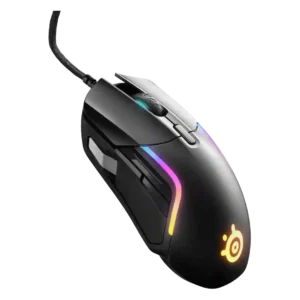
RGB features were widely praised for rich zones and customization, though some reviewers found the lighting distracting, too bright, or partially hidden during use.
Pros: value for money, software usability
Cons: side button quality, onboard memory
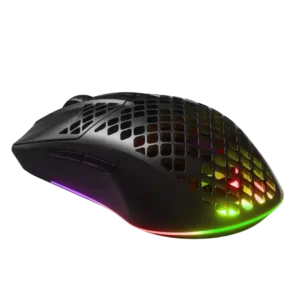
RGB lighting was widely liked for its vivid underglow, internal glow, and strong customization, though it affects battery use.
Pros: value for money, battery life
Cons: glide smoothness, side button quality
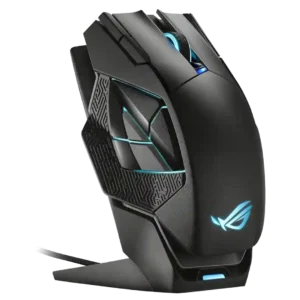
RGB features were widely liked for bright zones, good looks, customization, and sync support.
Pros: charging convenience, RGB features
Cons: side button quality, weight

RGB is treated positively by reviewers who prefer the cleaner no-RGB look and the battery benefit.
Pros: switch feel, click latency
Cons: value for money, glide smoothness

RGB feedback was mostly positive for vivid lighting, zones, gradients, and customization, with a few caveats about muddled or choppy lighting.
Pros: value for money, button customization
Cons: fingertip grip comfort, portability
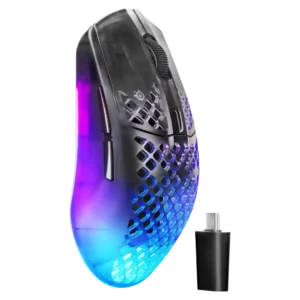
RGB impressions were mostly positive for brightness, zones, style, and customization, though one reviewer found active lighting distracting.
Pros: software usability, polling rate
Cons: palm grip comfort, fingertip grip comfort
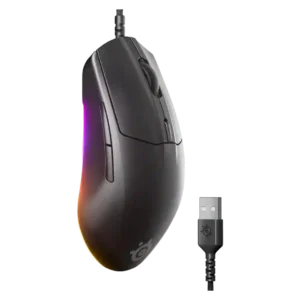
RGB was a consistent wired-model strength, with praise for tasteful underglow and extensive customization.
Pros: cable flexibility, value for money
Cons: premium feel

RGB was generally appreciated as a rare lightweight-mouse touch, though a few reviewers disliked the implementation.
Pros: value for money, sensor performance
Cons: software usability, grip texture

RGB was treated as a small but useful extra, mainly around the illuminated scroll wheel and controllable logo lighting.
Pros: glide smoothness, weight
Cons: handedness options

RGB was usually praised for underglow and zone effects, though some noted hand coverage and battery drain.
Pros: scroll wheel quality, battery life
Cons: value for money, weight

RGB features were a major strength for many reviewers, but a few called the lighting muted, limited, or an afterthought compared with expectations.
Pros: RGB features, battery life
Cons: value for money, scroll wheel quality
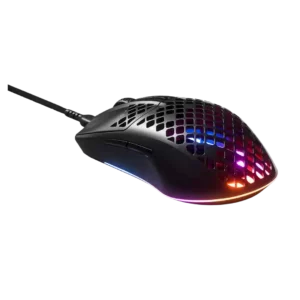
RGB was consistently one of the strongest positives, though one review found lighting configuration less intuitive.
Pros: glide smoothness, RGB features
Cons: build quality, cable flexibility

RGB features were generally liked for sharp, bold, or gorgeous lighting, though a few reviewers wanted more flair or noticed choppy transitions.
Pros: battery life, software usability
Cons: weight, FPS gaming suitability

RGB features were generally praised for subtle, attractive lighting and customization, with one reviewer personally less enthusiastic.
Pros: value for money, shape comfort
Cons: onboard memory, side button quality

The lack of RGB was generally accepted as a worthwhile tradeoff for battery life, weight, and the mouse’s clean look.
Pros: switch feel, polling rate
Cons: value for money, side button quality
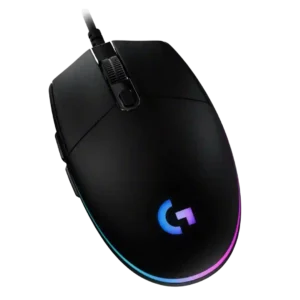
RGB features are widely praised for color, zones, brightness, blending, and customization, but logo control and nighttime brightness drew recurring caveats.
Pros: value for money, RGB features
Cons: palm grip comfort, click noise

RGB was generally praised as stylish, subtle, bright, and configurable, though the Core review described a more limited two-zone setup.
Pros: button responsiveness, shape comfort

RGB features were generally liked for subtlety and placement, though reviewers also noted battery drain.
Pros: battery life, software usability
Cons: click noise, fingertip grip comfort
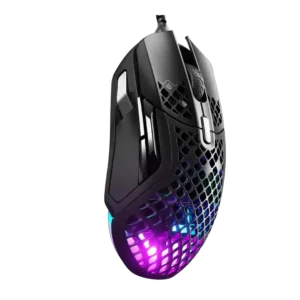
RGB features were generally well received as stylish, bright, impressive, or tastefully implemented.
Pros: weight, programmable buttons
Cons: value for money, side button quality

RGB impressions were mixed-positive: reviewers liked useful or customizable lighting, though it remained secondary to controls and battery life.
Pros: button customization, MMO gaming suitability
Cons: FPS gaming suitability

RGB was praised for style, customization, and vivid lighting, but several reviewers noted battery drain or questioned whether the Plus model is worth it for RGB alone.
Pros: RGB features, weight
Cons: value for money, scroll wheel quality
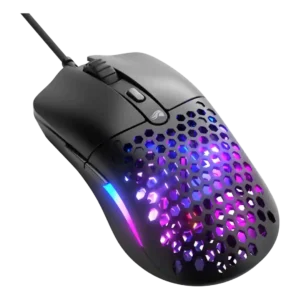
RGB feedback was mostly positive for brightness and customization, but one reviewer felt it detracted from the clean look.
Pros: value for money, weight
Cons: cable flexibility

RGB was generally praised for brightness, zones, and visual appeal, but several reviewers questioned the battery-life tradeoff.
Pros: side button quality, MMO gaming suitability
Cons: value for money, claw grip comfort

RGB was often praised for soft Aurora styling and striking pastel effects, though some reviewers found it limited, covered by the palm, or not special enough.
Pros: shape comfort, battery life
Cons: value for money, DPI range
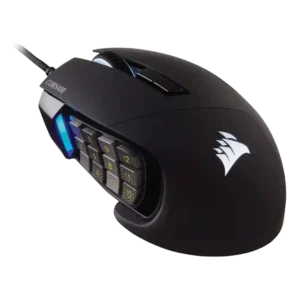
RGB was generally liked as customizable, crisp, and tasteful, though lighting control was not always best-in-class.
Pros: value for money, side button quality
Cons: FPS gaming suitability, weight

RGB features were generally seen as tasteful and minimal, though the lighting is limited to subtle scroll-wheel effects.
Pros: shape comfort, value for money
Cons: handedness options

RGB evidence depends on preference: some reviewers like the no-RGB minimalism and battery benefit, while one says the design needed lighting.
Pros: weight, battery life
Cons: value for money, profile switching

The lack of RGB was often treated as an esports-minded tradeoff that saves weight and battery, though some users may miss the flash.
Pros: build quality, software usability
Cons: value for money, polling rate

RGB was treated as minimal and practical rather than flashy, with reviewers often valuing battery savings over visual effects.
Pros: ergonomic design, scroll wheel quality
Cons: AI Prompt Master, click noise
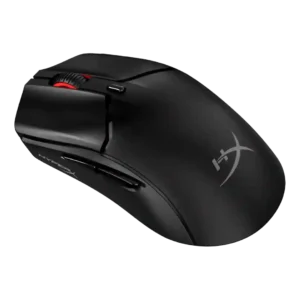
RGB was understated and liked as a small personality touch, but reviewers did not describe it as feature-rich.
Pros: side button quality, scroll wheel quality
Cons: weight, FPS gaming suitability

RGB absence was mostly framed as acceptable or even beneficial for battery and subtle looks, though it makes the mouse less flashy.
Pros: weight, shape comfort
Cons: side button quality, value for money

RGB opinions were mixed: some liked the tasteful underglow and accurate colors, while others found the lighting limited or dull.
Pros: weight, value for money
Cons: click noise, AI Prompt Master

RGB was generally liked for execution, visibility, and dark-room usefulness, though one video review disliked the blurred rear logo effect.
Pros: glide smoothness, scroll wheel quality
Cons: analog joystick usability, shape comfort

RGB was modest but useful to some reviewers for DPI or battery indicators; others found it superfluous or noticed uneven lighting.
Pros: weight, grip texture
Cons: software usability, profile switching
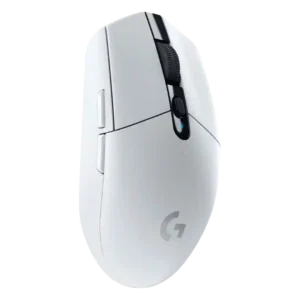
RGB features were mixed but often acceptable; many reviewers did not mind the lack of RGB because colors, simplicity, and battery life helped compensate.
Pros: value for money, weight
Cons: charging convenience, palm grip comfort
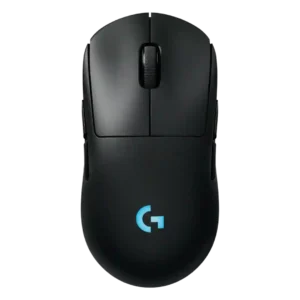
RGB opinions are mixed: some liked the lighting, while others found the logo placement wasted under the hand.
Pros: battery life, handedness options
Cons: value for money, polling rate

RGB was mixed: reviewers liked its minimal execution and sync options, but some called it boring, unnecessary, or hidden under the palm.
Pros: value for money, shape comfort
Cons: scroll wheel quality, left and right click quality

RGB was visually liked, but its battery drain made the feature a clear tradeoff.
Pros: weight, shape comfort
Cons: battery life, side button quality

RGB was mostly seen as minimal and tasteful, but one reviewer had an annoying control issue and another said limited lighting could disappoint users wanting visual flair.
Pros: weight, battery life
Cons: value for money

RGB opinions were limited and mixed: the base Lightspeed skips RGB, which one reviewer did not mind for weight and battery, while the Plus lighting looked good but was often...
Pros: shape comfort, programmable buttons
Cons: value for money, side button quality

RGB feedback is mixed: reviewers like the subtle personalization, but several note that lighting is limited, not very bright, or only on the wheel.
Pros: Accuracy and tracking precision, shape comfort
Cons: long-session comfort

RGB evidence was mixed: some reviewers liked the performance-first, no-distraction approach, while others missed Razer Chroma or visual flair.
Pros: value for money, weight
Cons: Bluetooth support, cable flexibility
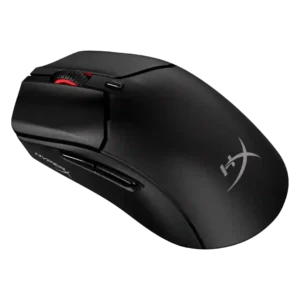
RGB feedback was mixed-to-muted, with reviewers liking the tasteful wheel lighting but often wanting more zones or noting odd behavior.
Pros: weight, value for money
Cons: side button quality, RGB features

RGB evidence is context-dependent: the lack of lighting is framed as battery-friendly or performance-focused, but also less flashy and feature-rich.
Pros: left and right click quality, build quality
Cons: macro support, palm grip comfort

RGB opinions were mixed: reviewers liked customization and glow, but often complained the lighting was hidden or underwhelming in use.
Pros: battery life, weight
Cons: side button quality, value for money

RGB opinions are mixed: some reviewers like the slick, versatile lighting, while others find key zones hidden, subtle, or battery-draining.
Pros: tilt gesture controls, MMO gaming suitability
Cons: battery life, software usability

RGB features were highly mixed: customization and desktop style were praised, but hidden zones, weak underglow, and battery drain drew criticism.
Pros: battery life, glide smoothness
Cons: side button quality, value for money

RGB reactions were mixed: some liked the lighting and Chroma control, while others disliked limited zones or battery waste.
Pros: button customization, scroll wheel quality
Cons: weight, value for money

RGB opinions were mixed: some reviewers missed RGB or found the mouse plain, while one reviewer liked not worrying about lighting.
Pros: value for money, weight
Cons: premium feel, polling rate