
RGB feedback was mostly positive for vivid lighting, zones, gradients, and customization, with a few caveats about muddled or choppy lighting.
Pros: value for money, button customization
Cons: fingertip grip comfort, portability

RGB feedback was mostly positive for vivid lighting, zones, gradients, and customization, with a few caveats about muddled or choppy lighting.
Pros: value for money, button customization
Cons: fingertip grip comfort, portability

RGB was generally appreciated as a rare lightweight-mouse touch, though a few reviewers disliked the implementation.
Pros: value for money, sensor performance
Cons: software usability, grip texture

RGB was usually praised for underglow and zone effects, though some noted hand coverage and battery drain.
Pros: scroll wheel quality, battery life
Cons: value for money, weight

RGB features were generally liked for sharp, bold, or gorgeous lighting, though a few reviewers wanted more flair or noticed choppy transitions.
Pros: battery life, software usability
Cons: weight, FPS gaming suitability

RGB features were generally seen as tasteful and minimal, though the lighting is limited to subtle scroll-wheel effects.
Pros: shape comfort, value for money
Cons: handedness options

The lack of RGB was often treated as an esports-minded tradeoff that saves weight and battery, though some users may miss the flash.
Pros: build quality, software usability
Cons: value for money, polling rate
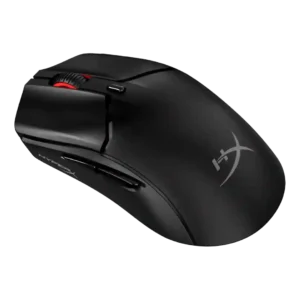
RGB was understated and liked as a small personality touch, but reviewers did not describe it as feature-rich.
Pros: side button quality, scroll wheel quality
Cons: weight, FPS gaming suitability

RGB absence was mostly framed as acceptable or even beneficial for battery and subtle looks, though it makes the mouse less flashy.
Pros: weight, shape comfort
Cons: side button quality, value for money

RGB opinions are mixed: some liked the lighting, while others found the logo placement wasted under the hand.
Pros: battery life, handedness options
Cons: value for money, polling rate

RGB feedback is mixed: reviewers like the subtle personalization, but several note that lighting is limited, not very bright, or only on the wheel.
Pros: Accuracy and tracking precision, shape comfort
Cons: long-session comfort

RGB evidence was mixed: some reviewers liked the performance-first, no-distraction approach, while others missed Razer Chroma or visual flair.
Pros: value for money, weight
Cons: Bluetooth support, cable flexibility

RGB features were highly mixed: customization and desktop style were praised, but hidden zones, weak underglow, and battery drain drew criticism.
Pros: battery life, glide smoothness
Cons: side button quality, value for money

RGB opinions were mixed: some reviewers missed RGB or found the mouse plain, while one reviewer liked not worrying about lighting.
Pros: value for money, weight
Cons: premium feel, polling rate
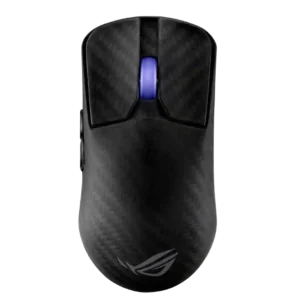
RGB was mixed: reviewers liked that lighting remained on an ultralight mouse, but the single scroll-wheel zone was limited or distracting.
Pros: sensor performance, build quality
Cons: value for money, battery life

RGB opinions were mixed: several reviewers criticized the absence as dull or limiting, while one reviewer liked NZXT ditching RGB.
Pros: value for money, ergonomic design
Cons: RGB features, portability

RGB sentiment was mixed to negative: some accepted the omission for weight savings, while others treated the lack of lighting as a style or feature loss.
Pros: weight, battery life
Cons: polling rate, RGB features