Best overall
Dell U4025QW
4.4 overall score
Highest ranked product in this category by consolidated review score.

Highest ranked product in this category by consolidated review score.
Balances a strong score with broader review coverage.
Leads this category on a matching scored feature.
The strongest recurring feature across products in this category.
Most common complaint: Headphone output quality (1.4 category average)

A huge, sharp ultrawide workspace and unusually capable Thunderbolt dock make the U4025QW outstanding for demanding productivity and editing. Its high price, modest HDR, and imperfect motion handling keep it...
Pros: overall picture quality, color accuracy
Cons: value for money, built-in speakers

The AW3426DW brings vivid, fast ultrawide OLED gaming and much clearer text at an appealing price. Its missing USB-C video, KVM, and speakers make it less versatile than premium rivals.
Pros: brightness, value for money
Cons: port selection, built-in speakers

A sharp, immersive 39-inch OLED that handles both premium PC gaming and serious desktop work unusually well. Its biggest catches are demanding 5K2K graphics requirements, glossy reflections and HDR/edge-dimming quirks,...
Pros: overall satisfaction, Text fringing
Cons: brightness, Edge dimming behavior

Best for a seamless 6K command center that replaces several displays and docks a laptop through one cable. Skip it if you lack desk space or prioritize price, HDR, fast...
Pros: productivity versatility, overall satisfaction
Cons: value for money, response time

Choose the AW2725Q if you want a compact 27-inch 4K QD-OLED with elite sharpness, OLED contrast, and smooth 240Hz gaming. Skip it if you need high SDR brightness, KVM/USB-C display...
Pros: value for money, sharpness
Cons: brightness, USB hub functionality

This 360Hz QD-OLED delivers superb competitive motion and gorgeous contrast in darker rooms. Its limited HDMI and USB-C connectivity, reflective panel, and premium cost make it less versatile than the...
Pros: competitive gaming suitability, color gamut
Cons: brightness, HDMI 2.1 support

The U3225QE shines as a sharp, color-accurate 4K office monitor with 120Hz and an unusually complete Thunderbolt dock. Its premium price buys productivity convenience, not OLED-class HDR or fast competitive-gaming...
Pros: port selection, overall satisfaction
Cons: value for money, competitive gaming suitability

The Dell S3425DW makes multitasking easy with sharp ultrawide space, convenient USB-C docking, and accessible ports. Its low-reaching stand, missing full-size DisplayPort, and imperfect gaming motion are worth weighing.
Pros: overall satisfaction, screen size
Cons: stand adjustability, Photo editing

With vivid OLED blacks, accurate color, and exceptional 240Hz motion, the AW3425DW is a strong ultrawide gaming choice. It is less convincing for bright rooms, text-heavy work, or USB-C docking.
Pros: refresh rate, HDR performance
Cons: reflection handling, Text fringing

Sharp 4K detail, 120Hz smoothness and simple USB-C laptop docking make this a smart everyday work monitor with casual gaming perks. Weak HDR, visible fast-motion blur and the absence of...
Pros: value for money, Resolution
Cons: port selection, competitive gaming suitability

An excellent 4K/120Hz office hub with Thunderbolt 4, powerful laptop charging and easy device sharing, but slow pixel response, weak HDR dimming and occasional uniformity problems make it less convincing...
Pros: port selection, USB hub functionality
Cons: competitive gaming suitability, motion clarity

The 32-inch 4K QD-OLED image and exceptional built-in speakers make a compelling work-and-entertainment combination. Only two video inputs, modest SDR brightness and OLED burn-in concerns temper the appeal.
Pros: overall picture quality, overall satisfaction
Cons: port selection, brightness

A roomy curved screen, bright SDR picture and smooth 180Hz gaming make this a strong value. Its weak HDR system, visible motion smearing and modest 32-inch pixel density are the...
Pros: value for money, overall satisfaction
Cons: HDR performance, Headphone output quality

Easy one-cable laptop docking, smooth 144Hz scrolling and a flexible stand make this a practical, affordable office monitor. It is less convincing for fast gaming, HDR viewing or color-critical editing.
Pros: USB hub functionality, USB-C power delivery
Cons: speaker quality

Best for a polished single-monitor workspace with excellent multitasking, KVM, USB hub, and laptop connectivity. Skip it if competitive gaming, strong HDR, maximum pixel density, or the safest value at...
Pros: overall satisfaction, productivity versatility
Cons: value for money, reliability over time

The AW2725DM offers a sharp, smooth 1440p gaming experience with excellent ergonomics at discount prices. Its weakest spots are HDR contrast and dimming, plus limited HDMI bandwidth and no USB-C...
Pros: overall satisfaction, refresh rate
Cons: HDR performance, HDMI 2.1 support
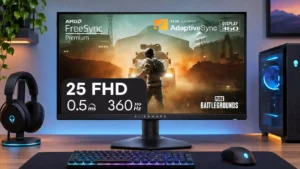
This 360Hz Alienware is compelling for high-frame-rate competitive PC gaming, with fast response, minimal lag and excellent ergonomics. Its 1080p detail, weak HDR and limited dark-scene contrast make it a...
Pros: competitive gaming suitability, stand adjustability
Cons: color gamut, contrast

A bright, lightweight 16:10 display and sturdy folding stand make the P1425 an appealing travel companion for USB-C laptops. Limited inputs, no speakers or touch, and variable pricing make it...
Pros: brightness, portability and weight
Cons: value for money, port selection

Sharp 4K detail and responsive 1080p/360Hz gaming make this a versatile IPS choice for players who use both modes. Low HDR contrast and no USB-C video input are its main...
Pros: Resolution, refresh rate
Cons: HDR performance, contrast

The AW2726DM makes QD-OLED motion and contrast accessible at a remarkable price, especially for fast-paced games. Low HDR brightness, fuzzy small text and limited connectivity are the compromises.
Pros: value for money, panel type
Cons: brightness, port selection

A crisp 4K panel and fluid 120Hz desktop experience make this a compelling affordable work monitor. Missing USB-C docking, weak HDR, and slow pixel transitions limit its appeal for laptop-only...
Pros: value for money, Resolution
Cons: port selection, HDR performance

A spacious, sharp 4K screen with smooth 120Hz desktop use and punchy VA contrast makes the S3225QS a strong budget productivity choice. Slow pixel response, weak HDR, and no USB-C...
Pros: value for money, Resolution
Cons: stand adjustability, viewing angles

The 34-inch ultrawide screen delivers immersive SDR gaming and a roomy work surface at a competitive price. Dark smearing, VRR flicker and especially weak HDR keep it from matching better...
Pros: ultrawide gaming experience, black levels
Cons: HDR performance, viewing angles

The AW3225QF delivers wonderfully sharp 4K OLED gaming, excellent motion and standout HDR, especially in darker rooms. Its curved screen, limited laptop connectivity and delicate finish deserve thought before buying.
Pros: overall satisfaction, brightness
Cons: Dolby Vision support, VRR flicker