Best for ease of use
Dell U2725QE
5.0 attribute score
Highest scored product for this attribute based on supporting review evidence.

Highest scored product for this attribute based on supporting review evidence.
Balances the attribute score, supporting reviews, and overall product strength.
Has the broadest review evidence for this attribute.
Strongest overall product among items with scored evidence for this attribute.

The straightforward controls and plug-and-play approach make it easy to use for routine office work.
Pros: brightness, portability and weight
Cons: value for money, port selection

The toolless stand, accessible pop-out USB ports and clearly labeled connections simplify everyday setup. Software configuration is less reliably polished.
Pros: port selection, USB hub functionality
Cons: competitive gaming suitability, motion clarity

Simple initial settings, intuitive controls and one-cable hookups make this an easy display to live with.
Pros: USB hub functionality, USB-C power delivery
Cons: speaker quality
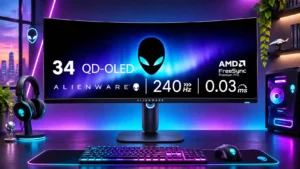
Basic navigation and setup feel straightforward, especially for users focused on gaming rather than elaborate features.
Pros: refresh rate, HDR performance
Cons: reflection handling, Text fringing

Assembly, software installation and basic controls are repeatedly described as approachable, even for a first-time monitor owner.
Pros: overall picture quality, overall satisfaction
Cons: port selection, brightness

The central joystick and straightforward physical controls make ordinary setup and adjustment quick.
Pros: brightness, value for money
Cons: port selection, built-in speakers

Common settings are easy to find, and customizable OSD shortcuts help make routine changes painless.
Pros: value for money, overall satisfaction
Cons: HDR performance, Headphone output quality

The simple interface and quick-access controls make shifting between gaming and desk work straightforward.
Pros: ultrawide gaming experience, black levels
Cons: HDR performance, viewing angles

Changes between some image-scaling modes are unusually quick and convenient.
Pros: value for money, Resolution
Cons: port selection, HDR performance

The joystick and daily operation are straightforward, while HDR preset choices, care routines and device handshakes can require extra tinkering.
Pros: overall satisfaction, brightness
Cons: Dolby Vision support, VRR flicker