Best for Software and driver support
Dell U4025QW
5.0 attribute score
Highest scored product for this attribute based on supporting review evidence.

Highest scored product for this attribute based on supporting review evidence.
Balances the attribute score, supporting reviews, and overall product strength.
Has the broadest review evidence for this attribute.
Strongest overall product among items with scored evidence for this attribute.

Dell Display Manager adds practical window layouts and KVM controls beyond the monitor's hardware menus.
Pros: overall picture quality, color accuracy
Cons: value for money, built-in speakers

Dell’s included display software is straightforward and meaningfully improves day-to-day control.
Pros: overall satisfaction, screen size
Cons: stand adjustability, Photo editing

The software and driver support is adequate for routine use but comes with compromises depending on the connected device and task.
Pros: brightness, portability and weight
Cons: value for money, port selection

A Mac user found third-party BetterDisplay software useful for unlocking fractional refresh rates that were not offered automatically.
Pros: value for money, Resolution
Cons: port selection, competitive gaming suitability

Some Nvidia setups require changing the output range manually to avoid restricted RGB over DisplayPort.
Pros: value for money, Resolution
Cons: port selection, HDR performance

One tester could not get Alienware Command Center to recognize the screen despite installed drivers, turning instead to Dell Display Manager.
Pros: Resolution, refresh rate
Cons: HDR performance, contrast
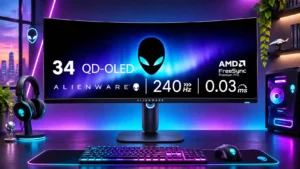
Command Center is convenient when it works but occasional crashes and freezes are frustrating.
Pros: refresh rate, HDR performance
Cons: reflection handling, Text fringing