Best for Device compatibility
Dell S2725QC
5.0 attribute score
Highest scored product for this attribute based on supporting review evidence.

Highest scored product for this attribute based on supporting review evidence.
Balances the attribute score, supporting reviews, and overall product strength.
Has the broadest review evidence for this attribute.
Strongest overall product among items with scored evidence for this attribute.

MacBooks, iPads, iPhones, Windows laptops and desktops were connected successfully in hands-on testing.
Pros: USB hub functionality, USB-C power delivery
Cons: speaker quality

USB-C worked successfully with a Dell XPS laptop lacking HDMI, demonstrating a convenient connection path for modern USB-C computers.
Pros: value for money, Resolution
Cons: port selection, competitive gaming suitability

It accommodates a wide range of desktops and laptops, with particularly positive Mac connectivity experiences. Practical issues are more about software and peripherals than basic video detection.
Pros: port selection, USB hub functionality
Cons: competitive gaming suitability, motion clarity

Modern video-capable USB-C laptops and some tablets work well, but HDMI-only devices are excluded.
Pros: brightness, portability and weight
Cons: value for money, port selection
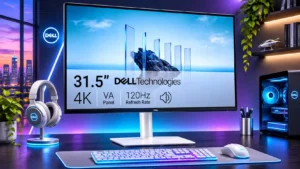
A streaming box or media player can connect through the HDMI inputs, while DisplayPort leaves another connection for a laptop or desktop.
Pros: value for money, Resolution
Cons: stand adjustability, viewing angles

Desktop HDMI and DisplayPort connections are straightforward. Thin laptops and certain docks can introduce bandwidth or adapter complications.
Pros: value for money, Resolution
Cons: port selection, HDR performance

One owner had recurring signal and flicker trouble with a particular Nvidia graphics card, although other computers behaved normally. Results may vary with connected hardware and drivers.
Pros: overall satisfaction, Text fringing
Cons: brightness, Edge dimming behavior