Best for SDR/HDR mode switching
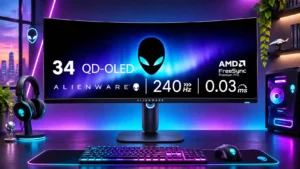
Dell Alienware AW2725DF
5.0 attribute score
Highest scored product for this attribute based on supporting review evidence.

Highest scored product for this attribute based on supporting review evidence.
Balances the attribute score, supporting reviews, and overall product strength.
Has the broadest review evidence for this attribute.
Strongest overall product among items with scored evidence for this attribute.

Well-managed SDR content in HDR mode can reduce the need for constant switching between display modes, provided its brightness tradeoffs are acceptable.
Pros: competitive gaming suitability, color gamut
Cons: brightness, HDMI 2.1 support

Mode changes can require occasional manual intervention, and a few reports describe signal interruptions or mismatched color settings.
Pros: brightness, value for money
Cons: port selection, built-in speakers

Automatic switching between Dolby Vision and HDR10 can be convenient when it works. Some applications stay in the wrong mode or produce momentary black transitions.
Pros: overall satisfaction, Text fringing
Cons: brightness, Edge dimming behavior

Switching between separate SDR and HDR presets can be inconvenient because SDR color looks wrong in some HDR settings.
Pros: Resolution, refresh rate
Cons: HDR performance, contrast

An appended Mac user report describes lost brightness controls and HDR access at some 120Hz scaled settings, with 60Hz or a utility used to work around the issue.
Pros: value for money, Resolution
Cons: port selection, competitive gaming suitability

Enabling HDR restricts brightness and color controls, making SDR a more flexible choice for everyday use.
Pros: value for money, Resolution
Cons: port selection, HDR performance

Automatic HDR format handling can be convenient with streaming devices, but Windows Dolby Vision behavior and disruptive resyncs complicate PC transitions.
Pros: overall satisfaction, brightness
Cons: Dolby Vision support, VRR flicker
Changing HDR profiles during gameplay can reset the display and force games to renegotiate their settings.
Pros: refresh rate, HDR performance
Cons: reflection handling, Text fringing