Best for Image scaling
Dell Alienware AW2725DM
4.0 attribute score
Highest scored product for this attribute based on supporting review evidence.

Highest scored product for this attribute based on supporting review evidence.
Balances the attribute score, supporting reviews, and overall product strength.
Has the broadest review evidence for this attribute.
Strongest overall product among items with scored evidence for this attribute.

Support for downscaling a 4K input gives it a modest compatibility advantage for consoles versus some rival esports monitors.
Pros: competitive gaming suitability, stand adjustability
Cons: color gamut, contrast

It can accept a 4K/60Hz console feed and display it on the native QHD panel, which adds flexibility but not true 4K resolution.
Pros: overall satisfaction, refresh rate
Cons: HDR performance, HDMI 2.1 support

Console 4K signals can be downscaled for more detail at 60Hz, but the panel does not provide native ultrawide console output.
Pros: ultrawide gaming experience, black levels
Cons: HDR performance, viewing angles

Lower-than-native resolutions remain usable and can be sharpened, although QHD monitor-side scaling is limited to 60Hz and looks softer than 4K.
Pros: value for money, Resolution
Cons: port selection, HDR performance

Mac users can find 4K scaling slightly less crisp than native 5K. Third-party scaling controls help tailor interface sizes, but do not eliminate the underlying tradeoff.
Pros: port selection, USB hub functionality
Cons: competitive gaming suitability, motion clarity

Operating-system scaling can make 4K text comfortable at 125%, but some apps show inconsistent sizing and require adjustment.
Pros: overall satisfaction, brightness
Cons: Dolby Vision support, VRR flicker

The pixel-doubled 1080p mode remains playable and often looks better than on 32-inch dual-mode screens. Fine foliage, text and some game details can look noticeably rough or soft.
Pros: Resolution, refresh rate
Cons: HDR performance, contrast
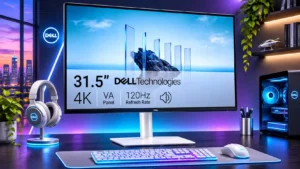
Windows scaling can make small 4K text comfortable; one dissatisfied user found some scaled resolutions noticeably blurry.
Pros: value for money, Resolution
Cons: stand adjustability, viewing angles

Downscaled virtual-4K modes can help some HDMI devices, but the resulting 1440p image and restricted output modes limit their usefulness.
Pros: competitive gaming suitability, color gamut
Cons: brightness, HDMI 2.1 support

Custom scaled resolutions above 60Hz reportedly trigger frame skipping, limiting flexibility for unusual display modes.
Pros: value for money, overall satisfaction
Cons: HDR performance, Headphone output quality

Nonstandard retro-console signals and certain scaled resolutions can produce incorrect proportions or soft images.
Pros: value for money, panel type
Cons: brightness, port selection