
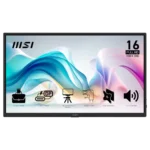
MSI Pro MP165 E6 Feature Scores
Explore all 48 feature scores for MSI Pro MP165 E6, organized into pros and cons.
Scores by Feature
Summary
48 reviewed features-
Very positive 4.5-5.015 (31%)
-
Positive 3.5-4.413 (27%)
-
Neutral 2.5-3.411 (23%)
-
Negative 1.5-2.46 (13%)
-
Very negative below 1.53 (6%)
Pros
Sort
-
Portability is one of the strongest points: reviewers repeatedly praise the thin, light chassis and easy fit in laptop bags or travel setups.
-
Productivity is the monitor's clearest use case. Reviewers repeatedly praise it for second-screen work, coding, travel, editing, field diagnostics, and flexible office setups.
-
Value is a major strength when priced near or below $100, with many owners calling it a bargain. A few reviewers think cheaper rivals offer better picture or hardware for the money.
-
Setup is usually one of the easiest parts of ownership, with many plug-and-play experiences over USB-C or HDMI. Cable and power quirks create a few notable exceptions.
-
Port selection is a major strength, especially full-size HDMI plus USB-C. Several owners specifically value avoiding mini-HDMI adapters.
-
Most owners are highly satisfied and many recommend it enthusiastically. Negative experiences cluster around specific failures, weak audio, or price-to-performance expectations.
-
Sharpness is a strong point for productivity: text and small UI elements are repeatedly described as crisp and easy to read.
-
Build impressions are mostly positive, with many owners finding it sturdy and travel-ready. A few reviewers criticize the flexible plastic chassis, so expectations should stay budget-minded.
-
Picture quality is widely considered good for basic portable-monitor use, especially text and productivity. Expert measurements expose muted color, average contrast, and budget-grade limitations.
-
Tripod mounting is a standout practical extra for field work, cameras, presentations, and flexible positioning. Multiple reviewers call it a meaningful advantage over cheap portable monitors.
-
The matte anti-glare finish works well indoors and in bright offices, though extreme sunlight can still overwhelm the panel.
-
The kickstand is generally sturdy and useful across several angles, though portrait use is awkward and some owners prefer an external stand.
-
The OSD ranges from comprehensive and useful to slightly awkward or limited depending on the reviewer. Most appreciate having real controls at this price.
-
The 15.6-inch size is widely appreciated for compact desks and travel, though one buyer found it too small for their purpose.
-
Some reviewers find the monitor noticeably sturdier and more premium-feeling than cheap rivals, despite its plastic construction.
-
Viewing angles are a strength of the IPS panel and are specifically praised for off-axis use.
-
MSI Display Kit adds convenient software controls and presets, giving the monitor more flexibility than many budget rivals.
-
1080p is generally sharp enough at 15.6 inches and works well for office tasks, but some buyers find it merely adequate compared with higher-resolution screens.
-
The design is simple and functional, with slim bezels and a thinner profile earning positive comments rather than luxury-level praise.
-
USB-C pass-through charging is a useful convenience, letting connected phones or computers receive power while the monitor is in use.
-
Console compatibility is generally solid, especially with Nintendo Switch, though some setups require HDMI plus external power.
-
Brightness is usually adequate to good for indoor portable use, with several owners praising it, though some reviewers find it mediocre or too dim for demanding lighting.
-
Most owners report reliable plug-and-play operation, but a few units suffered severe early failures. Reliability therefore looks good overall with a meaningful outlier risk.
-
PC gaming works acceptably for casual play, but the display is not built for high-refresh gaming.
-
The eye-comfort package is well regarded, with anti-flicker, low-blue-light, and matte treatment framed as useful for long work sessions.
-
The quoted 4ms response time is considered sufficient for casual gaming and video, not for serious competitive play.
-
Single-player and slower-paced games are acceptable on the 60Hz panel, but cinematic quality is held back by muted color and limited contrast.
-
Black levels are acceptable for a budget IPS portable display, but they are visibly behind OLED depth.
Cons
Sort
-
Power behavior is usually uneventful, but one failed unit repeatedly shut itself off and another owner reported spontaneous power-offs.
-
Documentation is a weak point. Owners describe the printed instructions as sparse or poor pictographics, forcing some setup discovery on their own.
-
Competitive gaming is a poor fit because the 60Hz ceiling limits fast-paced play. Casual gaming is much less problematic.
-
A small number of units arrived scratched, making delivery condition an occasional concern despite the included sleeve.
-
Ghosting can be severe in scrolling and video according to one owner, making motion-heavy use a risk.
-
Motion clarity is only average at 60Hz, and one owner reports heavy ghosting. It is fine for static work but not ideal for motion-heavy viewing.
-
Speaker feedback is one of the clearest weaknesses: several reviewers call the sound tinny, muffled, or terrible, though a minority find it decent for basic audio.
-
Adaptive Sync is absent, and that limitation contributes to merely tolerable motion performance. Buyers focused on variable-refresh gaming should look elsewhere.
-
USB-C display connectivity can be convenient, but at least one owner found it unreliable across phones and foldables.
-
VRR support is effectively absent, which limits gaming smoothness and flexibility.
-
Contrast is typical budget IPS fare: usable for work, but dark scenes look washed out and gaming lacks depth.
-
The IPS-LCD panel is practical and affordable, but it looks dull and washed out next to OLED alternatives.
-
The 60Hz refresh rate is acceptable for office work and casual use but repeatedly criticized as a gaming limitation at this price.
-
Color gamut is the most consistent picture-quality compromise. Reviewers repeatedly describe muted or limited color, even though a handful of owners are satisfied with everyday vibrancy.
-
The monitor itself can stay cool over long sessions, but one owner reported alarming laptop heat when powering it over USB-C.
-
Warranty value is praised in markets with strong coverage, but one international buyer reports no support outside the United States.
-
The included sleeve is appreciated for travel and some owners find it durable, but others worry that it lacks rigid protection or enough cushioning.
-
VESA mounting is a differentiator in expert reviews, but customer reports conflict sharply, with some saying the two-hole implementation is not secure or not truly VESA-compatible.
-
Color quality is good enough for everyday use to some owners, but measured accuracy and muted hues make it unsuitable for color-critical work.
-
Right-angle cables can keep setups tidy, but side port placement and short included cables create clutter or reach problems in some desk layouts.