
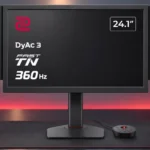
BenQ ZOWIE XQ2566X Feature Scores
Explore all 61 feature scores for BenQ ZOWIE XQ2566X, organized into pros and cons.
Scores by Feature
Summary
61 reviewed features-
Very positive 4.5-5.030 (49%)
-
Positive 3.5-4.415 (25%)
-
Neutral 2.5-3.47 (11%)
-
Negative 1.5-2.46 (10%)
-
Very negative below 1.53 (5%)
Pros
Sort
-
This is where the monitor excels: 360Hz, precise motion and competitive visibility controls make fast shooters feel remarkably controlled. Its advantages are most meaningful to committed esports players.
-
A rare 1440p resolution at this compact size adds visible detail without moving to a larger esports display. It is an appealing upgrade from older 1080p ZOWIE monitors.
-
Rapid tracking is remarkably well defined, especially with DyAc 3 engaged. The gain over top-end OLED can be obvious in tests yet subtle to some players in real matches.
-
Custom profiles and game-specific settings can improve target visibility. Some filters need moderation to avoid unnaturally subdued colors, and presets can be switched quickly.
-
QHD makes text and small opponents crisp, especially compared with a conventional 24-inch 1080p gaming monitor. In some side-by-side tests, the density advantage is subtle.
-
DyAc 3 can make fast movement extraordinarily crisp, and some testers prefer it to modern OLED motion. Others see only tiny differences in actual games, and strobing can create duplication or discomfort.
-
Packing QHD into roughly 24 inches produces especially crisp text and distant detail. The difference is pronounced versus 1080p, but less dramatic against other 1440p displays.
-
Smooth tilt, swivel and height adjustments offer an unusually wide range of ergonomic options. Reference marks and tilt readings help recreate a chosen configuration.
-
The tight pixel density makes far-off opponents, silhouettes and terrain detail easier to identify. The advantage is useful but not a substitute for game skill.
-
The 360Hz refresh is extremely smooth even if 500Hz and 600Hz alternatives are now available. Very high frame rates help exploit it, but speed remains strong below its ceiling.
-
Player settings can be stored, exported and applied across sessions, including from a phone. Recreating a familiar tournament profile is notably simple.
-
Zone-specific filters can reveal opponents through distracting storm or ring colors in battle royale games. Turning them too high can wash out the scene, so a moderated setting works best.
-
Pixel transitions are exceptionally fast for an LCD, supporting clean, immediate motion. OLED remains quicker in strict pixel-response terms.
-
The stand occupies relatively little desk area while leaving space for mouse movements. Its compact footprint is especially helpful on crowded competition desks.
-
The housing feels sturdy, with no obvious weak areas or creaking. Even an otherwise critical comparison praises its construction.
-
A phone can store and apply detailed display presets without repeatedly visiting the on-screen menus. Reviewers particularly like its convenience for esports setups.
-
An on-screen tilt-angle reference helps competitors reproduce their exact preferred monitor position. It is a small but purposeful tournament feature.
-
The dedicated puck simplifies menu access and fast profile changes. One tester wishes switching profiles were even more convenient, but the general response is positive.
-
Most praise its unusually effective esports focus while acknowledging that this is a niche, costly purchase. A few competitors and hands-on users question whether the gains justify the sacrifice.
-
A restrained dark shell and clean front avoid flashy gaming styling. The thicker body and prominent bezels will not appeal to everyone.
-
The wired S Switch is a highlight because it makes changing display settings fast. Side shields and supplied cables further support dedicated esports setups.
-
Controls feel immediate, with measured and subjective impressions both supporting a highly responsive experience.
-
A compact 24-inch screen puts game information in a focused field of view; some players prefer that to a more immersive 27-inch panel. The size is a deliberate esports choice.
-
Magnetic side panels help block peripheral distractions and bright activity around a stage. They are more useful at events than against a plain wall at home.
-
Fast TN response and DyAc 3 keep trails very limited in action, with some testers finding it cleaner than a strobing competitor. Mild duplication or crosstalk can still appear under particular tests.
-
Light leakage is minimal for a TN panel, helping it avoid one of the common LCD drawbacks.
-
The adjustable Black eQualizer can help enemy models stand apart from their surroundings, making it a practical visibility control for competitive matches.
-
Assembly and initial adjustments are straightforward, with markings that make a familiar position easy to recreate.
-
The gaming controls are extensive and designed around competition rather than decoration. Profiles, visibility adjustments and precise positioning suit players who fine-tune their setup.
-
The TN presentation avoids the gray-band artifacts one OLED owner noticed on a competing panel, giving uniform solid colors a cleaner appearance.
-
Modern HDMI bandwidth broadens compatibility with recent graphics hardware, making the monitor less limited than older ZOWIE esports models.
-
The supplied S Switch allows quick menu navigation without reaching behind the display, making display control especially convenient.
-
The carefully designed box is easy to repack, a thoughtful benefit for transporting the display to events.
-
A hands-on reviewer found the TN panel pleasantly even in dark areas, complementing the overall clean presentation.
-
Assembly requires little effort, and ergonomic reference markings help get the display into a familiar position quickly.
-
The display holds its position securely, even at maximum height or when the desk is bumped.
-
The multiple HDMI inputs are useful, while the straightforward rear port orientation makes cables easier to attach. The connection mix is otherwise focused on gaming.
-
The prominent bezels are less sleek than some modern displays, though one tester liked their symmetry. At events, the thick frame can also help visually contain the game.
-
Variable refresh can smooth inconsistent frame delivery, especially in demanding battle royale matches. It cannot run alongside DyAc 3, making this a choice between approaches rather than a combined benefit.
-
The TN LCD avoids the static-image burn-in concerns associated with OLED, an advantage for interfaces with fixed elements during long sessions.
-
A well-chosen AMA overdrive setting can control overshoot. Higher settings are not necessarily an improvement.
-
For fast PC games, the monitor is highly responsive and clear, though its absence of HDR and weaker image quality make it less suited to all types of PC gaming.
-
The matte surface keeps reflections subdued, making nearby light sources less distracting.
-
A downloadable Windows color profile adds a practical software option for users configuring this TN display.
-
Adaptive refresh is available to help games with fluctuating frame rates, though it cannot operate at the same time as DyAc 3.
Cons
Sort
-
Color shifts sharply whenever the screen is seen from the side or at the wrong vertical angle. The problem is minor when staring squarely into a match but unpleasant for relaxed viewing or office work.
-
The TN panel cannot match OLED depth or contrast, and darker material can look comparatively flat. One enthusiastic tester finds its TN contrast adequate, but the wider preference is clear.
-
Blacks lack the depth of OLED and can look gray, although some players find them decent once the monitor is tuned. Dark-scene richness is not the priority.
-
The price is the largest obstacle for most shoppers: only serious competitors are likely to justify paying so much for TN. One especially enthusiastic tester considered it worth the money.
-
HDR is not supported, a major concession that makes this a poor choice for gamers buying primarily for cinematic picture quality.
-
Despite sharp text, the design is almost entirely dedicated to esports. People wanting a broadly useful work display will find too many compromises.
-
The focus on pure motion rather than HDR contrast or immersion leaves narrative-heavy, cinematic games better served by OLED.
-
Photo editors will miss the color fidelity and consistent viewing angles offered by OLED or professional IPS alternatives.
-
The available buying information was not convincing enough for one outlet to verify a precise U.S. listing. Buyers should confirm the exact model before ordering.
-
The 360Hz ceiling is difficult to fully exploit at 1440p in demanding games such as Warzone. The monitor remains responsive below that ceiling, but hardware and frame rate influence the best settings.
-
Fast TN helps deliver very precise moving images without OLED burn-in worries. Its weaker contrast, off-axis colors and narrow everyday usefulness are substantial tradeoffs.
-
Colors are more lively than older TN displays might suggest, but accuracy still trails good OLED panels. This is a tuned gaming image, not a dependable professional reference.
-
DisplayPort handles the high-refresh gaming setup, though reaching 1440p at 360Hz requires display stream compression.
-
The monitor is solid but its gray plastic exterior is less lavish than the high price might imply.
-
The 1440p panel looks crisp and surprisingly colorful for TN, yet OLED still delivers deeper contrast and much better viewing angles. Image quality is deliberately secondary to motion.
-
Comfort varies strikingly: one long-session user reported more strain with DyAc active, while another found this TN screen much easier to watch than OLED. Sensitivity to strobing is individual.
Use Cases
Best for
Sort
-
Fortnite, Apex, PUBG and Warzone suit the dense 1440p image, which brings distant enemies into clearer view. Specialized zone filters further help separate targets from busy environments.
-
A compact, sturdy stand, portable settings, side shields and easily repacked packaging suit players who move between LANs and stages. Consistent physical setup is a major strength.
-
The small, sharp display keeps the whole battlefield easy to scan without the soft detail of older 1080p esports screens. Its compact view particularly suits players who prefer concentrated visual attention.
-
The monitor also makes CS-style aiming, flicks and target tracking feel crisp and responsive. Very high refresh and precise motion suit close competitive engagements.
-
The pronounced bezel frame and tournament-oriented shielding can isolate the game from a crowded, visually busy environment.
-
Repackable packaging, a handy stand and portable setup preferences make it easier to bring to occasional LAN events.
-
The dense 1440p screen offers useful workspace and crisp text for schoolwork, although the broader TN image-quality compromises remain.
Conditional or not ideal for
Sort
-
Budget-conscious buyersIts unusually high asking price makes little sense for cost-conscious shoppers. Cheaper IPS and OLED monitors better serve most mixed-use needs.
-
Mixed work-and-play setupsExtra resolution helps the desktop, but narrow angles and weaker picture quality make this a poor one-monitor solution for work, media and games together. OLED is more balanced.
-
Movies and streamingShows remain watchable, but modest contrast, poor off-axis color and absent HDR prevent a cinematic experience. This is not an ideal expensive streaming display.
-
Color-critical workThe limited color fidelity and viewing-angle stability make this an unsuitable primary display for professional visual work.
-
HDR gamingWith no meaningful HDR playback, games that depend on cinematic highlights and deep contrast do not show their full visual appeal.
-
Photosensitive playersDyAc strobing can cause discomfort for some viewers, though others find this LCD more comfortable than OLED. Anyone sensitive to flicker should test it at different settings.
-
Casual gamingCasual players pay heavily for esports-specific motion rather than general visual enjoyment. More affordable all-round displays are an easier recommendation.
-
Video editingAlthough the desktop is sharp, color and viewing-angle weaknesses make this less attractive than OLED for editing projects.
-
Desktop productivitySharper text and extra 1440p workspace are genuine benefits, but the narrow viewing angles make sustained office use divisive. Some like the added pixels; others find it a terrible work monitor.