
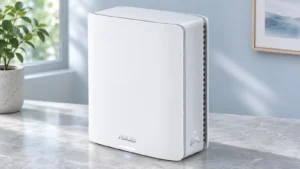
ASUS ZenWiFi BT10 Feature Scores
Overall Scorata score: 4.0/5
Based on 16 analyzed reviews · View source samples
Explore all 119 feature scores for ASUS ZenWiFi BT10, organized into pros and cons.
Scores by Feature
Summary
119 reviewed features-
Very positive 4.5-5.049 (41%)
-
Positive 3.5-4.442 (35%)
-
Neutral 2.5-3.415 (13%)
-
Negative 1.5-2.412 (10%)
-
Very negative below 1.51 (1%)
Pros
Sort
-
Extensive configuration options include multiple SSIDs, traffic prioritization, VPNs and deep browser-based management.
-
Two 10 Gbps ports per node are a distinctive strength, supporting very fast broadband and wired mesh links.
-
Full security and parental controls without a recurring fee are among the clearest advantages over competing premium mesh systems.
-
AiProtection and other built-in security tools are comprehensive and widely appreciated, especially because they do not require a subscription.
-
Multi-gigabit peak Wi-Fi speeds and fast transfers are a major attraction; actual speeds fall with distance and obstacles.
-
Wireless throughput is very strong, especially near the router, although some installations suffer from intermittent connectivity.
-
Built-in parental controls are a standout, with profiles, schedules and filtering without an additional subscription.
-
Overall impressions are largely positive for speed and flexibility, but a severely unstable installation received a strong negative verdict.
-
Close-range tests repeatedly produce impressive speeds, including over 2.6 Gbps on 6 GHz.
-
The app offers extensive controls and an approachable layout, though the sheer number of options can initially intimidate.
-
Downloads are impressively quick, with some tests approaching the full capacity of the internet connection.
-
Wi-Fi 7 and multi-gigabit Ethernet give the system useful headroom for future devices and faster internet plans.
-
The book-like design looks elegant and blends with home decor, though some find it chunky or bland.
-
The mobile app usually makes onboarding simple, with guided network creation and automatic detection.
-
The web interface offers deep, responsive configuration tools that appeal especially to experienced administrators.
-
Passive cooling generally keeps the units cool or only slightly warm without fan noise.
-
Automatic detection and pre-pairing reduce the work needed to bring a second node online.
-
Smart Home Master simplifies separating IoT, guest and children's devices into distinct networks.
-
Fanless operation is quiet even when the system is working hard.
-
The system has substantial headroom for simultaneous streams and other demanding traffic.
-
Cellular tethering and a second internet connection provide welcome backup options when the primary connection fails.
-
10 Gbps wired backhaul is a major strength for homes with Ethernet, though one tester still experienced satellite outages.
-
MLO and 10 Gbps Ethernet provide fast backhaul options, although wireless stability varies with firmware and placement.
-
The 5 GHz band performs well at moderate distances and can deliver high speeds through interior walls.
-
The mesh can cover large homes and improve weak areas significantly, though placement and backhaul method matter.
-
A two-node system can blanket a substantial home, though some layouts require extra nodes or Ethernet backhaul.
-
The 6 GHz band delivers excellent close-range throughput, but range drops off sharply in some installations and AFC is a concern.
-
Wireless backhaul can be exceptionally fast, but some users encounter unstable links or benefit from switching to Ethernet.
-
Inter-node throughput can reach several gigabits per second in favorable conditions.
-
VPN options are flexible, including routing selected devices through different VPN profiles.
-
The built-in VPN tools are unusually extensive, making secure remote access to the home network attractive.
-
Initial setup is usually straightforward with pre-paired nodes, but a few testers encountered repeated attempts and resets.
-
The units are smaller than some premium competitors, but still occupy a noticeable amount of shelf space.
-
Device controls make it easy to assign clients to family members, block them or bind them to a preferred access point.
-
Adaptive QoS makes it easy to prioritize important activities such as work, gaming and streaming.
-
Traffic prioritization can help protect important calls and other latency-sensitive activities from competing downloads.
-
Upload speeds can approach gigabit fiber limits and exceed them on faster local connections with compatible clients.
-
VPN Fusion makes selective routing through different VPN profiles convenient.
-
Wired connections can deliver excellent throughput, approaching 9.4 Gbps in testing.
-
A separate IoT network is useful for compatibility and isolation, but one unstable installation experienced repeated outages even on that network.
-
MLO can greatly improve wireless throughput and backhaul, though some devices see little benefit or experience jitter and instability.
-
Latency is generally low, but wireless gaming does not always feel as consistent as a wired connection.
-
USB features are versatile, especially for backup internet, but storage transfer performance can disappoint.
-
AiMesh expansion offers a useful way to extend coverage without replacing the whole system; mixed hardware works best with care.
-
Multiple devices can run smoothly together, although the tri-band design has less aggregate capacity than quad-band flagships.
-
Bedtime rules and access schedules are convenient tools for managing children's internet use.
-
Pre-paired nodes often connect automatically, but some require resets or multiple setup attempts.
-
Range is generally strong, including through some challenging walls, but distant rooms and closed doors can weaken the signal.
-
Mesh performance is often excellent, with substantial speed gains from adding nodes, but some installations suffer persistent satellite failures.
-
Binding clients to a specific node is a useful option when automatic selection causes trouble.
-
Age-based web filtering makes it practical to tailor internet access to different family members.
-
Adding mesh nodes can substantially improve weak-signal areas and recover otherwise slow connections.
-
Dual 10 Gbps ports provide excellent multi-gigabit connectivity and useful headroom for fast wired equipment.
-
The app is logically arranged, but splitting certain settings between the app and web interface can be inconvenient.
-
Thick walls are handled well in some homes, while closed doors and other obstructions cause speed dips in others.
-
Coverage across floors can be impressive, but distant upstairs rooms and wireless links between floors may be problematic.
-
Installation can be completed in minutes, though difficult configurations and persistent node failures complicate the experience for some.
-
Blocking and assigning devices is straightforward, making family access management practical.
-
The white plastic enclosures feel sturdy and well made.
-
Dual-WAN load balancing makes it possible to make productive use of two internet connections.
-
Gaming-oriented settings help optimize network performance and make wireless play feel close to wired in favorable conditions.
-
Both the mobile and browser interfaces are responsive during management.
-
Existing ASUS users can migrate settings from compatible backup files, simplifying an upgrade.
-
The recessed reset button is convenient because it can be pressed without a pin or special tool.
-
ASUS's history of multi-year firmware support is reassuring for buyers planning to keep their equipment.
-
ASUS's record of providing security and stability updates for years is a reassuring ownership benefit.
-
The setup wizard offers clear, easy-to-follow instructions for creating the network.
-
The included Trend Micro protection offers a comprehensive threat-defense toolkit without recurring security fees.
-
Adaptive QoS makes prioritizing video meetings straightforward when other household traffic competes for bandwidth.
-
The main router can deliver speeds close to the full capacity of a gigabit-class internet plan.
-
Wi-Fi 7 provides impressive throughput and useful headroom for newer devices, while older clients can benefit too.
-
The system handles a busy collection of devices well, but fewer radios and streams limit simultaneous peak throughput compared with premium alternatives.
-
New and old devices can see faster speeds, although some older clients need a separate IoT network.
-
AiMesh makes adding nodes practical, but mixing models is safest with wired backhaul.
-
Speeds remain impressive at moderate distances, though they decline from the close-range peak.
-
Traffic and device monitoring provide useful visibility into connection quality and network activity.
-
Ping times can remain steady under load, although MLO backhaul has caused jitter during game streaming in some setups.
-
Roaming can be smooth, but occasional phone disconnections during node transitions have been reported.
-
Handoffs between nodes can be quick, although some devices briefly lose connectivity.
-
Being able to restore settings from existing ASUS routers simplifies migration.
-
The included accessories are sufficient to get the system up and running.
-
Some owners remain very happy after a year, although dependable long-term operation can depend on configuration and updates.
-
AdGuard integration is a welcome option for filtering advertising on children's networks.
-
Useful speeds can extend outside the home, including into a back garden.
-
The distinctive packaging is attractive and informative.
-
Flexible traffic controls let users prioritize important network activities and manage competing bandwidth demands.
-
WireGuard performance is described as solid for typical broadband, but specialist routers can offer higher VPN throughput.
-
Browser-based setup provides clear steps for creating network credentials.
-
WireGuard throughput is considered adequate for typical internet plans, though dedicated VPN routers can be faster.
-
Online activity information is useful for management, but website history logging raises privacy concerns.
-
It is a compelling upgrade for existing ASUS configurations, but owners of capable Wi-Fi 6 or 6E systems may not need to replace them yet.
Cons
Sort
-
Early firmware caused serious instability, including wireless satellite and MLO problems, before subsequent updates improved performance.
-
Some problematic installations require frequent restarts or factory resets to keep nodes connected.
-
The absence of a 2.5 Gbps port is a missed opportunity alongside the two 10 Gbps ports.
-
The lack of AFC limits 6 GHz range and leaves uncertainty about future higher-power operation.
-
Wireless links between nodes are not consistently reliable in every home; some experience repeated dropouts.
-
The lack of native wall mounting limits placement flexibility.
-
Pre-paired nodes simplify synchronization, but configuration changes or firmware problems can break the link.
-
Only three Ethernet ports per unit can feel restrictive at this price, particularly for households with numerous wired devices.
-
The large number of settings can feel overwhelming initially, particularly for people accustomed to simpler router apps.
-
Automatic band selection can be frustrating when a phone drops a usable Wi-Fi connection instead of switching bands.
-
Getting a response from ASUS about technical implementation questions can be difficult.
-
Firmware updates can improve connectivity, but recommendations to factory-reset and restore settings create extra work.
-
The presence of a 1 Gbps LAN port rather than another multi-gigabit port is disappointing in a premium mesh kit.
-
The power adapter's upside-down plug orientation can be annoying.
-
The status LED can misleadingly indicate a weak connection even when wired speeds are good.
-
USB storage sharing is convenient, although measured transfer speeds range from decent to notably slow for Wi-Fi 7 hardware.
-
Third-party security data sharing and website history logging raise privacy concerns, despite the flexibility of owning and administering the network.
-
Results on 2.4 GHz are inconsistent, with impressive comparative speeds in one test and weak performance or disconnections in others.
-
Reliable operation is possible after updates and configuration, but intermittent disconnections remain a significant risk.
-
Satellite speeds can be excellent once connected, yet unreliable nodes are one of the biggest reported frustrations.
-
Reserving 6 GHz for backhaul is possible, but automatic selection delivered better results in testing.
-
Initial setup requires nodes to be close together before moving them to their final positions, which adds a small inconvenience.
-
Firmware updates resolved many early bugs, but stability and update experiences remain uneven.
-
Some smart devices work smoothly, although disappearing speakers and compatibility trouble have also been reported.
-
Everyday setup can be intuitive, but the wealth of options and occasional troubleshooting make the system less hands-off than simpler rivals.
-
Distant rooms can still receive useful throughput, but some rival mesh systems maintain higher speeds farther away.
-
Recent firmware improved stability for many testers, but some systems still experience serious connection drops and node outages.
-
The rich controls and subscription savings justify the premium for some buyers, but the high upfront price is a common objection.
Use Cases
Best for
Sort
-
Power users get extensive control over network settings, traffic priorities, segmentation and VPNs.
-
Dual 10 Gbps Ethernet ports and high-speed backhaul make this a strong choice for wired multi-gigabit networks.
-
Large or multi-story homes can benefit from wide mesh coverage, but difficult layouts may need wired backhaul or additional nodes.
-
Fast fiber plans are a strong fit thanks to multi-gigabit wireless speeds and dual 10 Gbps ports.
-
Enthusiasts benefit from the advanced controls, fast connections and freedom to customize the mesh.
-
Gaming can run smoothly with ample bandwidth and QoS, though wireless mesh jitter and inconsistent handoffs can undermine latency-sensitive play.
-
Dual 10 Gbps ports make it particularly appealing for internet plans faster than 2.5 Gbps.
-
Large local file transfers can be very fast, particularly with high-speed Ethernet and Wi-Fi 7 clients.
-
Wi-Fi 7 clients can unlock excellent peak performance and MLO benefits that older equipment cannot fully use.
-
The system can nearly saturate gigabit-class broadband, although its full capabilities require faster connections.
-
Families benefit from included controls for schedules, filtering and device profiles without a separate monthly fee.
-
Dedicated IoT networks and segmentation are valuable for smart-home devices, including older clients that need separate settings.
-
4K streaming and concurrent entertainment traffic are comfortably handled in stable setups.
-
A separate IoT network helps older devices connect, although compatibility can require configuration changes.
-
Adding compatible nodes is an attractive way to improve coverage, particularly with Ethernet backhaul and matching hardware.
-
Fast NAS transfers are possible over the home network, although router-attached USB storage can be much slower.
-
Fast links and work-focused QoS make this an appealing home-office system, but distant rooms and unstable wireless backhaul may need attention.
-
Busy households can benefit from high wireless capacity and responsive performance across many simultaneous devices.
-
Built-in VPN features make secure access back to a home network practical while traveling or working away.
-
The understated design suits bookshelves and visible locations without looking like a conspicuous gaming router.
-
Small offices benefit from wide coverage, fast links and flexible configuration.
-
Prioritizing video conferencing helps keep meetings responsive when others are streaming or downloading.
-
At least some owners report satisfaction after more than a year of use.
Conditional or not ideal for
Sort
-
Budget-conscious buyersThe premium price makes it difficult to justify for budget-conscious buyers, especially with cheaper mesh alternatives available.
-
Basic home networkingIt can be overkill for basic networking, especially if nobody wants to manage advanced settings; straightforward setup is possible in favorable installations.
-
Small homes and apartmentsAn apartment can benefit from excellent coverage, but two premium nodes may be excessive for a compact home.
-
Access point modeAccess point mode can be frustrating when adding an IoT network after setup.