
Overall: 4.2/5
The feet keep the screen steady with minimal wobble, and non-slip pads add confidence on furniture.
Pros: value for money, color accuracy
Cons: HDR brightness, reflection handling

Overall: 4.2/5
The feet keep the screen steady with minimal wobble, and non-slip pads add confidence on furniture.
Pros: value for money, color accuracy
Cons: HDR brightness, reflection handling

Overall: 4.0/5
The weighty stand keeps the large screen secure with little or no wobble.
Pros: overall satisfaction, picture quality
Cons: size options, value for money
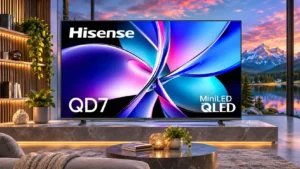
Overall: 3.9/5
The supplied stand gives the tested model a stable, reassuring stance.
Pros: picture quality, contrast ratio
Cons: HDR performance, motion handling
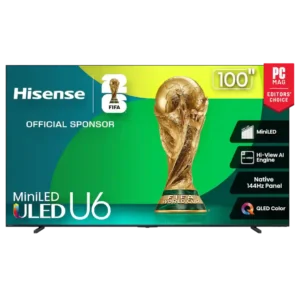
Overall: 4.2/5
The stand is described as steady and grounded in the source that comments directly on stability.
Pros: overall satisfaction, value for money
Cons: smart TV platform, blooming control
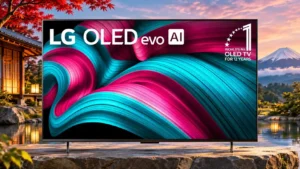
Overall: 4.0/5
The supplied stand supports the screen securely with minimal wobble.
Pros: value for money, overall satisfaction
Cons: Remote control usability, sound quality

Overall: 3.8/5
The centered stand supports the television securely while keeping the overall silhouette clean.
Pros: glare resistance, overall satisfaction
Cons: input lag, value for money

Overall: 3.9/5
The wide stand arrangement provides welcome stability, particularly for busy shared spaces.
Pros: color volume, black levels
Cons: Inconsistent panel and coating by size, sound quality
Overall: 3.9/5
The metal feet hold the panel securely and can raise it cleanly for a soundbar.
Pros: gaming performance, peak brightness
Cons: HDMI 2.1 support, HDMI 2.1 port count

Overall: 4.2/5
The substantial central base keeps the display steady with minimal wobble for a screen of this size.
Pros: picture quality, glare resistance
Cons: value for money, bass performance

Overall: 4.0/5
Stability is generally good, with reviewers describing the center-mounted base as sturdy or rock-solid.
Pros: overall satisfaction, picture quality
Cons: reliability, build quality

Overall: 3.8/5
The center-mounted support feels secure and takes up little tabletop space.
Pros: picture quality, 4K at 144 Hz support
Cons: sound quality, value for money

Overall: 3.6/5
The two plastic feet support the screen securely, even if their materials do not feel premium.
Pros: picture quality, overall satisfaction
Cons: sound quality, reliability

Overall: 4.0/5
Properly installed feet keep the screen planted despite its size; only minor movement appears if the panel is pushed.
Pros: picture quality, black levels
Cons: HDR brightness, value for money

Overall: 3.9/5
The support feet or center pedestal hold the screen securely despite differences in shape and footprint.
Pros: gaming performance, overall satisfaction
Cons: sound quality, value for money

Overall: 3.8/5
The 100-inch feet support the large panel securely, while smaller stands are designed to sit centrally on furniture.
Pros: overall satisfaction, picture quality
Cons: value for money, local dimming performance

Overall: 3.9/5
The center support generally holds the panel securely and occupies little space.
Pros: peak brightness, value for money
Cons: reflection handling, glare resistance
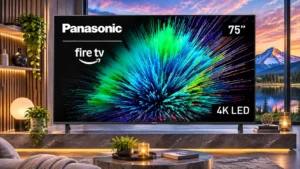
Overall: 3.3/5
The feet feel stable on the smaller tested sizes, though the fixed wide spacing should be checked against furniture dimensions.
Pros: picture quality, motion handling
Cons: HDR performance, HDR brightness

Overall: 3.0/5
Stand stability is reassuring to some testers, although another found a little wobble in its high, narrow position.
Pros: color gamut, smart TV platform
Cons: value for money, overall satisfaction

Overall: 3.7/5
Placing the adjustable feet farther apart increases stability for larger setups.
Pros: picture quality, maximum volume
Cons: sound quality, bass performance

Overall: 3.9/5
The compact pedestal supports the TV securely and raises it above the cabinet surface.
Pros: value for money, overall satisfaction
Cons: Dolby Vision support, sound quality

Overall: 3.8/5
Two adjustable feet hold the television securely on a table.
Pros: Wireless One Connect compatibility, art display mode
Cons: value for money, input lag

Overall: 3.3/5
The supplied legs hold the panel securely without elaborate mounting hardware.
Pros: color accuracy, upscaling quality
Cons: picture quality, sound quality
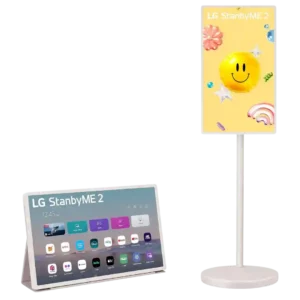
Overall: 3.8/5
Most comments describe the weighted stand as sturdy and resistant to tipping. One serious outlier reported that the stand fell with a slight knock, so stability is not universally trusted.
Pros: overall satisfaction, portability and versatility
Cons: value for money, menu responsiveness

Overall: 4.1/5
Smaller metal pedestals feel secure, but the huge 100-inch body wobbles more and needs a stable location.
Pros: peak brightness, HDR brightness
Cons: sound quality, viewing angles

Overall: 3.9/5
The central stand feels stable in ordinary use, although one assessment cautions that a pedestal design is easier to tip with children nearby.
Pros: peak brightness, overall satisfaction
Cons: value for money, shadow detail
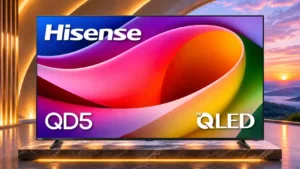
Overall: 3.9/5
The set wobbles a little when touched but settles quickly rather than continuing to sway.
Pros: overall satisfaction, picture quality
Cons: Weight and handling, black levels
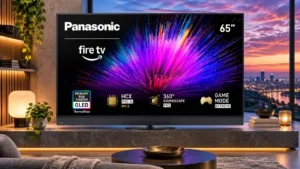
Overall: 4.3/5
The stand holds the set securely, although some units exhibit a slight forward lean.
Pros: picture quality, color accuracy
Cons: bass performance, HDMI 2.1 port count

Overall: 4.2/5
The narrow stand position can wobble when nudged, so a wide placement may be safer around active households.
Pros: high-refresh-rate gaming, gaming performance
Cons: value for money, bass performance
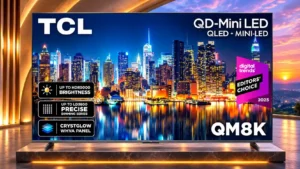
Overall: 4.0/5
The large panel can wobble slightly on furniture, so a secure stand or wall mount matters.
Pros: peak brightness, picture quality
Cons: HDMI 2.1 port count, reflection handling

Overall: 4.0/5
One unboxing found the screen bottom-heavy and not particularly stable while removing protective film.
Pros: color accuracy, picture quality
Cons: HDR brightness, peak brightness